Compare commits
| Author | SHA1 | Date | |
|---|---|---|---|
 PiEgg PiEgg
|
d171355a37 | ||
|
Molunerfinn
|
043a7500d3 |
@@ -1 +0,0 @@
|
||||
github: ["Molunerfinn"]
|
||||
@@ -1,68 +0,0 @@
|
||||
name: "🐛 Bug Report"
|
||||
description: 提交一个问题 / Report a bug
|
||||
title: "[Bug]: "
|
||||
labels: ["bug"]
|
||||
assignees:
|
||||
- molunerfinn
|
||||
body:
|
||||
- type: markdown
|
||||
attributes:
|
||||
value: |+
|
||||
## PicGo Issue 模板
|
||||
|
||||
请依照该模板来提交,否则将会被关闭。
|
||||
**提问之前请注意你看过 FAQ、文档以及那些被关闭的 issues。否则同样的提问也会被关闭!**
|
||||
|
||||
Please submit according to this template, otherwise it will be closed.
|
||||
**Before asking a question, please note that you have read the FAQ, Doc, and those closed issues. Otherwise the same question will also be closed! **
|
||||
|
||||
- type: checkboxes
|
||||
id: read
|
||||
attributes:
|
||||
label: 前置阅读 | Pre-reading
|
||||
description: 我已经自行查找、阅读以下内容(阅读了请打勾) | I have searched and read the following on my own (Please tick after reading)
|
||||
options:
|
||||
- label: "[文档/Doc](https://picgo.github.io/PicGo-Doc/)"
|
||||
required: true
|
||||
- label: "[Issues](https://github.com/Molunerfinn/PicGo/issues?q=is%3Aissue+sort%3Aupdated-desc+is%3Aclosed)"
|
||||
required: true
|
||||
- label: "[FAQ](https://github.com/Molunerfinn/PicGo/blob/dev/FAQ.md)"
|
||||
required: true
|
||||
- type: input
|
||||
id: version
|
||||
attributes:
|
||||
label: PicGo的版本 | PicGo Version
|
||||
placeholder: 例如 v2.3.0-beta.1
|
||||
validations:
|
||||
required: true
|
||||
- type: dropdown
|
||||
id: platform
|
||||
attributes:
|
||||
label: 系统信息 | System Information
|
||||
options:
|
||||
- Windows
|
||||
- Mac
|
||||
- Mac(arm64)
|
||||
- Linux
|
||||
- All
|
||||
validations:
|
||||
required: true
|
||||
- type: textarea
|
||||
id: reproduce
|
||||
attributes:
|
||||
label: 问题重现 | Bug reproduce
|
||||
description: 请复述Bug重现流程,必要时附图 | Please tell me the bug reproduction process, attach pictures if necessary
|
||||
validations:
|
||||
required: true
|
||||
- type: textarea
|
||||
id: log
|
||||
attributes:
|
||||
label: 相关日志 | Logs
|
||||
description: 请附上 PicGo 的相关报错日志(用文本的形式)。报错日志可以在 PicGo 设置 -> 设置日志文件 -> 点击打开 后找到 | Please attach PicGo's relevant error log (in text form). The error log can be found in PicGo Settings -> Set Log File -> Click to Open
|
||||
- type: markdown
|
||||
attributes:
|
||||
value: |
|
||||
最后,喜欢 PicGo 的话不妨给它点个 star~
|
||||
如果可以的话,请我喝杯咖啡?首页有赞助二维码,谢谢你的支持!
|
||||
Finally, if you like PicGo, give it a star~
|
||||
Buy me a cup of coffee if you can? There is a sponsorship QR code on the homepage, thank you for your support!
|
||||
@@ -1 +0,0 @@
|
||||
blank_issues_enabled: false
|
||||
@@ -1,63 +0,0 @@
|
||||
name: "✨ Feature Request"
|
||||
description: 功能请求 / Feature request
|
||||
title: "[Feature]: "
|
||||
labels: ["feature request"]
|
||||
assignees:
|
||||
- molunerfinn
|
||||
body:
|
||||
- type: markdown
|
||||
attributes:
|
||||
value: |+
|
||||
## PicGo Issue 模板
|
||||
|
||||
请依照该模板来提交,否则将会被关闭。
|
||||
**提问之前请注意你看过 FAQ、文档以及那些被关闭的 issues。否则同样的提问也会被关闭!**
|
||||
|
||||
Please submit according to this template, otherwise it will be closed.
|
||||
**Before asking a question, please note that you have read the FAQ, Doc, and those closed issues. Otherwise the same question will also be closed! **
|
||||
|
||||
- type: checkboxes
|
||||
id: read
|
||||
attributes:
|
||||
label: 前置阅读 | Pre-reading
|
||||
description: 我已经自行查找、阅读以下内容(阅读了请打勾) | I have searched and read the following on my own (Please tick after reading)
|
||||
options:
|
||||
- label: "[文档/Doc](https://picgo.github.io/PicGo-Doc/)"
|
||||
required: true
|
||||
- label: "[Issues](https://github.com/Molunerfinn/PicGo/issues?q=is%3Aissue+sort%3Aupdated-desc+is%3Aclosed)"
|
||||
required: true
|
||||
- label: "[FAQ](https://github.com/Molunerfinn/PicGo/blob/dev/FAQ.md)"
|
||||
required: true
|
||||
- type: input
|
||||
id: version
|
||||
attributes:
|
||||
label: PicGo的版本 | PicGo Version
|
||||
placeholder: 例如 v2.3.0-beta.1
|
||||
validations:
|
||||
required: true
|
||||
- type: dropdown
|
||||
id: platform
|
||||
attributes:
|
||||
label: 系统信息 | System Information
|
||||
options:
|
||||
- Windows
|
||||
- Mac
|
||||
- Mac(arm64)
|
||||
- Linux
|
||||
- All
|
||||
validations:
|
||||
required: true
|
||||
- type: textarea
|
||||
id: reproduce
|
||||
attributes:
|
||||
label: 功能请求 | Feature request
|
||||
description: 详细描述你所预想的功能或者是现有功能的改进 | Describe in detail the features you envision or improvements to existing features
|
||||
validations:
|
||||
required: true
|
||||
- type: markdown
|
||||
attributes:
|
||||
value: |
|
||||
最后,喜欢 PicGo 的话不妨给它点个 star~
|
||||
如果可以的话,请我喝杯咖啡?首页有赞助二维码,谢谢你的支持!
|
||||
Finally, if you like PicGo, give it a star~
|
||||
Buy me a cup of coffee if you can? There is a sponsorship QR code on the homepage, thank you for your support!
|
||||
@@ -1,172 +0,0 @@
|
||||
name: Build & Release
|
||||
|
||||
on:
|
||||
push:
|
||||
tags:
|
||||
- v*
|
||||
workflow_dispatch:
|
||||
inputs:
|
||||
test_upload_dist:
|
||||
description: "Test upload-dist.js script"
|
||||
required: true
|
||||
default: false
|
||||
type: boolean
|
||||
build_os:
|
||||
description: "Build for specific OS: Windows, macOS, Linux, All"
|
||||
required: true
|
||||
default: "All"
|
||||
type: choice
|
||||
options:
|
||||
- Windows
|
||||
- macOS
|
||||
- Linux
|
||||
- All
|
||||
skip_notarize:
|
||||
description: "Skip Notarization (true/false)"
|
||||
required: true
|
||||
default: false
|
||||
type: boolean
|
||||
env:
|
||||
NODE_VERSION: 22.x
|
||||
|
||||
jobs:
|
||||
# parallel build jobs
|
||||
build:
|
||||
name: Build on ${{ matrix.os }}
|
||||
runs-on: ${{ matrix.os }}
|
||||
strategy:
|
||||
# if one job fails, do not stop other jobs
|
||||
fail-fast: false
|
||||
matrix:
|
||||
os: [macos-latest, windows-latest, ubuntu-latest]
|
||||
steps:
|
||||
- name: Check out git repository
|
||||
uses: actions/checkout@v4
|
||||
- name: Setup pnpm
|
||||
uses: pnpm/action-setup@v4
|
||||
with:
|
||||
version: 10
|
||||
- name: Setup Node.js
|
||||
uses: actions/setup-node@v6
|
||||
with:
|
||||
node-version: ${{ env.NODE_VERSION }}
|
||||
cache: pnpm
|
||||
cache-dependency-path: pnpm-lock.yaml
|
||||
- name: Clean workspace on Windows
|
||||
if: runner.os == 'Windows' && (github.event.inputs.build_os == 'Windows' || github.event.inputs.build_os == 'All' || startsWith(github.ref, 'refs/tags/v'))
|
||||
run: |
|
||||
if (Test-Path dist) { Remove-Item -Recurse -Force dist }
|
||||
if (Test-Path dist_electron) { Remove-Item -Recurse -Force dist_electron }
|
||||
if (Test-Path node_modules) { Remove-Item -Recurse -Force node_modules }
|
||||
|
||||
if (Test-Path "$env:LOCALAPPDATA\electron-builder") {
|
||||
Remove-Item "$env:LOCALAPPDATA\electron-builder" -Recurse -Force -ErrorAction SilentlyContinue
|
||||
}
|
||||
if (Test-Path "$env:LOCALAPPDATA\electron") {
|
||||
Remove-Item "$env:LOCALAPPDATA\electron" -Recurse -Force -ErrorAction SilentlyContinue
|
||||
}
|
||||
- name: Clean workspace on macOS & Linux
|
||||
if: runner.os == 'macOS' || runner.os == 'Linux' && (github.event.inputs.build_os == 'macOS' || github.event.inputs.build_os == 'Linux' || github.event.inputs.build_os == 'All' || startsWith(github.ref, 'refs/tags/v'))
|
||||
run: |
|
||||
rm -rf dist dist_electron node_modules ~/.cache/electron-builder ~/.cache/electron
|
||||
- name: Install dependencies
|
||||
run: pnpm install --frozen-lockfile
|
||||
- name: Ubuntu Update with sudo
|
||||
if: runner.os == 'Linux' && (github.event.inputs.build_os == 'Linux' || github.event.inputs.build_os == 'All' || startsWith(github.ref, 'refs/tags/v'))
|
||||
run: |
|
||||
sudo apt-get update
|
||||
sudo apt-get install -y libfuse2
|
||||
- name: Build Windows x64 & ARM64 App
|
||||
if: runner.os == 'Windows' && (github.event.inputs.build_os == 'Windows' || github.event.inputs.build_os == 'All' || startsWith(github.ref, 'refs/tags/v'))
|
||||
run: pnpm run build:win || true
|
||||
env:
|
||||
GH_TOKEN: ${{ secrets.GH_TOKEN }}
|
||||
- name: Build macOS x64 & ARM64 App
|
||||
if: runner.os == 'macOS' && (github.event.inputs.build_os == 'macOS' || github.event.inputs.build_os == 'All' || startsWith(github.ref, 'refs/tags/v'))
|
||||
run: pnpm run build:mac || true
|
||||
shell: bash
|
||||
env:
|
||||
GH_TOKEN: ${{ secrets.GH_TOKEN }}
|
||||
# macOS Code Signing
|
||||
# p12 证书的 Base64 字符串
|
||||
CSC_LINK: ${{ secrets.MAC_CSC_LINK }}
|
||||
# p12 证书密码
|
||||
CSC_KEY_PASSWORD: ${{ secrets.MAC_CSC_KEY_PASSWORD }}
|
||||
# macOS Notarization (公证所需变量)
|
||||
APPLE_ID: ${{ secrets.APPLE_ID }}
|
||||
APPLE_APP_SPECIFIC_PASSWORD: ${{ secrets.APPLE_APP_SPECIFIC_PASSWORD }}
|
||||
APPLE_TEAM_ID: ${{ secrets.APPLE_TEAM_ID }}
|
||||
SKIP_NOTARIZE: ${{ inputs.skip_notarize }}
|
||||
- name: Build Linux x64 & ARM64 App
|
||||
if: runner.os == 'Linux' && (github.event.inputs.build_os == 'Linux' || github.event.inputs.build_os == 'All' || startsWith(github.ref, 'refs/tags/v'))
|
||||
run: pnpm run build:linux || true
|
||||
shell: bash
|
||||
env:
|
||||
GH_TOKEN: ${{ secrets.GH_TOKEN }}
|
||||
- name: Upload Artifact
|
||||
uses: actions/upload-artifact@v4
|
||||
with:
|
||||
name: PicGo-${{ runner.os }}
|
||||
path: dist/*.*
|
||||
- name: Upload to release.picgo.app
|
||||
if: startsWith(github.ref, 'refs/tags/v') || github.event.inputs.test_upload_dist
|
||||
run: |
|
||||
pnpm run upload-dist
|
||||
env:
|
||||
PICGO_ENV_S3_SECRET_ID: ${{ secrets.PICGO_ENV_S3_SECRET_ID }}
|
||||
PICGO_ENV_S3_SECRET_KEY: ${{ secrets.PICGO_ENV_S3_SECRET_KEY }}
|
||||
PICGO_ENV_S3_ACCOUNT_ID: ${{ secrets.PICGO_ENV_S3_ACCOUNT_ID }}
|
||||
PICGO_ENV_S3_LEGACY_ACCOUNT_ID: ${{ secrets.PICGO_ENV_S3_LEGACY_ACCOUNT_ID }}
|
||||
PICGO_ENV_S3_LEGACY_SECRET_ID: ${{ secrets.PICGO_ENV_S3_LEGACY_SECRET_ID }}
|
||||
PICGO_ENV_S3_LEGACY_SECRET_KEY: ${{ secrets.PICGO_ENV_S3_LEGACY_SECRET_KEY }}
|
||||
release:
|
||||
name: Publish GitHub Release
|
||||
needs: build
|
||||
runs-on: ubuntu-latest
|
||||
permissions:
|
||||
contents: write
|
||||
steps:
|
||||
- name: Download all artifacts
|
||||
uses: actions/download-artifact@v4
|
||||
with:
|
||||
path: artifacts
|
||||
- name: Publish GitHub Dev Release
|
||||
if: github.event_name == 'workflow_dispatch'
|
||||
uses: softprops/action-gh-release@v2
|
||||
continue-on-error: true
|
||||
with:
|
||||
token: ${{ secrets.GH_TOKEN }}
|
||||
tag_name: dev
|
||||
draft: true
|
||||
prerelease: false
|
||||
files: |
|
||||
!artifacts/**/*-unpacked/**
|
||||
artifacts/**/*.exe
|
||||
artifacts/**/*.dmg
|
||||
artifacts/**/*.zip
|
||||
artifacts/**/*.AppImage
|
||||
artifacts/**/*.deb
|
||||
artifacts/**/*.snap
|
||||
artifacts/**/*.tar.gz
|
||||
artifacts/**/*.yml
|
||||
artifacts/**/*.blockmap
|
||||
- name: Publish GitHub Release
|
||||
if: startsWith(github.ref, 'refs/tags/v')
|
||||
uses: softprops/action-gh-release@v2
|
||||
continue-on-error: true
|
||||
with:
|
||||
token: ${{ secrets.GH_TOKEN }}
|
||||
generate_release_notes: true
|
||||
draft: true
|
||||
prerelease: false
|
||||
files: |
|
||||
!artifacts/**/*-unpacked/**
|
||||
artifacts/**/*.exe
|
||||
artifacts/**/*.dmg
|
||||
artifacts/**/*.zip
|
||||
artifacts/**/*.AppImage
|
||||
artifacts/**/*.deb
|
||||
artifacts/**/*.snap
|
||||
artifacts/**/*.tar.gz
|
||||
artifacts/**/*.yml
|
||||
artifacts/**/*.blockmap
|
||||
@@ -1,30 +0,0 @@
|
||||
.DS_Store
|
||||
dist/electron/*
|
||||
dist/web/*
|
||||
build/*
|
||||
!build/icons
|
||||
!build/installer.nsh
|
||||
!build/entitlements.mac.plist
|
||||
coverage
|
||||
node_modules/
|
||||
npm-debug.log
|
||||
npm-debug.log.*
|
||||
thumbs.db
|
||||
!.gitkeep
|
||||
yarn-error.log
|
||||
docs/dist/
|
||||
# local env files
|
||||
.env.local
|
||||
.env.*.local
|
||||
dist_electron/
|
||||
test.js
|
||||
.env
|
||||
scripts/*.yml
|
||||
|
||||
#Electron-builder output
|
||||
/dist_electron
|
||||
.serena/
|
||||
dist/*
|
||||
test.js
|
||||
specs/
|
||||
.cache/
|
||||
@@ -1 +0,0 @@
|
||||
22
|
||||
@@ -1,52 +0,0 @@
|
||||
# Commented sections below can be used to run tests on the CI server
|
||||
# https://simulatedgreg.gitbooks.io/electron-vue/content/en/testing.html#on-the-subject-of-ci-testing
|
||||
osx_image: xcode8.3
|
||||
sudo: required
|
||||
dist: trusty
|
||||
language: c
|
||||
matrix:
|
||||
include:
|
||||
- os: osx
|
||||
- os: linux
|
||||
env: CC=clang CXX=clang++ npm_config_clang=1
|
||||
compiler: clang
|
||||
cache:
|
||||
directories:
|
||||
- node_modules
|
||||
- "$HOME/.electron"
|
||||
- "$HOME/.cache"
|
||||
addons:
|
||||
apt:
|
||||
packages:
|
||||
- libgnome-keyring-dev
|
||||
- icnsutils
|
||||
#- xvfb
|
||||
before_install:
|
||||
- if [[ "$TRAVIS_OS_NAME" == "osx" ]]; then brew install git-lfs; fi
|
||||
- if [[ "$TRAVIS_OS_NAME" == "linux" ]]; then sudo apt-get install --no-install-recommends -y icnsutils graphicsmagick xz-utils; fi
|
||||
install:
|
||||
#- export DISPLAY=':99.0'
|
||||
#- Xvfb :99 -screen 0 1024x768x24 > /dev/null 2>&1 &
|
||||
- nvm install 10
|
||||
- curl -o- -L https://yarnpkg.com/install.sh | bash
|
||||
- source ~/.bashrc
|
||||
- npm install -g xvfb-maybe
|
||||
- yarn
|
||||
script:
|
||||
#- xvfb-maybe node_modules/.bin/karma start test/unit/karma.conf.js
|
||||
#- yarn run pack && xvfb-maybe node_modules/.bin/mocha test/e2e
|
||||
- npm run release
|
||||
# - yarn run build:docs
|
||||
before_script:
|
||||
- git lfs pull
|
||||
branches:
|
||||
only:
|
||||
- master
|
||||
# after_script:
|
||||
# - cd docs/dist
|
||||
# - git init
|
||||
# - git config user.name "Molunerfinn"
|
||||
# - git config user.email "marksz@teamsz.xyz"
|
||||
# - git add .
|
||||
# - git commit -m "Travis build docs"
|
||||
# - git push --force --quiet "https://${GH_TOKEN}@github.com/Molunerfinn/PicGo.git" master:gh-pages
|
||||
@@ -1,44 +0,0 @@
|
||||
{
|
||||
"version": "0.2.0",
|
||||
"configurations": [
|
||||
{
|
||||
"name": "Electron: Main",
|
||||
"type": "node",
|
||||
"request": "launch",
|
||||
"protocol": "inspector",
|
||||
"runtimeExecutable": "${workspaceRoot}/node_modules/.bin/electron",
|
||||
"windows": {
|
||||
"runtimeExecutable": "${workspaceRoot}/node_modules/.bin/electron.cmd"
|
||||
},
|
||||
"preLaunchTask": "electron-debug",
|
||||
"args": [
|
||||
"--remote-debugging-port=9223",
|
||||
"./dist"
|
||||
],
|
||||
"outFiles": [
|
||||
"${workspaceFolder}/dist/**/*.js"
|
||||
]
|
||||
},
|
||||
{
|
||||
"name": "Electron: Renderer",
|
||||
"type": "chrome",
|
||||
"request": "attach",
|
||||
"port": 9223,
|
||||
"urlFilter": "http://localhost:*",
|
||||
"timeout": 30000,
|
||||
"webRoot": "${workspaceFolder}/src",
|
||||
"sourceMapPathOverrides": {
|
||||
"webpack:///./src/*": "${webRoot}/*"
|
||||
}
|
||||
}
|
||||
],
|
||||
"compounds": [
|
||||
{
|
||||
"name": "Electron: All",
|
||||
"configurations": [
|
||||
"Electron: Main",
|
||||
"Electron: Renderer"
|
||||
]
|
||||
}
|
||||
]
|
||||
}
|
||||
@@ -1,31 +0,0 @@
|
||||
{
|
||||
"eslint.enable": true,
|
||||
"eslint.alwaysShowStatus": true,
|
||||
"eslint.format.enable": true,
|
||||
"eslint.validate": [
|
||||
"javascript",
|
||||
"javascriptreact",
|
||||
"typescript",
|
||||
"vue",
|
||||
"typescriptreact"
|
||||
],
|
||||
"[stylus]": {
|
||||
"editor.formatOnSave": true
|
||||
},
|
||||
"stylusSupremacy.insertSemicolons": false,
|
||||
"stylusSupremacy.insertBraces": false,
|
||||
"stylusSupremacy.insertNewLineBetweenSelectors": true,
|
||||
"stylusSupremacy.insertParenthesisAroundIfCondition": false,
|
||||
"stylusSupremacy.alwaysUseNoneOverZero": true,
|
||||
"stylusSupremacy.alwaysUseZeroWithoutUnit": true,
|
||||
"stylusSupremacy.sortProperties": "grouped",
|
||||
"stylusSupremacy.quoteChar": "\"",
|
||||
"editor.codeActionsOnSave": {
|
||||
"source.fixAll.eslint": "explicit",
|
||||
"source.organizeImports": "never"
|
||||
},
|
||||
"prettier.enable": false,
|
||||
"[typescript]": {
|
||||
"editor.defaultFormatter": "dbaeumer.vscode-eslint"
|
||||
},
|
||||
}
|
||||
@@ -1,27 +0,0 @@
|
||||
{
|
||||
// See https://go.microsoft.com/fwlink/?LinkId=733558
|
||||
// for the documentation about the tasks.json format
|
||||
"version": "2.0.0",
|
||||
"tasks": [
|
||||
{
|
||||
"label": "electron-debug",
|
||||
"type": "process",
|
||||
"command": "./node_modules/.bin/vue-cli-service",
|
||||
"windows": {
|
||||
"command": "./node_modules/.bin/vue-cli-service.cmd"
|
||||
},
|
||||
"isBackground": true,
|
||||
"args": ["electron:serve", "--debug"],
|
||||
"problemMatcher": {
|
||||
"owner": "custom",
|
||||
"pattern": {
|
||||
"regexp": ""
|
||||
},
|
||||
"background": {
|
||||
"beginsPattern": "Starting development server\\.\\.\\.",
|
||||
"endsPattern": "Not launching electron as debug argument was passed\\."
|
||||
}
|
||||
}
|
||||
}
|
||||
]
|
||||
}
|
||||
@@ -1,32 +0,0 @@
|
||||
# Repository Guidelines
|
||||
|
||||
## Project Structure & Module Organization
|
||||
PicGo is an Electron + Vue 3 desktop client. Source lives in `src/`: `src/main` for main-process and IPC logic, `src/renderer` for Vue views, and `src/universal` for shared helpers (`types/`, `events/constants.ts`). `background.ts` wires Electron Builder. Static assets and locale YAML files stay in `public/` (add languages under `public/i18n/`), while `docs/` hosts user-facing guides. Automation scripts live in `scripts/`, and legacy tests sit under `test/unit` (Karma) and `test/e2e` (Spectron).
|
||||
|
||||
## Build, Test, and Development Commands
|
||||
- `pnpm install` — install dependencies; `npm install` is unsupported. Only run this when the user explicitly asks/coordinates it.
|
||||
- Always add/remove dependencies with `pnpm` (never edit package.json versions by hand then install).
|
||||
- `pnpm dev` — electron-vite dev server for main/preload/renderer.
|
||||
- `pnpm build` — electron-vite build outputs to `dist/main`, `dist/preload`, `dist/renderer`; `pnpm preview` for preview mode.
|
||||
- Packaging config lives in `electron-builder.yml` (read by electron-builder via package.json `build` field/extraResources); set `ELECTRON_MIRROR=https://npmmirror.com/mirrors/electron/` if downloads are slow.
|
||||
- `pnpm lint` / `pnpm lint:fix` — run or auto-fix ESLint (Standard, TypeScript, Vue rules).
|
||||
- `pnpm lint:dpdm` — fail fast on circular dependencies in `src/`.
|
||||
- `pnpm check` — run `tsc` + `lint` (run once before finishing a task).
|
||||
- `pnpm gen-i18n` — regenerate typed locales after touching `public/i18n/*.yml`.
|
||||
|
||||
## Coding Style & Naming Conventions
|
||||
Follow ESLint Standard defaults: two-space indentation, single quotes, trailing commas where allowed, and no stray semicolons. Author new modules in TypeScript. Keep renderer files browser-safe; route Node APIs through IPC helpers such as `src/main/events/picgoCoreIPC.ts`. Name Vue components in PascalCase (`UploadPanel.vue`) and use camelCase for utilities. Centralize IPC event names inside `src/universal/events/constants.ts`, and store enums/types under `src/universal/types/` so they stay reusable. Static assets are served from `public/` and resolved via `getStaticPath`/`getStaticFileUrl` (`src/universal/utils/staticPath.ts`); avoid using `__static` directly.
|
||||
Static assets are served from `public/`. In the main process use `getStaticPath`/`getStaticFileUrl` (`src/universal/utils/staticPath.ts`). In the renderer, place assets under `public/` and resolve them via `import.meta.env.BASE_URL + filename` (helper: `src/renderer/utils/static.ts`); do not rely on `__static` in renderer code.
|
||||
- Do not use `as any` under any circumstances; keep typings explicit and safe.
|
||||
|
||||
## Testing Guidelines
|
||||
Place renderer unit specs in `test/unit/specs` with the `.spec.js` suffix; Karma picks them up via `require.context`. Run them with `npx karma start test/unit/karma.conf.js --single-run` and ensure new renderer folders are covered. Spectron e2e cases live in `test/e2e/specs`; build first (`pnpm build`), then run `npx mocha test/e2e/index.js` so Spectron can launch `dist/electron/main.js`. Document any test data, IPC stubs, or fixtures you add to keep suites reproducible.
|
||||
|
||||
## Commit & Pull Request Guidelines
|
||||
Commits follow the PicGo conventional preset enforced by Husky (`pnpm lint:dpdm` + Commitlint). Stage your changes and run `pnpm cz` to craft messages that pass CI. Pull requests should explain the change, link related issues, and attach UI screenshots or recordings. Note how you validated the work (dev server, build, Karma, Spectron) and call out migration or configuration steps reviewers must perform.
|
||||
|
||||
## Internationalization Tips
|
||||
Add locales by creating `public/i18n/<locale>.yml`, exposing its `LANG_DISPLAY_LABEL`, and registering it in `src/universal/i18n/index.ts`. After editing `public/i18n/*.yml`, run `pnpm gen-i18n` to regenerate TS typings and keep them in sync.
|
||||
|
||||
## Serena MCP & Context7 Tools
|
||||
When starting work or if you hit issues, try checking MCP for Serena or Context7 tooling. If available, use those tools to navigate, edit, or fetch docs efficiently.
|
||||
@@ -1,844 +0,0 @@
|
||||
## :tada: 2.4.2 (2026-01-07)
|
||||
|
||||
|
||||
### :sparkles: Features
|
||||
|
||||
* **notification:** refactor notification and add notificationSound settings ([#1370](https://github.com/Molunerfinn/PicGo/issues/1370)) ([2936b19](https://github.com/Molunerfinn/PicGo/commit/2936b19)), closes [#1229](https://github.com/Molunerfinn/PicGo/issues/1229)
|
||||
|
||||
|
||||
### :bug: Bug Fixes
|
||||
|
||||
* **tray:** clamp image titles to two lines ([525492b](https://github.com/Molunerfinn/PicGo/commit/525492b))
|
||||
|
||||
|
||||
### :pencil: Documentation
|
||||
|
||||
* **2.4.2:** update changelog ([2c9a188](https://github.com/Molunerfinn/PicGo/commit/2c9a188))
|
||||
|
||||
|
||||
|
||||
## :tada: 2.4.2-beta.0 (2025-12-31)
|
||||
|
||||
|
||||
### :sparkles: Features
|
||||
|
||||
* **config:** add copy config \&\& add double confirm before copy \& delete config ([25f86a6](https://github.com/Molunerfinn/PicGo/commit/25f86a6))
|
||||
|
||||
|
||||
### :bug: Bug Fixes
|
||||
|
||||
* **icon:** app icon too large in macOS 15.x ([840c33b](https://github.com/Molunerfinn/PicGo/commit/840c33b)), closes [#1367](https://github.com/Molunerfinn/PicGo/issues/1367)
|
||||
|
||||
|
||||
### :package: Chore
|
||||
|
||||
* electron builder not publish with build command ([9269f96](https://github.com/Molunerfinn/PicGo/commit/9269f96))
|
||||
* fix workflow build ([a1d22e5](https://github.com/Molunerfinn/PicGo/commit/a1d22e5))
|
||||
* **signature:** add signature \& notarization process ([ee6ca02](https://github.com/Molunerfinn/PicGo/commit/ee6ca02))
|
||||
* update FAQ \&\& plugin filter logic ([f7f5804](https://github.com/Molunerfinn/PicGo/commit/f7f5804))
|
||||
|
||||
|
||||
|
||||
## :tada: 2.4.1 (2025-12-23)
|
||||
|
||||
|
||||
### :sparkles: Features
|
||||
|
||||
* add showMenubarIcon setting ([#1366](https://github.com/Molunerfinn/PicGo/issues/1366)) ([d0eb3da](https://github.com/Molunerfinn/PicGo/commit/d0eb3da))
|
||||
|
||||
|
||||
### :bug: Bug Fixes
|
||||
|
||||
* **custom:** build workflow error ([a0db473](https://github.com/Molunerfinn/PicGo/commit/a0db473))
|
||||
* **custom:** data report ([eef736f](https://github.com/Molunerfinn/PicGo/commit/eef736f))
|
||||
* **custom:** workflow env bug ([f84f5f1](https://github.com/Molunerfinn/PicGo/commit/f84f5f1))
|
||||
|
||||
|
||||
### :pencil: Documentation
|
||||
|
||||
* **custom:** update readme ([a671ea4](https://github.com/Molunerfinn/PicGo/commit/a671ea4))
|
||||
* **custom:** update readme ([c658b9b](https://github.com/Molunerfinn/PicGo/commit/c658b9b))
|
||||
* **custom:** update README ([c8c9122](https://github.com/Molunerfinn/PicGo/commit/c8c9122))
|
||||
* update 2.4.1 changelog ([d071957](https://github.com/Molunerfinn/PicGo/commit/d071957))
|
||||
|
||||
|
||||
### :package: Chore
|
||||
|
||||
* **custom:** rm yarn.lock ([8c310e7](https://github.com/Molunerfinn/PicGo/commit/8c310e7))
|
||||
|
||||
|
||||
|
||||
## :tada: 2.4.1-beta.1 (2025-12-10)
|
||||
|
||||
|
||||
### :bug: Bug Fixes
|
||||
|
||||
* **custom:** the issue that x64 macOS app can't be opened ([54d15a6](https://github.com/Molunerfinn/PicGo/commit/54d15a6)), closes [#1363](https://github.com/Molunerfinn/PicGo/issues/1363)
|
||||
|
||||
|
||||
### :package: Chore
|
||||
|
||||
* update builder config && add legacy version file upload process ([2cc2983](https://github.com/Molunerfinn/PicGo/commit/2cc2983))
|
||||
|
||||
|
||||
|
||||
## :tada: 2.4.1-beta.0 (2025-12-09)
|
||||
|
||||
|
||||
### :bug: Bug Fixes
|
||||
|
||||
* fix docs link ([d6c0a85](https://github.com/Molunerfinn/PicGo/commit/d6c0a85))
|
||||
* pic-migrater post handler error ([b421c4b](https://github.com/Molunerfinn/PicGo/commit/b421c4b))
|
||||
* tray window clipboard image not show bug ([#1362](https://github.com/Molunerfinn/PicGo/issues/1362)) ([56f61d4](https://github.com/Molunerfinn/PicGo/commit/56f61d4))
|
||||
|
||||
|
||||
### :package: Chore
|
||||
|
||||
* change release url ([9d4ea82](https://github.com/Molunerfinn/PicGo/commit/9d4ea82))
|
||||
* disabled build universal installer ([366ac11](https://github.com/Molunerfinn/PicGo/commit/366ac11))
|
||||
* fix some workflow bug ([db627a4](https://github.com/Molunerfinn/PicGo/commit/db627a4))
|
||||
* fix upload dist arch bug ([8e94b2a](https://github.com/Molunerfinn/PicGo/commit/8e94b2a))
|
||||
* upgrade electron version && migrate to electron-vite ([#1361](https://github.com/Molunerfinn/PicGo/issues/1361)) ([070ce2b](https://github.com/Molunerfinn/PicGo/commit/070ce2b))
|
||||
|
||||
|
||||
|
||||
# :tada: 2.4.0 (2025-11-23)
|
||||
|
||||
|
||||
### :pencil: Documentation
|
||||
|
||||
* add 2.4.0 changelog ([cccd295](https://github.com/Molunerfinn/PicGo/commit/cccd295))
|
||||
* add warp sponsor shoutout ([e0d45fa](https://github.com/Molunerfinn/PicGo/commit/e0d45fa))
|
||||
* add warp sponsor shoutout ([de441a8](https://github.com/Molunerfinn/PicGo/commit/de441a8))
|
||||
* update docs ([4a29bf2](https://github.com/Molunerfinn/PicGo/commit/4a29bf2))
|
||||
* update docs ([24e4a82](https://github.com/Molunerfinn/PicGo/commit/24e4a82))
|
||||
* update readme & warp sponsor link ([45b3227](https://github.com/Molunerfinn/PicGo/commit/45b3227))
|
||||
|
||||
|
||||
### :package: Chore
|
||||
|
||||
* change funding yml ([2450a52](https://github.com/Molunerfinn/PicGo/commit/2450a52))
|
||||
* update picgo core to 1.5.11 to solve url encode bug ([cfb6146](https://github.com/Molunerfinn/PicGo/commit/cfb6146))
|
||||
|
||||
|
||||
|
||||
# :tada: 2.4.0-beta.10 (2025-06-08)
|
||||
|
||||
|
||||
### :sparkles: Features
|
||||
|
||||
* finish form uploader for picgo server ([9841418](https://github.com/Molunerfinn/PicGo/commit/9841418))
|
||||
* **server:** add support for form upload in PicGo Server ([#1327](https://github.com/Molunerfinn/PicGo/issues/1327)) ([a928b4c](https://github.com/Molunerfinn/PicGo/commit/a928b4c)), closes [#428](https://github.com/Molunerfinn/PicGo/issues/428)
|
||||
|
||||
|
||||
### :bug: Bug Fixes
|
||||
|
||||
* auto-copy url can't be turned off ([#1300](https://github.com/Molunerfinn/PicGo/issues/1300)) ([dacb926](https://github.com/Molunerfinn/PicGo/commit/dacb926))
|
||||
* encoded url filename unreadable ([2bd5d06](https://github.com/Molunerfinn/PicGo/commit/2bd5d06))
|
||||
* unable to use clip in wayland ([#1301](https://github.com/Molunerfinn/PicGo/issues/1301)) ([7df37a2](https://github.com/Molunerfinn/PicGo/commit/7df37a2))
|
||||
|
||||
|
||||
|
||||
# :tada: 2.4.0-beta.9 (2024-12-02)
|
||||
|
||||
|
||||
### :bug: Bug Fixes
|
||||
|
||||
* clipboard filename missing second ([c9fe402](https://github.com/Molunerfinn/PicGo/commit/c9fe402)), closes [#1293](https://github.com/Molunerfinn/PicGo/issues/1293)
|
||||
* copy text bug ([c8ba547](https://github.com/Molunerfinn/PicGo/commit/c8ba547)), closes [#1210](https://github.com/Molunerfinn/PicGo/issues/1210) [#1280](https://github.com/Molunerfinn/PicGo/issues/1280)
|
||||
* plugin list search bug ([04140de](https://github.com/Molunerfinn/PicGo/commit/04140de)), closes [#1297](https://github.com/Molunerfinn/PicGo/issues/1297)
|
||||
|
||||
|
||||
### :package: Chore
|
||||
|
||||
* update ci macos version ([316928e](https://github.com/Molunerfinn/PicGo/commit/316928e))
|
||||
|
||||
|
||||
|
||||
# :tada: 2.4.0-beta.8 (2024-07-16)
|
||||
|
||||
|
||||
### :bug: Bug Fixes
|
||||
|
||||
* tencent cos url encode bug ([ff7336b](https://github.com/Molunerfinn/PicGo/commit/ff7336b)), closes [#1265](https://github.com/Molunerfinn/PicGo/issues/1265)
|
||||
|
||||
|
||||
|
||||
# :tada: 2.4.0-beta.7 (2024-04-22)
|
||||
|
||||
|
||||
### :sparkles: Features
|
||||
|
||||
* add startup mode ([aaec99f](https://github.com/Molunerfinn/PicGo/commit/aaec99f)), closes [#915](https://github.com/Molunerfinn/PicGo/issues/915)
|
||||
|
||||
|
||||
### :bug: Bug Fixes
|
||||
|
||||
* config page scroll bug ([8e91582](https://github.com/Molunerfinn/PicGo/commit/8e91582)), closes [#1237](https://github.com/Molunerfinn/PicGo/issues/1237)
|
||||
* tray menu open bug ([50e0a64](https://github.com/Molunerfinn/PicGo/commit/50e0a64)), closes [#1217](https://github.com/Molunerfinn/PicGo/issues/1217)
|
||||
|
||||
|
||||
|
||||
# :tada: 2.4.0-beta.6 (2023-11-19)
|
||||
|
||||
|
||||
### :bug: Bug Fixes
|
||||
|
||||
* app.asar directroy copy error ([#1180](https://github.com/Molunerfinn/PicGo/issues/1180)) ([cd07b33](https://github.com/Molunerfinn/PicGo/commit/cd07b33)), closes [#1179](https://github.com/Molunerfinn/PicGo/issues/1179)
|
||||
* can't add new config for picbed ([050a3dd](https://github.com/Molunerfinn/PicGo/commit/050a3dd)), closes [#1184](https://github.com/Molunerfinn/PicGo/issues/1184)
|
||||
|
||||
|
||||
|
||||
# :tada: 2.4.0-beta.5 (2023-09-10)
|
||||
|
||||
|
||||
### :sparkles: Features
|
||||
|
||||
* add gallery toolbox menu ([#1177](https://github.com/Molunerfinn/PicGo/issues/1177)) ([0f7b07d](https://github.com/Molunerfinn/PicGo/commit/0f7b07d))
|
||||
|
||||
|
||||
|
||||
# :tada: 2.4.0-beta.4 (2023-08-26)
|
||||
|
||||
|
||||
### :sparkles: Features
|
||||
|
||||
* add configName for upload page ([894d0a2](https://github.com/Molunerfinn/PicGo/commit/894d0a2))
|
||||
* support "tips" option for uploader ([1b92f20](https://github.com/Molunerfinn/PicGo/commit/1b92f20))
|
||||
* **tcyun:** add slim section ([#1165](https://github.com/Molunerfinn/PicGo/issues/1165)) ([a2320c3](https://github.com/Molunerfinn/PicGo/commit/a2320c3))
|
||||
|
||||
|
||||
### :bug: Bug Fixes
|
||||
|
||||
* open config file bug ([2db0fea](https://github.com/Molunerfinn/PicGo/commit/2db0fea)), closes [#1163](https://github.com/Molunerfinn/PicGo/issues/1163)
|
||||
|
||||
|
||||
|
||||
# :tada: 2.4.0-beta.3 (2023-07-09)
|
||||
|
||||
|
||||
### :bug: Bug Fixes
|
||||
|
||||
* rename page bug ([bc2e928](https://github.com/Molunerfinn/PicGo/commit/bc2e928)), closes [#1130](https://github.com/Molunerfinn/PicGo/issues/1130)
|
||||
* tailwind css bug ([e3566b5](https://github.com/Molunerfinn/PicGo/commit/e3566b5))
|
||||
|
||||
|
||||
|
||||
# :tada: 2.4.0-beta.2 (2023-07-09)
|
||||
|
||||
|
||||
### :bug: Bug Fixes
|
||||
|
||||
* fileName encode bug ([8d9a400](https://github.com/Molunerfinn/PicGo/commit/8d9a400)), closes [#1121](https://github.com/Molunerfinn/PicGo/issues/1121)
|
||||
|
||||
|
||||
|
||||
# :tada: 2.4.0-beta.1 (2023-05-03)
|
||||
|
||||
|
||||
### :sparkles: Features
|
||||
|
||||
* add picgo toolbox for auto detect & fix problems ([dfbc96f](https://github.com/Molunerfinn/PicGo/commit/dfbc96f))
|
||||
* add settings.encodeOutputURL options ([f75514d](https://github.com/Molunerfinn/PicGo/commit/f75514d)), closes [#731](https://github.com/Molunerfinn/PicGo/issues/731)
|
||||
* add showDockIcon option ([46f54e1](https://github.com/Molunerfinn/PicGo/commit/46f54e1)), closes [#1045](https://github.com/Molunerfinn/PicGo/issues/1045)
|
||||
* add showDockIcon option ([32eb176](https://github.com/Molunerfinn/PicGo/commit/32eb176)), closes [#1045](https://github.com/Molunerfinn/PicGo/issues/1045)
|
||||
* support dragging any type of file to upload ([520d6d3](https://github.com/Molunerfinn/PicGo/commit/520d6d3)), closes [#1052](https://github.com/Molunerfinn/PicGo/issues/1052)
|
||||
|
||||
|
||||
### :bug: Bug Fixes
|
||||
|
||||
* console.log EPIPE error ([7363be7](https://github.com/Molunerfinn/PicGo/commit/7363be7)), closes [#1101](https://github.com/Molunerfinn/PicGo/issues/1101)
|
||||
* custom url template encode bug ([063962d](https://github.com/Molunerfinn/PicGo/commit/063962d)), closes [#1112](https://github.com/Molunerfinn/PicGo/issues/1112)
|
||||
* fix copy link encoding bug ([34657ae](https://github.com/Molunerfinn/PicGo/commit/34657ae)), closes [#731](https://github.com/Molunerfinn/PicGo/issues/731)
|
||||
* i18n bug ([911e34e](https://github.com/Molunerfinn/PicGo/commit/911e34e))
|
||||
* isDarkMode() error when dragging file to tray icon ([b7d2edb](https://github.com/Molunerfinn/PicGo/commit/b7d2edb)), closes [#1107](https://github.com/Molunerfinn/PicGo/issues/1107)
|
||||
* typescript nightly build bug ([455cb49](https://github.com/Molunerfinn/PicGo/commit/455cb49)), closes [#1082](https://github.com/Molunerfinn/PicGo/issues/1082)
|
||||
|
||||
|
||||
### :package: Chore
|
||||
|
||||
* change version files' upload dest & dist files' upload dest ([4f392f3](https://github.com/Molunerfinn/PicGo/commit/4f392f3))
|
||||
|
||||
|
||||
### :pencil: Documentation
|
||||
|
||||
* update FAQ ([6801334](https://github.com/Molunerfinn/PicGo/commit/6801334)), closes [#1067](https://github.com/Molunerfinn/PicGo/issues/1067)
|
||||
|
||||
|
||||
|
||||
# :tada: 2.4.0-beta.0 (2023-01-05)
|
||||
|
||||
|
||||
### :sparkles: Features
|
||||
|
||||
* add file-name in gallery & add unknown-file-type placholder image ([f0787d3](https://github.com/Molunerfinn/PicGo/commit/f0787d3)), closes [#1050](https://github.com/Molunerfinn/PicGo/issues/1050)
|
||||
* add file-name in tray-page ([c011654](https://github.com/Molunerfinn/PicGo/commit/c011654)), closes [#1054](https://github.com/Molunerfinn/PicGo/issues/1054)
|
||||
* support multiple config ([#1016](https://github.com/Molunerfinn/PicGo/issues/1016)) ([9555649](https://github.com/Molunerfinn/PicGo/commit/9555649))
|
||||
|
||||
|
||||
### :bug: Bug Fixes
|
||||
|
||||
* handleUploaderConfig should be placed in main/utils ([fc897ce](https://github.com/Molunerfinn/PicGo/commit/fc897ce))
|
||||
* nsis script ([44f5fbb](https://github.com/Molunerfinn/PicGo/commit/44f5fbb)), closes [#1019](https://github.com/Molunerfinn/PicGo/issues/1019)
|
||||
|
||||
|
||||
### :pencil: Documentation
|
||||
|
||||
* update FAQ.md ([#1011](https://github.com/Molunerfinn/PicGo/issues/1011)) ([05998bb](https://github.com/Molunerfinn/PicGo/commit/05998bb))
|
||||
|
||||
|
||||
|
||||
## :tada: 2.3.1 (2022-11-13)
|
||||
|
||||
|
||||
### :sparkles: Features
|
||||
|
||||
* add $extName for paste template ([64e54d0](https://github.com/Molunerfinn/PicGo/commit/64e54d0)), closes [#1000](https://github.com/Molunerfinn/PicGo/issues/1000)
|
||||
|
||||
|
||||
### :bug: Bug Fixes
|
||||
|
||||
* upyun options is not required ([167e424](https://github.com/Molunerfinn/PicGo/commit/167e424)), closes [#1002](https://github.com/Molunerfinn/PicGo/issues/1002)
|
||||
|
||||
|
||||
|
||||
## :tada: 2.3.1-beta.8 (2022-10-30)
|
||||
|
||||
|
||||
### :sparkles: Features
|
||||
|
||||
* add remoteNotice ([9317871](https://github.com/Molunerfinn/PicGo/commit/9317871))
|
||||
* macOS tray icon more clearer ([ecd462f](https://github.com/Molunerfinn/PicGo/commit/ecd462f))
|
||||
|
||||
|
||||
### :bug: Bug Fixes
|
||||
|
||||
* url encode bug && copy-paste url encode bug ([4de7a1d](https://github.com/Molunerfinn/PicGo/commit/4de7a1d)), closes [#996](https://github.com/Molunerfinn/PicGo/issues/996)
|
||||
|
||||
|
||||
### :pencil: Documentation
|
||||
|
||||
* add PicHoro ([a355bc0](https://github.com/Molunerfinn/PicGo/commit/a355bc0))
|
||||
|
||||
|
||||
|
||||
## :tada: 2.3.1-beta.7 (2022-10-23)
|
||||
|
||||
|
||||
### :sparkles: Features
|
||||
|
||||
* add zh-TW.yml ([#976](https://github.com/Molunerfinn/PicGo/issues/976)) ([72371de](https://github.com/Molunerfinn/PicGo/commit/72371de))
|
||||
|
||||
|
||||
### :bug: Bug Fixes
|
||||
|
||||
* change decodeURI -> decodeURIComponent & encode also ([7677f1e](https://github.com/Molunerfinn/PicGo/commit/7677f1e))
|
||||
* macOS tray icon background color bug ([9791ff2](https://github.com/Molunerfinn/PicGo/commit/9791ff2)), closes [#970](https://github.com/Molunerfinn/PicGo/issues/970)
|
||||
* some bugs will case picgo-gui-local.log too large ([012a01d](https://github.com/Molunerfinn/PicGo/commit/012a01d)), closes [#995](https://github.com/Molunerfinn/PicGo/issues/995)
|
||||
* some case will cause picgo-gui-local.log too large ([3c01861](https://github.com/Molunerfinn/PicGo/commit/3c01861))
|
||||
* some texts in zh-TW ([#978](https://github.com/Molunerfinn/PicGo/issues/978)) ([531bc13](https://github.com/Molunerfinn/PicGo/commit/531bc13))
|
||||
|
||||
|
||||
### :pencil: Documentation
|
||||
|
||||
* update readme & FAQ ([d438f82](https://github.com/Molunerfinn/PicGo/commit/d438f82))
|
||||
|
||||
|
||||
|
||||
## :tada: 2.3.1-beta.6 (2022-09-04)
|
||||
|
||||
|
||||
### :sparkles: Features
|
||||
|
||||
* cli support uploading image with url ([e848918](https://github.com/Molunerfinn/PicGo/commit/e848918))
|
||||
* finish i18n system ([428ffc7](https://github.com/Molunerfinn/PicGo/commit/428ffc7))
|
||||
|
||||
|
||||
### :bug: Bug Fixes
|
||||
|
||||
* macos clipboard image can't show on tray page ([20e38f4](https://github.com/Molunerfinn/PicGo/commit/20e38f4)), closes [#961](https://github.com/Molunerfinn/PicGo/issues/961)
|
||||
* showFileExplorer result bug ([b6b2eea](https://github.com/Molunerfinn/PicGo/commit/b6b2eea))
|
||||
* windows upload clipboard file with builtin-clipboard not work ([7b50ba7](https://github.com/Molunerfinn/PicGo/commit/7b50ba7))
|
||||
|
||||
|
||||
### :package: Chore
|
||||
|
||||
* up issue template ([5f1fb08](https://github.com/Molunerfinn/PicGo/commit/5f1fb08))
|
||||
* update cos upload url ([86012c0](https://github.com/Molunerfinn/PicGo/commit/86012c0))
|
||||
|
||||
|
||||
|
||||
## :tada: 2.3.1-beta.5 (2022-08-14)
|
||||
|
||||
|
||||
### :sparkles: Features
|
||||
|
||||
* add dist upload to cos & update checkupdate logic ([c926414](https://github.com/Molunerfinn/PicGo/commit/c926414))
|
||||
* add logFileSizeLimit for log file ([219b367](https://github.com/Molunerfinn/PicGo/commit/219b367)), closes [#935](https://github.com/Molunerfinn/PicGo/issues/935) [#945](https://github.com/Molunerfinn/PicGo/issues/945)
|
||||
* add server response headers for CORS ([#939](https://github.com/Molunerfinn/PicGo/issues/939)) ([fb69bad](https://github.com/Molunerfinn/PicGo/commit/fb69bad))
|
||||
* tray-window add open-setting-window button ([83ab3c6](https://github.com/Molunerfinn/PicGo/commit/83ab3c6))
|
||||
* update tray icon in macOS 11 or 12 ([4ebdc72](https://github.com/Molunerfinn/PicGo/commit/4ebdc72)), closes [#776](https://github.com/Molunerfinn/PicGo/issues/776)
|
||||
|
||||
|
||||
### :bug: Bug Fixes
|
||||
|
||||
* build error ([1db84a2](https://github.com/Molunerfinn/PicGo/commit/1db84a2))
|
||||
* plugin config can't save ([09e4e82](https://github.com/Molunerfinn/PicGo/commit/09e4e82)), closes [#943](https://github.com/Molunerfinn/PicGo/issues/943)
|
||||
|
||||
|
||||
### :package: Chore
|
||||
|
||||
* fix github action build scripts ([e6b9d88](https://github.com/Molunerfinn/PicGo/commit/e6b9d88))
|
||||
* fix version error ([0a9e169](https://github.com/Molunerfinn/PicGo/commit/0a9e169))
|
||||
* update macOS tray icon ([87161b3](https://github.com/Molunerfinn/PicGo/commit/87161b3))
|
||||
* update manually action ([351fbda](https://github.com/Molunerfinn/PicGo/commit/351fbda))
|
||||
|
||||
|
||||
### :pencil: Documentation
|
||||
|
||||
* update cos links ([3102d7b](https://github.com/Molunerfinn/PicGo/commit/3102d7b))
|
||||
|
||||
|
||||
|
||||
## :tada: 2.3.1-beta.4 (2022-06-12)
|
||||
|
||||
|
||||
### :bug: Bug Fixes
|
||||
|
||||
* **db:** fix some db bugs ([d3bb5ca](https://github.com/Molunerfinn/PicGo/commit/d3bb5ca)), closes [#873](https://github.com/Molunerfinn/PicGo/issues/873) [#806](https://github.com/Molunerfinn/PicGo/issues/806)
|
||||
* **gallery:** can't copy gallery pics link ([8d861be](https://github.com/Molunerfinn/PicGo/commit/8d861be)), closes [#901](https://github.com/Molunerfinn/PicGo/issues/901)
|
||||
|
||||
|
||||
### :pencil: Documentation
|
||||
|
||||
* fix electron_mirror link error ([5d06469](https://github.com/Molunerfinn/PicGo/commit/5d06469)), closes [#849](https://github.com/Molunerfinn/PicGo/issues/849)
|
||||
* update FAQ ([a79efbf](https://github.com/Molunerfinn/PicGo/commit/a79efbf))
|
||||
* update readme & FAQ ([746635e](https://github.com/Molunerfinn/PicGo/commit/746635e))
|
||||
|
||||
|
||||
### :package: Chore
|
||||
|
||||
* add issue template ([db6c5b8](https://github.com/Molunerfinn/PicGo/commit/db6c5b8))
|
||||
|
||||
|
||||
|
||||
## :tada: 2.3.1-beta.3 (2022-04-04)
|
||||
|
||||
|
||||
### :sparkles: Features
|
||||
|
||||
* add i18n for en ([1936ccf](https://github.com/Molunerfinn/PicGo/commit/1936ccf))
|
||||
* add tencent-cos options for url ([af291e4](https://github.com/Molunerfinn/PicGo/commit/af291e4)), closes [#862](https://github.com/Molunerfinn/PicGo/issues/862) [#863](https://github.com/Molunerfinn/PicGo/issues/863) [#865](https://github.com/Molunerfinn/PicGo/issues/865) [#524](https://github.com/Molunerfinn/PicGo/issues/524) [#845](https://github.com/Molunerfinn/PicGo/issues/845) [#732](https://github.com/Molunerfinn/PicGo/issues/732)
|
||||
* add upload-clipboard-image from electron' clipboard ([27628da](https://github.com/Molunerfinn/PicGo/commit/27628da)), closes [#822](https://github.com/Molunerfinn/PicGo/issues/822)
|
||||
* add wayland support for linux ([f1c8507](https://github.com/Molunerfinn/PicGo/commit/f1c8507))
|
||||
* click cancel in rename-window will use origin filename now ([04701d4](https://github.com/Molunerfinn/PicGo/commit/04701d4)), closes [#791](https://github.com/Molunerfinn/PicGo/issues/791)
|
||||
|
||||
|
||||
### :bug: Bug Fixes
|
||||
|
||||
* fix mini-page can't upload image from dragging browser image ([6bcd019](https://github.com/Molunerfinn/PicGo/commit/6bcd019)), closes [#822](https://github.com/Molunerfinn/PicGo/issues/822)
|
||||
* mini window not always on top after reopen ([c79a286](https://github.com/Molunerfinn/PicGo/commit/c79a286))
|
||||
* notification freeze the main-process after uploading with clipboard ([3a50315](https://github.com/Molunerfinn/PicGo/commit/3a50315)), closes [#824](https://github.com/Molunerfinn/PicGo/issues/824)
|
||||
* picgo.log path error ([6b6ae27](https://github.com/Molunerfinn/PicGo/commit/6b6ae27)), closes [#819](https://github.com/Molunerfinn/PicGo/issues/819)
|
||||
|
||||
|
||||
### :pencil: Documentation
|
||||
|
||||
* update readme ([6bcda9b](https://github.com/Molunerfinn/PicGo/commit/6bcda9b)), closes [#849](https://github.com/Molunerfinn/PicGo/issues/849) [#850](https://github.com/Molunerfinn/PicGo/issues/850)
|
||||
|
||||
|
||||
### :package: Chore
|
||||
|
||||
* types change ([43d2a8e](https://github.com/Molunerfinn/PicGo/commit/43d2a8e))
|
||||
* update fix-path ([bcaf255](https://github.com/Molunerfinn/PicGo/commit/bcaf255)), closes [#774](https://github.com/Molunerfinn/PicGo/issues/774)
|
||||
|
||||
|
||||
|
||||
## :tada: 2.3.1-beta.2 (2022-01-06)
|
||||
|
||||
|
||||
### :bug: Bug Fixes
|
||||
|
||||
* electron builder actions bug ([5dd6e72](https://github.com/Molunerfinn/PicGo/commit/5dd6e72))
|
||||
* linux github actions workflow bug ([5cb8151](https://github.com/Molunerfinn/PicGo/commit/5cb8151))
|
||||
|
||||
|
||||
|
||||
## :tada: 2.3.1-beta.1 (2022-01-05)
|
||||
|
||||
|
||||
### :package: Chore
|
||||
|
||||
* update ci build scripts ([56e814a](https://github.com/Molunerfinn/PicGo/commit/56e814a))
|
||||
|
||||
|
||||
|
||||
## :tada: 2.3.1-beta.0 (2022-01-05)
|
||||
|
||||
|
||||
### :bug: Bug Fixes
|
||||
|
||||
* mini window drag bug ([34b3656](https://github.com/Molunerfinn/PicGo/commit/34b3656))
|
||||
|
||||
|
||||
### :package: Chore
|
||||
|
||||
* add mac-arm64 build support ([f2a4197](https://github.com/Molunerfinn/PicGo/commit/f2a4197))
|
||||
* update electron from v6 -> v16 ([ea20d3b](https://github.com/Molunerfinn/PicGo/commit/ea20d3b))
|
||||
|
||||
|
||||
|
||||
# :tada: 2.3.0 (2021-09-11)
|
||||
|
||||
|
||||
### :sparkles: Features
|
||||
|
||||
* add open devtool option ([75e3edc](https://github.com/Molunerfinn/PicGo/commit/75e3edc))
|
||||
|
||||
|
||||
### :bug: Bug Fixes
|
||||
|
||||
* shift key function in gallery page ([5895889](https://github.com/Molunerfinn/PicGo/commit/5895889))
|
||||
* some bugs ([a676c08](https://github.com/Molunerfinn/PicGo/commit/a676c08)), closes [#722](https://github.com/Molunerfinn/PicGo/issues/722)
|
||||
* urlEncode bug when copy ([6c6f847](https://github.com/Molunerfinn/PicGo/commit/6c6f847)), closes [#731](https://github.com/Molunerfinn/PicGo/issues/731)
|
||||
|
||||
|
||||
### :pencil: Documentation
|
||||
|
||||
* update FAQ ([58420c8](https://github.com/Molunerfinn/PicGo/commit/58420c8))
|
||||
|
||||
|
||||
|
||||
# :tada: 2.3.0-beta.8 (2021-08-13)
|
||||
|
||||
|
||||
### :bug: Bug Fixes
|
||||
|
||||
* settings bug ([20d3cf9](https://github.com/Molunerfinn/PicGo/commit/20d3cf9)), closes [#710](https://github.com/Molunerfinn/PicGo/issues/710)
|
||||
* upload clipboard images via http should return list ([ae69263](https://github.com/Molunerfinn/PicGo/commit/ae69263)), closes [#721](https://github.com/Molunerfinn/PicGo/issues/721)
|
||||
|
||||
|
||||
|
||||
# :tada: 2.3.0-beta.7 (2021-08-01)
|
||||
|
||||
|
||||
### :sparkles: Features
|
||||
|
||||
* add gallery db ([6ddd660](https://github.com/Molunerfinn/PicGo/commit/6ddd660))
|
||||
* add win32 support ([1657542](https://github.com/Molunerfinn/PicGo/commit/1657542)), closes [#632](https://github.com/Molunerfinn/PicGo/issues/632)
|
||||
* finish custom config path ([7030f7a](https://github.com/Molunerfinn/PicGo/commit/7030f7a)), closes [#255](https://github.com/Molunerfinn/PicGo/issues/255)
|
||||
|
||||
|
||||
### :bug: Bug Fixes
|
||||
|
||||
* bug of gallery db for plugin ([96a63ea](https://github.com/Molunerfinn/PicGo/commit/96a63ea))
|
||||
* enable plugin should reload ([49e5f34](https://github.com/Molunerfinn/PicGo/commit/49e5f34)), closes [#659](https://github.com/Molunerfinn/PicGo/issues/659)
|
||||
* gallery db bug ([f1eb7f4](https://github.com/Molunerfinn/PicGo/commit/f1eb7f4))
|
||||
* multiple uploading in the same time will cause output conflict ([06b67e5](https://github.com/Molunerfinn/PicGo/commit/06b67e5)), closes [#666](https://github.com/Molunerfinn/PicGo/issues/666)
|
||||
* multiple uploading in the same time will cause rename failed ([12cecc2](https://github.com/Molunerfinn/PicGo/commit/12cecc2))
|
||||
* uploader error in linux ([ab762ef](https://github.com/Molunerfinn/PicGo/commit/ab762ef)), closes [#627](https://github.com/Molunerfinn/PicGo/issues/627)
|
||||
* use uploader first ([92022a6](https://github.com/Molunerfinn/PicGo/commit/92022a6))
|
||||
* windows ia32 && x64 build options ([bdf523a](https://github.com/Molunerfinn/PicGo/commit/bdf523a))
|
||||
|
||||
|
||||
|
||||
# :tada: 2.3.0-beta.6 (2021-04-24)
|
||||
|
||||
|
||||
### :sparkles: Features
|
||||
|
||||
* add baidu tongji for analytics ([f536391](https://github.com/Molunerfinn/PicGo/commit/f536391))
|
||||
* add logs for picgo-server ([2d9e9c0](https://github.com/Molunerfinn/PicGo/commit/2d9e9c0)), closes [#627](https://github.com/Molunerfinn/PicGo/issues/627)
|
||||
* add privacy policy ([992ff35](https://github.com/Molunerfinn/PicGo/commit/992ff35))
|
||||
|
||||
|
||||
### :bug: Bug Fixes
|
||||
|
||||
* add plugin install failed notice ([b05139f](https://github.com/Molunerfinn/PicGo/commit/b05139f))
|
||||
* default picBed using picBed.uploader instead of picBed.current ([0a986c8](https://github.com/Molunerfinn/PicGo/commit/0a986c8))
|
||||
* dev error with install vue-devtools ([a657c51](https://github.com/Molunerfinn/PicGo/commit/a657c51)), closes [#653](https://github.com/Molunerfinn/PicGo/issues/653) [#658](https://github.com/Molunerfinn/PicGo/issues/658)
|
||||
* disable plugin need reload app ([a1b70b4](https://github.com/Molunerfinn/PicGo/commit/a1b70b4))
|
||||
* fix analytics value ([06d40ef](https://github.com/Molunerfinn/PicGo/commit/06d40ef))
|
||||
* windows cli uploading bug ([321e339](https://github.com/Molunerfinn/PicGo/commit/321e339)), closes [#657](https://github.com/Molunerfinn/PicGo/issues/657)
|
||||
|
||||
|
||||
### :package: Chore
|
||||
|
||||
* add main process hot reload ([3fd6e4e](https://github.com/Molunerfinn/PicGo/commit/3fd6e4e))
|
||||
* fix eslint error notice in indent ([69e1dc8](https://github.com/Molunerfinn/PicGo/commit/69e1dc8))
|
||||
|
||||
|
||||
|
||||
# :tada: 2.3.0-beta.5 (2021-04-04)
|
||||
|
||||
|
||||
### :sparkles: Features
|
||||
|
||||
* add local plugin support && npm registry/proxy support ([f0e1fa1](https://github.com/Molunerfinn/PicGo/commit/f0e1fa1))
|
||||
* 为Linux系统适配桌面图标栏(Tray) ([#603](https://github.com/Molunerfinn/PicGo/issues/603)) ([0fe3ade](https://github.com/Molunerfinn/PicGo/commit/0fe3ade))
|
||||
|
||||
|
||||
### :bug: Bug Fixes
|
||||
|
||||
* default github placeholder ([51d80a6](https://github.com/Molunerfinn/PicGo/commit/51d80a6))
|
||||
|
||||
|
||||
### :package: Chore
|
||||
|
||||
* change travis-ci -> GitHub Actions ([064f37d](https://github.com/Molunerfinn/PicGo/commit/064f37d))
|
||||
|
||||
|
||||
|
||||
# :tada: 2.3.0-beta.4 (2020-12-19)
|
||||
|
||||
|
||||
### :sparkles: Features
|
||||
|
||||
* add global value for PicGo get GUI_VERSION & CORE_VERSION ([eab014d](https://github.com/Molunerfinn/PicGo/commit/eab014d))
|
||||
* **config:** auto configuration backup & fallback to avoid main process crash ([32b8b97](https://github.com/Molunerfinn/PicGo/commit/32b8b97)), closes [#568](https://github.com/Molunerfinn/PicGo/issues/568)
|
||||
|
||||
|
||||
### :bug: Bug Fixes
|
||||
|
||||
* disabled plugin won't be shown in plugin page ([33fdb16](https://github.com/Molunerfinn/PicGo/commit/33fdb16))
|
||||
* shortKeyConfig maybe undefined ([7b5e5ef](https://github.com/Molunerfinn/PicGo/commit/7b5e5ef)), closes [#557](https://github.com/Molunerfinn/PicGo/issues/557)
|
||||
* url encode before uploading by url ([ce2b5cd](https://github.com/Molunerfinn/PicGo/commit/ce2b5cd)), closes [#581](https://github.com/Molunerfinn/PicGo/issues/581)
|
||||
|
||||
|
||||
### :pencil: Documentation
|
||||
|
||||
* add flutter-picgo ([92ff282](https://github.com/Molunerfinn/PicGo/commit/92ff282))
|
||||
* add gitads ([2d42381](https://github.com/Molunerfinn/PicGo/commit/2d42381))
|
||||
* rm gitads ([bb90e17](https://github.com/Molunerfinn/PicGo/commit/bb90e17))
|
||||
* update discussions in doc ([e793599](https://github.com/Molunerfinn/PicGo/commit/e793599))
|
||||
* update install command by Homebrew ([#599](https://github.com/Molunerfinn/PicGo/issues/599)) ([bd2311b](https://github.com/Molunerfinn/PicGo/commit/bd2311b))
|
||||
* update README.md ([#555](https://github.com/Molunerfinn/PicGo/issues/555)) ([2151857](https://github.com/Molunerfinn/PicGo/commit/2151857))
|
||||
|
||||
|
||||
|
||||
# :tada: 2.3.0-beta.3 (2020-07-12)
|
||||
|
||||
|
||||
### :bug: Bug Fixes
|
||||
|
||||
* choose default picBed failure ([21d3942](https://github.com/Molunerfinn/PicGo/commit/21d3942)), closes [#537](https://github.com/Molunerfinn/PicGo/issues/537)
|
||||
* shortkey disabled failure ([4f0809e](https://github.com/Molunerfinn/PicGo/commit/4f0809e)), closes [#534](https://github.com/Molunerfinn/PicGo/issues/534)
|
||||
|
||||
|
||||
|
||||
# :tada: 2.3.0-beta.2 (2020-07-12)
|
||||
|
||||
|
||||
### :sparkles: Features
|
||||
|
||||
* add qrcode for picbeds' config ([7fabc47](https://github.com/Molunerfinn/PicGo/commit/7fabc47))
|
||||
|
||||
|
||||
### :bug: Bug Fixes
|
||||
|
||||
* encoding the result of picgo-server ([db71139](https://github.com/Molunerfinn/PicGo/commit/db71139))
|
||||
* initialize db bugs ([5f87018](https://github.com/Molunerfinn/PicGo/commit/5f87018))
|
||||
|
||||
|
||||
### :pencil: Documentation
|
||||
|
||||
* update readme ([1c5880a](https://github.com/Molunerfinn/PicGo/commit/1c5880a))
|
||||
|
||||
|
||||
|
||||
# :tada: 2.3.0-beta.1 (2020-06-28)
|
||||
|
||||
|
||||
### :bug: Bug Fixes
|
||||
|
||||
* auto-copy option && copy style ([b6e3adb](https://github.com/Molunerfinn/PicGo/commit/b6e3adb))
|
||||
* beta version update bug ([18ad542](https://github.com/Molunerfinn/PicGo/commit/18ad542))
|
||||
* paste url encoding bug ([59d3eba](https://github.com/Molunerfinn/PicGo/commit/59d3eba)), closes [#454](https://github.com/Molunerfinn/PicGo/issues/454)
|
||||
|
||||
|
||||
### :pencil: Documentation
|
||||
|
||||
* update FAQ && ISSUE_TEMPLATE ([2c57a27](https://github.com/Molunerfinn/PicGo/commit/2c57a27))
|
||||
* update readme ([2adff1e](https://github.com/Molunerfinn/PicGo/commit/2adff1e))
|
||||
|
||||
|
||||
|
||||
# :tada: 2.3.0-beta.0 (2020-04-30)
|
||||
|
||||
|
||||
### :sparkles: Features
|
||||
|
||||
* add autoCopy option for users to use or not ([67e526f](https://github.com/Molunerfinn/PicGo/commit/67e526f))
|
||||
* add beta-version update support ([ad6acd8](https://github.com/Molunerfinn/PicGo/commit/ad6acd8))
|
||||
* add smms-v2 support ([3f3ea69](https://github.com/Molunerfinn/PicGo/commit/3f3ea69))
|
||||
* add uploading image from URL support ([a28c678](https://github.com/Molunerfinn/PicGo/commit/a28c678))
|
||||
* finish all-select && shift multi-select ([2aeca50](https://github.com/Molunerfinn/PicGo/commit/2aeca50)), closes [#342](https://github.com/Molunerfinn/PicGo/issues/342)
|
||||
|
||||
|
||||
### :bug: Bug Fixes
|
||||
|
||||
* confused port number auto increasing when opening a new PicGo app ([cd70a1a](https://github.com/Molunerfinn/PicGo/commit/cd70a1a))
|
||||
* correct inputbox value && remove listener ([32334e9](https://github.com/Molunerfinn/PicGo/commit/32334e9))
|
||||
* give a hint when node.js is not installed ([7e86618](https://github.com/Molunerfinn/PicGo/commit/7e86618))
|
||||
* right-click menu upload fails with PicGo open ([96cdfea](https://github.com/Molunerfinn/PicGo/commit/96cdfea)), closes [#415](https://github.com/Molunerfinn/PicGo/issues/415)
|
||||
* some win10 upload clipboard image crash ([cc182b0](https://github.com/Molunerfinn/PicGo/commit/cc182b0))
|
||||
* travis-ci bug ([b357dfb](https://github.com/Molunerfinn/PicGo/commit/b357dfb))
|
||||
* url uploader bug ([96544f5](https://github.com/Molunerfinn/PicGo/commit/96544f5))
|
||||
|
||||
|
||||
### :pencil: Documentation
|
||||
|
||||
* update choco install picgo ([f357557](https://github.com/Molunerfinn/PicGo/commit/f357557))
|
||||
* update docs ([fd7673e](https://github.com/Molunerfinn/PicGo/commit/fd7673e))
|
||||
* update readme ([fb014dd](https://github.com/Molunerfinn/PicGo/commit/fb014dd))
|
||||
|
||||
|
||||
### :package: Chore
|
||||
|
||||
* update funding url ([024d9cf](https://github.com/Molunerfinn/PicGo/commit/024d9cf))
|
||||
|
||||
|
||||
|
||||
## :tada: 2.2.2 (2020-01-20)
|
||||
|
||||
|
||||
### :bug: Bug Fixes
|
||||
|
||||
* picgo-server upload clipboard file's result bug ([4ebd76f](https://github.com/Molunerfinn/PicGo/commit/4ebd76f))
|
||||
* releaseUrl may can't get latest version ([ee46ab1](https://github.com/Molunerfinn/PicGo/commit/ee46ab1))
|
||||
|
||||
|
||||
|
||||
## :tada: 2.2.1 (2020-01-09)
|
||||
|
||||
|
||||
### :sparkles: Features
|
||||
|
||||
* add alias for plugin config name ([5a06483](https://github.com/Molunerfinn/PicGo/commit/5a06483))
|
||||
* add aliyun oss options ([a33f1ad](https://github.com/Molunerfinn/PicGo/commit/a33f1ad)), closes [#347](https://github.com/Molunerfinn/PicGo/issues/347)
|
||||
* **server:** add http server for uploading images by a http request ([c56d4ef](https://github.com/Molunerfinn/PicGo/commit/c56d4ef))
|
||||
* add server config settings ([6b57cf7](https://github.com/Molunerfinn/PicGo/commit/6b57cf7))
|
||||
* only shows visible pic-beds ([9d4d605](https://github.com/Molunerfinn/PicGo/commit/9d4d605)), closes [#310](https://github.com/Molunerfinn/PicGo/issues/310)
|
||||
|
||||
|
||||
### :bug: Bug Fixes
|
||||
|
||||
* decrease title-bar z-index when config-form dialog shows ([f2750e1](https://github.com/Molunerfinn/PicGo/commit/f2750e1))
|
||||
* **website:** website pictures error ([a5b6526](https://github.com/Molunerfinn/PicGo/commit/a5b6526))
|
||||
* add new tray icon for macOS dark-mode ([c5adf3b](https://github.com/Molunerfinn/PicGo/commit/c5adf3b)), closes [#267](https://github.com/Molunerfinn/PicGo/issues/267)
|
||||
* beforeOpen handler in windows ([cd30a6c](https://github.com/Molunerfinn/PicGo/commit/cd30a6c))
|
||||
* busApi event register first && emit later ([e1a0cbb](https://github.com/Molunerfinn/PicGo/commit/e1a0cbb))
|
||||
* enum type error ([4e3fa28](https://github.com/Molunerfinn/PicGo/commit/4e3fa28))
|
||||
* handle empty request-body ([81e6acb](https://github.com/Molunerfinn/PicGo/commit/81e6acb))
|
||||
* launch error in new structrue ([bc8e641](https://github.com/Molunerfinn/PicGo/commit/bc8e641))
|
||||
* miniWindow minimize bug ([5f2b7c7](https://github.com/Molunerfinn/PicGo/commit/5f2b7c7))
|
||||
* plugin config-form && default plugin logo ([514fc40](https://github.com/Molunerfinn/PicGo/commit/514fc40))
|
||||
* release script ([b4f10c6](https://github.com/Molunerfinn/PicGo/commit/b4f10c6))
|
||||
* removeById handler error ([c4f0a30](https://github.com/Molunerfinn/PicGo/commit/c4f0a30)), closes [#382](https://github.com/Molunerfinn/PicGo/issues/382)
|
||||
* rename page not work ([29a55ed](https://github.com/Molunerfinn/PicGo/commit/29a55ed))
|
||||
* save debug mode && PICGO_ENV into config file ([c6ead5b](https://github.com/Molunerfinn/PicGo/commit/c6ead5b))
|
||||
* server may never start ([73870a5](https://github.com/Molunerfinn/PicGo/commit/73870a5))
|
||||
* settingPage && miniPage style in windows ([3fd9572](https://github.com/Molunerfinn/PicGo/commit/3fd9572))
|
||||
|
||||
|
||||
### :pencil: Documentation
|
||||
|
||||
* add note for windows electron mirror ([46a49ed](https://github.com/Molunerfinn/PicGo/commit/46a49ed))
|
||||
* remove weibo picbed ([e81b8f4](https://github.com/Molunerfinn/PicGo/commit/e81b8f4))
|
||||
* update installation by scoop ([91b397d](https://github.com/Molunerfinn/PicGo/commit/91b397d)), closes [#295](https://github.com/Molunerfinn/PicGo/issues/295)
|
||||
* update readme ([1b3522e](https://github.com/Molunerfinn/PicGo/commit/1b3522e))
|
||||
* update README ([f491209](https://github.com/Molunerfinn/PicGo/commit/f491209))
|
||||
* update site ([fe9e19a](https://github.com/Molunerfinn/PicGo/commit/fe9e19a))
|
||||
|
||||
|
||||
|
||||
# :tada: 2.2.0 (2020-01-01)
|
||||
|
||||
|
||||
### :sparkles: Features
|
||||
|
||||
* add alias for plugin config name ([5a06483](https://github.com/Molunerfinn/PicGo/commit/5a06483))
|
||||
* add aliyun oss options ([a33f1ad](https://github.com/Molunerfinn/PicGo/commit/a33f1ad)), closes [#347](https://github.com/Molunerfinn/PicGo/issues/347)
|
||||
* **server:** add http server for uploading images by a http request ([c56d4ef](https://github.com/Molunerfinn/PicGo/commit/c56d4ef))
|
||||
* add server config settings ([6b57cf7](https://github.com/Molunerfinn/PicGo/commit/6b57cf7))
|
||||
* only shows visible pic-beds ([9d4d605](https://github.com/Molunerfinn/PicGo/commit/9d4d605)), closes [#310](https://github.com/Molunerfinn/PicGo/issues/310)
|
||||
|
||||
|
||||
### :bug: Bug Fixes
|
||||
|
||||
* beforeOpen handler in windows ([cd30a6c](https://github.com/Molunerfinn/PicGo/commit/cd30a6c))
|
||||
* **website:** website pictures error ([a5b6526](https://github.com/Molunerfinn/PicGo/commit/a5b6526))
|
||||
* add new tray icon for macOS dark-mode ([c5adf3b](https://github.com/Molunerfinn/PicGo/commit/c5adf3b)), closes [#267](https://github.com/Molunerfinn/PicGo/issues/267)
|
||||
* busApi event register first && emit later ([e1a0cbb](https://github.com/Molunerfinn/PicGo/commit/e1a0cbb))
|
||||
* decrease title-bar z-index when config-form dialog shows ([f2750e1](https://github.com/Molunerfinn/PicGo/commit/f2750e1))
|
||||
* enum type error ([4e3fa28](https://github.com/Molunerfinn/PicGo/commit/4e3fa28))
|
||||
* handle empty request-body ([81e6acb](https://github.com/Molunerfinn/PicGo/commit/81e6acb))
|
||||
* launch error in new structrue ([bc8e641](https://github.com/Molunerfinn/PicGo/commit/bc8e641))
|
||||
* plugin config-form && default plugin logo ([514fc40](https://github.com/Molunerfinn/PicGo/commit/514fc40))
|
||||
* release script ([b4f10c6](https://github.com/Molunerfinn/PicGo/commit/b4f10c6))
|
||||
* rename page not work ([29a55ed](https://github.com/Molunerfinn/PicGo/commit/29a55ed))
|
||||
* save debug mode && PICGO_ENV into config file ([c6ead5b](https://github.com/Molunerfinn/PicGo/commit/c6ead5b))
|
||||
* settingPage && miniPage style in windows ([3fd9572](https://github.com/Molunerfinn/PicGo/commit/3fd9572))
|
||||
|
||||
|
||||
### :pencil: Documentation
|
||||
|
||||
* add note for windows electron mirror ([46a49ed](https://github.com/Molunerfinn/PicGo/commit/46a49ed))
|
||||
* remove weibo picbed ([e81b8f4](https://github.com/Molunerfinn/PicGo/commit/e81b8f4))
|
||||
* update installation by scoop ([91b397d](https://github.com/Molunerfinn/PicGo/commit/91b397d)), closes [#295](https://github.com/Molunerfinn/PicGo/issues/295)
|
||||
* update readme ([1b3522e](https://github.com/Molunerfinn/PicGo/commit/1b3522e))
|
||||
* update README ([f491209](https://github.com/Molunerfinn/PicGo/commit/f491209))
|
||||
* update site ([fe9e19a](https://github.com/Molunerfinn/PicGo/commit/fe9e19a))
|
||||
|
||||
|
||||
|
||||
## :tada: 2.1.2 (2019-04-19)
|
||||
|
||||
|
||||
### :sparkles: Features
|
||||
|
||||
* add file-name for customurl ([c59e2bc](https://github.com/Molunerfinn/PicGo/commit/c59e2bc)), closes [#173](https://github.com/Molunerfinn/PicGo/issues/173)
|
||||
|
||||
|
||||
### :bug: Bug Fixes
|
||||
|
||||
* log-level filter bug ([4e02244](https://github.com/Molunerfinn/PicGo/commit/4e02244)), closes [#237](https://github.com/Molunerfinn/PicGo/issues/237)
|
||||
* log-level's reset value from 'all' -> ['all'] ([3c6b329](https://github.com/Molunerfinn/PicGo/commit/3c6b329)), closes [#240](https://github.com/Molunerfinn/PicGo/issues/240) [#237](https://github.com/Molunerfinn/PicGo/issues/237)
|
||||
* mini window hidden bug in linux ([466dbec](https://github.com/Molunerfinn/PicGo/commit/466dbec)), closes [#239](https://github.com/Molunerfinn/PicGo/issues/239)
|
||||
|
||||
|
||||
|
||||
## :tada: 2.1.1 (2019-04-16)
|
||||
|
||||
|
||||
### :bug: Bug Fixes
|
||||
|
||||
* upload-area can't upload images ([4000cea](https://github.com/Molunerfinn/PicGo/commit/4000cea))
|
||||
|
||||
|
||||
|
||||
# :tada: 2.1.0 (2019-04-15)
|
||||
|
||||
|
||||
### :sparkles: Features
|
||||
|
||||
* add commandline argvs support for picgo app ([6db86ec](https://github.com/Molunerfinn/PicGo/commit/6db86ec))
|
||||
* add gui-api for remove event ([407b821](https://github.com/Molunerfinn/PicGo/commit/407b821)), closes [#201](https://github.com/Molunerfinn/PicGo/issues/201)
|
||||
* add windows context menu ([e5fbe75](https://github.com/Molunerfinn/PicGo/commit/e5fbe75))
|
||||
* add workflow for mac ([7f17697](https://github.com/Molunerfinn/PicGo/commit/7f17697))
|
||||
* support commandline -> upload images in clipboard ([74c7016](https://github.com/Molunerfinn/PicGo/commit/74c7016))
|
||||
|
||||
|
||||
### :bug: Bug Fixes
|
||||
|
||||
* qiniu area option from select group -> input ([c64959a](https://github.com/Molunerfinn/PicGo/commit/c64959a)), closes [#230](https://github.com/Molunerfinn/PicGo/issues/230)
|
||||
|
||||
|
||||
### :pencil: Documentation
|
||||
|
||||
* add brew cask source ([6122e17](https://github.com/Molunerfinn/PicGo/commit/6122e17))
|
||||
|
||||
|
||||
### :package: Chore
|
||||
|
||||
* add picgo bump-version ([37f1d34](https://github.com/Molunerfinn/PicGo/commit/37f1d34))
|
||||
@@ -1,37 +0,0 @@
|
||||
## 贡献指南
|
||||
|
||||
### 安装与启动
|
||||
|
||||
1. 使用 [yarn](https://yarnpkg.com/) 安装依赖
|
||||
|
||||
```bash
|
||||
yarn install
|
||||
```
|
||||
|
||||
然后通过
|
||||
|
||||
```bash
|
||||
yarn dev
|
||||
```
|
||||
|
||||
启动项目。
|
||||
|
||||
2. 只跟 Electron 主进程相关的代码请在 `src/main` 目录下添加。只跟渲染进程相关的代码请在 `src/renderer` 目录下添加。两个进程都能使用的代码请在 `src/universal` 目录下添加。 **注意**:渲染进程没有 `Node.js` 能力,所有渲染进程需要用到 `Node.js` 模块相关的代码请在 `src/main/events/picgoCoreIPC.ts` 下添加事件进行处理。
|
||||
|
||||
3. 所有的跨进程事件名请在 `src/universal/events/constants.ts` 里添加。
|
||||
|
||||
4. 所有的全局类型定义请在 `src/universal/types/` 里添加,如果是 `enum`,请在 `src/universal/types/enum.ts` 里添加。
|
||||
|
||||
|
||||
### i18n
|
||||
|
||||
1. 在 `public/i18n/` 下面创建一种语言的 `yml` 文件,例如 `zh-Hans.yml`。然后参考 `zh-CN.yml` 或者 `en.yml` 编写语言文件。并注意,PicGo 会通过语言文件中的 `LANG_DISPLAY_LABEL` 向用户展示该语言的名称。
|
||||
|
||||
2. 在 `src/universal/i18n/index.ts` 里添加一种默认语言。其中 `label` 就是语言文件中 `LANG_DISPLAY_LABEL` 的值,`value` 是语言文件名。
|
||||
|
||||
3. 如果是对已有语言文件进行更新,请在更新完,务必运行一遍 `yarn gen-i18n`,确保能生成正确的语言定义文件。
|
||||
|
||||
### 提交代码
|
||||
|
||||
1. 请检查代码没有多余的注释、`console.log` 等调试代码。
|
||||
2. 提交代码前,请执行命令 `git add . && yarn cz`,唤起 PicGo 的[代码提交规范工具](https://github.com/PicGo/bump-version)。通过该工具提交代码。
|
||||
@@ -1,37 +0,0 @@
|
||||
## Contribution Guidelines
|
||||
|
||||
### Installation and startup
|
||||
|
||||
1. Use [yarn](https://yarnpkg.com/) to install dependencies
|
||||
|
||||
```bash
|
||||
yarn install
|
||||
```
|
||||
|
||||
then pass
|
||||
|
||||
```bash
|
||||
yarn dev
|
||||
```
|
||||
|
||||
Startup project.
|
||||
|
||||
2. Please add code only related to the main process of Electron in the `src/main` directory. Code only related to the rendering process should be added in the `src/renderer` directory. Add code that can be used by both processes in the `src/universal` directory. **Note**: The rendering process does not have the `Node.js` capability. All rendering processes need to use `Node.js modules` related code, please add events under `src/main/events/picgoCoreIPC.ts` for processing.
|
||||
|
||||
3. Please add all cross-process event names in `src/universal/events/constants.ts`.
|
||||
|
||||
4. Please add all global type definitions in `src/universal/types/`, if it is `enum`, please add it in `src/universal/types/enum.ts`.
|
||||
|
||||
|
||||
### i18n
|
||||
|
||||
1. Create a language `yml` file under `public/i18n/`, for example `zh-Hans.yml`. Then refer to `zh-CN.yml` or `en.yml` to write language files. Also note that PicGo will display the name of the language to the user via `LANG_DISPLAY_LABEL` in the language file.
|
||||
|
||||
2. Add a default language to `src/universal/i18n/index.ts`. where `label` is the value of `LANG_DISPLAY_LABEL` in the language file, and `value` is the name of the language file.
|
||||
|
||||
3. If you are updating an existing language file, be sure to run `yarn gen-i18n` after the update to ensure that the correct language definition file can be generated.
|
||||
|
||||
### Submit code
|
||||
|
||||
1. Please check that the code has no extra comments, `console.log` and other debugging code.
|
||||
2. Before submitting the code, please execute the command `git add . && yarn cz` to invoke PicGo's [Code Submission Specification Tool](https://github.com/PicGo/bump-version). Submit code through this tool.
|
||||
@@ -1,260 +0,0 @@
|
||||
## Frequently Asked Questions / 常见问题
|
||||
|
||||
> While using PicGo you may run into various issues. Many of them have already been asked and resolved, so please check the [documentation](https://picgo.github.io/PicGo-Doc/guide/getting-started.html#%E5%BF%AB%E9%80%9F%E4%B8%8A%E6%89%8B), this FAQ, and closed [issues](https://github.com/Molunerfinn/PicGo/issues?q=is%3Aissue+is%3Aclosed) first — you will likely find the answer there.
|
||||
>
|
||||
> 在使用 PicGo 期间你会遇到很多问题,不过很多问题其实之前就有人提问过,也被解决,所以你可以先看看 [使用文档](https://picgo.github.io/PicGo-Doc/guide/getting-started.html#%E5%BF%AB%E9%80%9F%E4%B8%8A%E6%89%8B),这份 FAQ,以及那些被关闭的 [issues](https://github.com/Molunerfinn/PicGo/issues?q=is%3Aissue+is%3Aclosed),应该能找到答案。
|
||||
|
||||
## 1. Qiniu image host: upload succeeds but images don’t show in Album, or the URL has no `http://` prefix / 七牛图床上传图片成功后,相册里无法显示或图片无`http://`前缀
|
||||
|
||||
This is usually because the `Set URL` (access URL) in your Qiniu image host configuration does not include the `http://` or `https://` scheme.
|
||||
|
||||
Reference: [issue#79](https://github.com/Molunerfinn/PicGo/issues/79)
|
||||
|
||||
通常是你的七牛图床配置里的`设定访问网址`没有加上`http://`或者`https//`头。
|
||||
|
||||
参考:[issue#79](https://github.com/Molunerfinn/PicGo/issues/79)
|
||||
|
||||
## 2. Can PicGo delete images on the remote image host after upload? / 能否支持图床远端同步删除
|
||||
|
||||
Not at the moment. Some image hosts (e.g. Weibo image host, SM.MS, Imgur, etc.) don’t provide a backend management API, so PicGo does not support remote deletion for the sake of a consistent architecture.
|
||||
|
||||
暂时不支持。有些图床(比如微博图床、SM.MS、Imgur 等)不支持后台管理,为了架构统一不支持远端删除。
|
||||
|
||||
## 3. Can PicGo upload video files? / 能否支持上传视频文件
|
||||
|
||||
Some image hosts support uploading video files, but not all. Please follow the capabilities of the image host (and/or the plugin) you are actually using.
|
||||
|
||||
目前部分图床支持上传视频文件,但并非所有图床都支持,请以实际使用的图床以及插件为准。
|
||||
|
||||
## 4. Weibo image host: uploaded images don’t preview / 微博图床上传之后无法显示预览图
|
||||
|
||||
This is usually caused by having a global proxy enabled.
|
||||
|
||||
Reference: [issue36](https://github.com/Molunerfinn/PicGo/issues/36)
|
||||
|
||||
通常是挂了全局代理导致的。
|
||||
|
||||
参考:[issue36](https://github.com/Molunerfinn/PicGo/issues/36)
|
||||
|
||||
## 5. Can you add support for an image host? / 能否支持某某某图床
|
||||
|
||||
As of v1.6, PicGo supports the following built-in image hosts:
|
||||
|
||||
- `Weibo image host` v1.0
|
||||
- `Qiniu image host` v1.0
|
||||
- `Tencent Cloud COS v4/v5` v1.1 & v1.5.0
|
||||
- `Upyun` v1.2.0
|
||||
- `GitHub` v1.5.0
|
||||
- `SM.MS` v1.5.1
|
||||
- `Alibaba Cloud OSS` v1.6.0
|
||||
- `Imgur` v1.6.0
|
||||
|
||||
PicGo itself will not add support for additional third-party image hosts as built-in features. If you need other image hosts, please refer to existing third-party [plugins](https://github.com/PicGo/Awesome-PicGo). If the one you need doesn’t exist yet, you’re welcome to develop a plugin and share it with the community.
|
||||
|
||||
截止 v1.6,PicGo 支持了如下图床:
|
||||
|
||||
- `微博图床` v1.0
|
||||
- `七牛图床` v1.0
|
||||
- `腾讯云 COS v4\v5 版本` v1.1 & v1.5.0
|
||||
- `又拍云` v1.2.0
|
||||
- `GitHub` v1.5.0
|
||||
- `SM.MS` v1.5.1
|
||||
- `阿里云 OSS` v1.6.0
|
||||
- `Imgur` v1.6.0
|
||||
|
||||
所以本体内将不会再支持其他第三方图床。需要其他图床支持可以参考目前已有的三方 [插件](https://github.com/PicGo/Awesome-PicGo),如果还是没有你所需要的图床欢迎开发一个插件供大家使用。
|
||||
|
||||
## 6. GitHub image host uploads sometimes succeed and sometimes fail / GitHub 图床有时能上传,有时上传失败
|
||||
|
||||
1. The GitHub image host does not allow uploading files with the same name. If you upload a duplicate filename, you will get an error. Enable `Timestamp Rename` to avoid name collisions.
|
||||
2. Due to GitHub network conditions (and the Great Firewall in mainland China), uploads may sometimes succeed and sometimes fail — there is no universal fix. For stability, consider using a paid cloud storage service such as Alibaba Cloud or Tencent Cloud; they are usually inexpensive.
|
||||
|
||||
1. GitHub 图床不支持上传同名文件,如果有同名文件上传,会报错。建议开启 `时间戳重命名` 避免同名文件。
|
||||
2. GitHub 服务器和国内 GFW 的问题会导致有时上传成功,有时上传失败,无解。想要稳定请使用付费云存储,如阿里云、腾讯云等,价格也不会贵。
|
||||
|
||||
## 7. Can’t open PicGo’s main window on macOS / Mac 上无法打开 PicGo 的主窗口界面
|
||||
|
||||
On macOS, PicGo is a menu bar app, so it won’t show an icon in the Dock by default. To open the main window, right-click (or two-finger click) the PicGo menu bar icon and choose “Open Main Window”.
|
||||
|
||||
Starting from v2.4.1, PicGo lets you hide the Dock icon (`showDockIcon`) and the menu bar icon (`showMenubarIcon`) separately. If you turn both off (set both to `false`), you won’t be able to find the UI via either the Dock or the menu bar.
|
||||
|
||||
How to recover manually:
|
||||
|
||||
1. Locate and edit PicGo’s config file `data.json`.
|
||||
- If you can still open the settings page: PicGo Settings -> “Open Config File”.
|
||||
- If you can’t find the UI: the default location is usually `~/Library/Application Support/PicGo/data.json` (if you configured a custom path, follow `configPath`).
|
||||
2. Set either field below to `true` (it’s recommended to keep at least one of them `true`). Do not modify other fields.
|
||||
3. Save and restart PicGo.
|
||||
|
||||
PicGo 在 Mac 上是一个顶部栏应用,在 dock 栏是不会有图标的。要打开主窗口,请右键或者双指点按顶部栏 PicGo 图标,选择「打开详细窗口」即可打开主窗口。
|
||||
|
||||
从 v2.4.1 开始,PicGo 支持在 macOS 下分别隐藏 Dock 栏图标(`showDockIcon`)和顶部栏图标(`showMenubarIcon`)。如果你把这两个配置都关闭(都设为 `false`),将会导致你无法通过 Dock 或顶部栏找到 PicGo 主界面。
|
||||
|
||||
手动恢复方法:
|
||||
|
||||
1. 找到并编辑 PicGo 的配置文件 `data.json`。
|
||||
- 如果还能打开设置页:PicGo 设置 -> 「打开配置文件」。
|
||||
- 如果已经找不到界面:默认配置文件通常在 `~/Library/Application Support/PicGo/data.json`(如果你曾配置过自定义路径,则以配置里的 `configPath` 为准)。
|
||||
2. 把以下任意一个字段改为 `true`(建议至少保留一个为 `true`),同时不要删改其他字段:
|
||||
|
||||
```json
|
||||
{
|
||||
"settings": {
|
||||
// other settings ...
|
||||
"showDockIcon": true,
|
||||
"showMenubarIcon": true
|
||||
}
|
||||
}
|
||||
```
|
||||
|
||||
3. 保存后重启 PicGo。
|
||||
|
||||
## 8. Upload failed, or server returned an error / 上传失败,或者是服务器出错
|
||||
|
||||
1. PicGo’s built-in image hosts are tested; upload errors are usually not caused by PicGo itself. If you are using the GitHub image host, see FAQ #6.
|
||||
2. Check PicGo logs (PicGo Settings -> Log File -> Open) and look for key information in `[PicGo Error]`.
|
||||
1. Search the error message first — you can often find the root cause via search engines without opening an issue.
|
||||
2. If you see `401`, `403`, or other `40X` status codes, it almost certainly means your configuration is wrong. Double-check for typos, trailing spaces, etc.
|
||||
3. If you see `HttpError`, `RequestError`, `socket hang up`, etc., that indicates a network issue. Please check your network, proxy, and DNS settings.
|
||||
3. Upload failures caused by network issues are often due to incorrect proxy settings. If you enabled a system proxy, it’s recommended to also configure the corresponding HTTP proxy in PicGo. See [#912](https://github.com/Molunerfinn/PicGo/issues/912)
|
||||
|
||||
1. PicGo 自带的图床都经过测试,上传出错一般都不是 PicGo 自身的原因。如果你用的是 GitHub 图床请参考上面的第 6 点。
|
||||
2. 检查 PicGo 的日志(报错日志可以在 PicGo 设置 -> 设置日志文件 -> 点击打开 后找到),看看 `[PicGo Error]` 的报错信息里有什么关键信息
|
||||
1. 先自行搜索 error 里的报错信息,往往你能百度或者谷歌出问题原因,不必开 issue。
|
||||
2. 如果有带有 `401` 、`403` 等 `40X` 状态码字样的,不用怀疑,就是你配置写错了,仔细检查配置,看看是否多了空格之类的。
|
||||
3. 如果带有 `HttpError`、`RequestError` 、 `socket hang up` 等字样的说明这是网络问题,我无法帮你解决网络问题,请检查你自己的网络,是否有代理,DNS 设置是否正常等。
|
||||
3. 通常网络问题引起的上传失败都是因为代理设置不当导致的。如果开启了系统代理,建议同时也在 PicGo 的代理设置中设置对应的HTTP代理。参考 [#912](https://github.com/Molunerfinn/PicGo/issues/912)
|
||||
|
||||
## 9. Installed on macOS but there is no main UI window / macOS版本安装完之后没有主界面
|
||||
|
||||
Find the PicGo icon in the macOS menu bar, then right-click (two-finger click on trackpad) to open the menu and choose “Open Main Window”.
|
||||
|
||||
请找到PicGo在顶部栏的图标,然后右键(触摸板双指点按,或者鼠标右键),即可找到「打开详细窗口」的菜单。
|
||||
|
||||
## 10. Album suddenly can’t show images, or doesn’t refresh after upload, or Typora + PicGo upload succeeds but doesn’t write back / 相册突然无法显示图片 或者 上传后相册不更新 或者 使用Typora+PicGo上传图片成功但是没有写回Typora
|
||||
|
||||
This may be caused by a corrupted album database. Locate `picgo.db` under your PicGo config directory, delete it (backup first if needed), then restart PicGo.
|
||||
|
||||
Also check the log file for errors and open an issue if necessary. Versions >= 2.3.0 have addressed issues caused by a corrupted `picgo.db`, so upgrading is recommended.
|
||||
|
||||
这个原因可能是相册存储文件损坏导致的。可以找到 PicGo 配置文件所在路径下的 `picgo.db` ,将其删掉(删掉前建议备份一遍),再重启 PicGo 试试。
|
||||
注意同时看看日志文件里有没有什么error,必要时可以提issue。2.3.0以上的版本已经解决因为 `picgo.db` 损坏导致的上述问题,建议更新版本。
|
||||
|
||||
## 11. Gitee-related issues / Gitee相关问题
|
||||
|
||||
If you run into upload issues with the Gitee image host, PicGo cannot help because PicGo does not provide an official Gitee uploader. Please open an issue in the repository of the Gitee plugin you are using.
|
||||
|
||||
如果在使用 Gitee 图床的时候遇到上传的问题,由于 PicGo 并没有官方提供 Gitee 上传服务,无法帮你解决,请去你所使用的 Gitee 插件仓库发相关的issue。
|
||||
|
||||
## 12. On macOS, PicGo shows “App is damaged”, or it doesn’t respond after installation / macOS系统安装完PicGo显示「文件已损坏」或者安装完打开没有反应
|
||||
|
||||
Because PicGo is not signed, it may be blocked by macOS Gatekeeper.
|
||||
|
||||
1. If you see “App is damaged” when opening after installation, do the following:
|
||||
|
||||
Trust the developer (password required):
|
||||
|
||||
```
|
||||
sudo spctl --master-disable
|
||||
```
|
||||
|
||||
Then remove quarantine attributes from PicGo:
|
||||
|
||||
```
|
||||
xattr -cr /Applications/PicGo.app
|
||||
```
|
||||
|
||||
If you see the following message:
|
||||
|
||||
```sh
|
||||
option -r not recognized
|
||||
|
||||
usage: xattr [-slz] file [file ...]
|
||||
xattr -p [-slz] attr_name file [file ...]
|
||||
xattr -w [-sz] attr_name attr_value file [file ...]
|
||||
xattr -d [-s] attr_name file [file ...]
|
||||
xattr -c [-s] file [file ...]
|
||||
|
||||
The first form lists the names of all xattrs on the given file(s).
|
||||
The second form (-p) prints the value of the xattr attr_name.
|
||||
The third form (-w) sets the value of the xattr attr_name to attr_value.
|
||||
The fourth form (-d) deletes the xattr attr_name.
|
||||
The fifth form (-c) deletes (clears) all xattrs.
|
||||
|
||||
options:
|
||||
-h: print this help
|
||||
-s: act on symbolic links themselves rather than their targets
|
||||
-l: print long format (attr_name: attr_value)
|
||||
-z: compress or decompress (if compressed) attribute value in zip format
|
||||
```
|
||||
|
||||
Run:
|
||||
|
||||
```
|
||||
sudo xattr -d com.apple.quarantine /Applications/PicGo.app/
|
||||
```
|
||||
|
||||
2. If PicGo doesn’t respond after installation, troubleshoot in this order:
|
||||
1. PicGo won’t automatically pop up a main window on macOS — it’s designed as a menu bar app. If you can see the PicGo icon in the menu bar, the installation succeeded; click it to open the menu bar window. See FAQ #7.
|
||||
2. If you’re on an Apple Silicon (M1) Mac and previously had the x64 build installed, then switched to the arm64 build and it doesn’t respond, reboot your Mac.
|
||||
|
||||
因为 PicGo 没有签名,所以会被 macOS 的安全检查所拦下。
|
||||
|
||||
1. 安装后打开遇到「文件已损坏」的情况,请按如下方式操作:
|
||||
|
||||
信任开发者,会要求输入密码:
|
||||
|
||||
```
|
||||
sudo spctl --master-disable
|
||||
```
|
||||
|
||||
然后放行 PicGo :
|
||||
|
||||
```
|
||||
xattr -cr /Applications/PicGo.app
|
||||
```
|
||||
|
||||
然后就能正常打开。
|
||||
|
||||
如果提示以下内容
|
||||
|
||||
```sh
|
||||
option -r not recognized
|
||||
|
||||
usage: xattr [-slz] file [file ...]
|
||||
xattr -p [-slz] attr_name file [file ...]
|
||||
xattr -w [-sz] attr_name attr_value file [file ...]
|
||||
xattr -d [-s] attr_name file [file ...]
|
||||
xattr -c [-s] file [file ...]
|
||||
|
||||
The first form lists the names of all xattrs on the given file(s).
|
||||
The second form (-p) prints the value of the xattr attr_name.
|
||||
The third form (-w) sets the value of the xattr attr_name to attr_value.
|
||||
The fourth form (-d) deletes the xattr attr_name.
|
||||
The fifth form (-c) deletes (clears) all xattrs.
|
||||
|
||||
options:
|
||||
-h: print this help
|
||||
-s: act on symbolic links themselves rather than their targets
|
||||
-l: print long format (attr_name: attr_value)
|
||||
-z: compress or decompress (if compressed) attribute value in zip format
|
||||
```
|
||||
执行命令
|
||||
|
||||
```
|
||||
sudo xattr -d com.apple.quarantine /Applications/PicGo.app/
|
||||
```
|
||||
|
||||
2. 如果安装打开后没有反应,请按下方顺序排查:
|
||||
1. macOS安装好之后,PicGo 是不会弹出主窗口的,因为 PicGo 在 macOS 系统里设计是个顶部栏应用。注意看你顶部栏的图标,如果有 PicGo 的图标,说明安装成功了,点击图标即可打开顶部栏窗口。参考上述第七点。
|
||||
2. 如果你是 M1 的系统,此前装过 PicGo 的 x64 版本,但是后来更新了 arm64 的版本发现打开后没反应,请重启电脑即可。
|
||||
|
||||
## 13. Are third-party plugins claiming to be “PicGo Official image host” trustworthy? / 所谓「PicGo 官方图床」的第三方插件是否可信
|
||||
|
||||
No. Any third-party plugin that claims to be a “PicGo Official image host” (including, but not limited to, www.picgo.net) is not an official PicGo image host or service. Please do not trust such claims.
|
||||
|
||||
An official PicGo image host (if any) would be built into PicGo out of the box — it would not require you to download and install a “third-party plugin”, and it would not direct you to an unknown website to purchase or configure a so-called “official image host”. If you choose to use third-party image hosts, please prefer community plugins from reputable sources and assess their safety yourself.
|
||||
|
||||
不可信。所有打着「PicGo 官方图床」旗号的第三方插件(包括不限于 www.picgo.net 等)都不是 PicGo 官方提供的图床或服务,请勿轻信。
|
||||
|
||||
PicGo 不会以“第三方插件”的形式要求你另外下载安装所谓的 PicGo 官方图床。如果 PicGo 真的做了官方图床,一定是开箱即用的内置在本体里的。如果你需要使用第三方图床,请优先参考 PicGo 官方维护的插件集合与社区仓库,并自行甄别来源与安全性。
|
||||
@@ -1,21 +0,0 @@
|
||||
The MIT License (MIT)
|
||||
|
||||
Copyright (c) 2017-present, Molunerfinn
|
||||
|
||||
Permission is hereby granted, free of charge, to any person obtaining a copy
|
||||
of this software and associated documentation files (the "Software"), to deal
|
||||
in the Software without restriction, including without limitation the rights
|
||||
to use, copy, modify, merge, publish, distribute, sublicense, and/or sell
|
||||
copies of the Software, and to permit persons to whom the Software is
|
||||
furnished to do so, subject to the following conditions:
|
||||
|
||||
The above copyright notice and this permission notice shall be included in
|
||||
all copies or substantial portions of the Software.
|
||||
|
||||
THE SOFTWARE IS PROVIDED "AS IS", WITHOUT WARRANTY OF ANY KIND, EXPRESS OR
|
||||
IMPLIED, INCLUDING BUT NOT LIMITED TO THE WARRANTIES OF MERCHANTABILITY,
|
||||
FITNESS FOR A PARTICULAR PURPOSE AND NONINFRINGEMENT. IN NO EVENT SHALL THE
|
||||
AUTHORS OR COPYRIGHT HOLDERS BE LIABLE FOR ANY CLAIM, DAMAGES OR OTHER
|
||||
LIABILITY, WHETHER IN AN ACTION OF CONTRACT, TORT OR OTHERWISE, ARISING FROM,
|
||||
OUT OF OR IN CONNECTION WITH THE SOFTWARE OR THE USE OR OTHER DEALINGS IN
|
||||
THE SOFTWARE.
|
||||
@@ -1,167 +0,0 @@
|
||||
<div align="center" markdown="1">
|
||||
<sup>Special thanks to:</sup>
|
||||
<br>
|
||||
<a href="https://go.warp.dev/picgo">
|
||||
<img alt="Warp sponsorship" width="400" src="https://raw.githubusercontent.com/warpdotdev/brand-assets/refs/heads/main/Github/Sponsor/Warp-Github-LG-03.png">
|
||||
</a>
|
||||
|
||||
### [Warp, the intelligent terminal for developers](https://go.warp.dev/picgo)
|
||||
[Available for macOS, Linux, & Windows](https://go.warp.dev/picgo)<br>
|
||||
|
||||
</div>
|
||||
|
||||
---
|
||||
|
||||
[中文](./README_zh-CN.md) | **English**
|
||||
|
||||
<div align="center">
|
||||
<img src="https://raw.githubusercontent.com/Molunerfinn/test/master/picgo/New%20LOGO-150.png" alt="PicGo Logo">
|
||||
<h1>PicGo</h1>
|
||||
<h3>The Ultimate Image Uploader for Efficient Creators</h3>
|
||||
|
||||
<p align="center">
|
||||
<a href="https://github.com/Molunerfinn/PicGo/actions">
|
||||
<img src="https://img.shields.io/badge/code%20style-standard-green.svg?style=flat-square" alt="">
|
||||
</a>
|
||||
<a href="https://github.com/Molunerfinn/PicGo/actions">
|
||||
<img src="https://github.com/Molunerfinn/PicGo/actions/workflows/main.yml/badge.svg" alt="">
|
||||
</a>
|
||||
<a href="https://github.com/Molunerfinn/PicGo/releases">
|
||||
<img src="https://img.shields.io/github/downloads/Molunerfinn/PicGo/total.svg?style=flat-square" alt="">
|
||||
</a>
|
||||
<a href="https://github.com/Molunerfinn/PicGo/releases/latest">
|
||||
<img src="https://img.shields.io/github/release/Molunerfinn/PicGo.svg?style=flat-square" alt="">
|
||||
</a>
|
||||
<a href="https://github.com/PicGo/bump-version">
|
||||
<img src="https://img.shields.io/badge/picgo-convention-blue.svg?style=flat-square" alt="">
|
||||
</a>
|
||||
</p>
|
||||
</div>
|
||||
|
||||
## 📖 Overview
|
||||
|
||||
**PicGo aims to make image uploading a seamless part of your creative workflow.**
|
||||
|
||||
Whether you’re writing a blog post, taking notes, or authoring developer docs, PicGo helps you upload images in one step and automatically copies the resulting link—so you can stay focused on creating, not uploading.
|
||||
|
||||
### Supported Image hosts
|
||||
|
||||
PicGo supports mainstream Image hosts out of the box, and can be extended indefinitely through its plugin system:
|
||||
|
||||
- **China cloud vendors**: Qiniu, Tencent Cloud COS, UPYUN, Alibaba Cloud OSS
|
||||
- **International / open platforms**: GitHub, SM.MS, Imgur
|
||||
- **More options via plugins**: AWS S3, Cloudflare R2, MinIO, and more
|
||||
|
||||
> **Note**: PicGo itself will no longer add new third-party Image hosts by default. You can build Image host plugins yourself—see [PicGo-Core](https://picgo.github.io/PicGo-Core-Doc/).
|
||||
|
||||
## ✨ Key Features
|
||||
|
||||
PicGo is built around a fast, low-friction image upload experience:
|
||||
|
||||
### ⚡ Smooth writing flow
|
||||
- **Auto-copy links**: once an upload finishes, the link is copied to your clipboard automatically.
|
||||
- **Flexible formats**: Markdown, HTML, URL, custom templates—paste directly into any editor.
|
||||
- **Zero-Context Switching**: Don't switch windows. Just paste images directly into your favorite editor, and let PicGo handle the upload in the background.
|
||||
- _Enable this workflow via native support or community plugins:_ [Obsidian](https://obsidian.md) \ [VS Code](https://code.visualstudio.com/) \ [Typora](https://typora.io/) \ [Neovim](https://neovim.io/) \ [MarkText](https://marktext.me/) \ [SiYuan](https://b3log.org/siyuan/en/) \ And more...
|
||||
|
||||
### 🚀 Fast uploads
|
||||
- **Multiple ways to upload**: drag & drop, paste from clipboard, hotkeys, and even right-click context menu upload on macOS/Windows.
|
||||
- **Global hotkey**: press `Command+Shift+P` (macOS) / `Ctrl+Shift+P` (Windows/Linux) to open the upload window without leaving your current app. The global key can be customized.
|
||||
|
||||
### 🧩 Powerful plugin ecosystem
|
||||
- **Highly extensible**: plugins already exist for AWS S3, Cloudflare R2, MinIO, and many other Image hosts.
|
||||
- **Even more possibilities**: image compression, watermarking, renaming, Markdown image migration, and more.
|
||||
- Explore plugins: [Awesome-PicGo](https://github.com/PicGo/Awesome-PicGo)
|
||||
|
||||
### 🛠 Developer-friendly
|
||||
- **HTTP API**: upload via HTTP requests (v2.2.0+), making it easy to integrate with other tools.
|
||||
- **Open source**: fully open-source and transparent.
|
||||
- **Great documentation**: detailed docs help you get started quickly. For plugin development, see the [PicGo-Core docs](https://picgo.github.io/PicGo-Core-Doc/).
|
||||
|
||||
> There’s more to discover—development progress is tracked in [Projects](https://github.com/Molunerfinn/PicGo/projects).
|
||||
|
||||
If you’re new to PicGo, start with the [User Guide](https://picgo.github.io/PicGo-Doc/guide/getting-started.html). If you run into issues, check the [FAQ](https://github.com/Molunerfinn/PicGo/blob/dev/FAQ.md) and closed [issues](https://github.com/Molunerfinn/PicGo/issues?q=is%3Aissue+is%3Aclosed).
|
||||
|
||||
## Download & Install
|
||||
|
||||
| Source | Link / Installation | Platform | Notes |
|
||||
| --------------------------------------------------------- | ----------------------------------------------------------- | ---------- | --------------------------------------- |
|
||||
| GitHub Releases | https://github.com/Molunerfinn/PicGo/releases | All | Downloads may be slow in mainland China |
|
||||
| [Shandong University mirror](https://mirrors.sdu.edu.cn/) | https://mirrors.sdu.edu.cn/github-release/Molunerfinn_PicGo | All | Thanks to the mirror for hosting |
|
||||
| [Scoop](https://scoop.sh/) | `scoop bucket add extras` & `scoop install picgo` | Windows | Thanks to @huangnauh and @Gladtbam |
|
||||
| [Chocolatey](https://chocolatey.org/) | `choco install picgo` | Windows | Thanks to @iYato |
|
||||
| [Homebrew](https://brew.sh/) | `brew install picgo --cask` | macOS | Thanks to @womeimingzi11 |
|
||||
| [AUR](https://aur.archlinux.org/packages/yay) | `yay -S picgo-appimage` | Arch Linux | Thanks to @houbaron |
|
||||
|
||||
## Screenshots
|
||||
|
||||
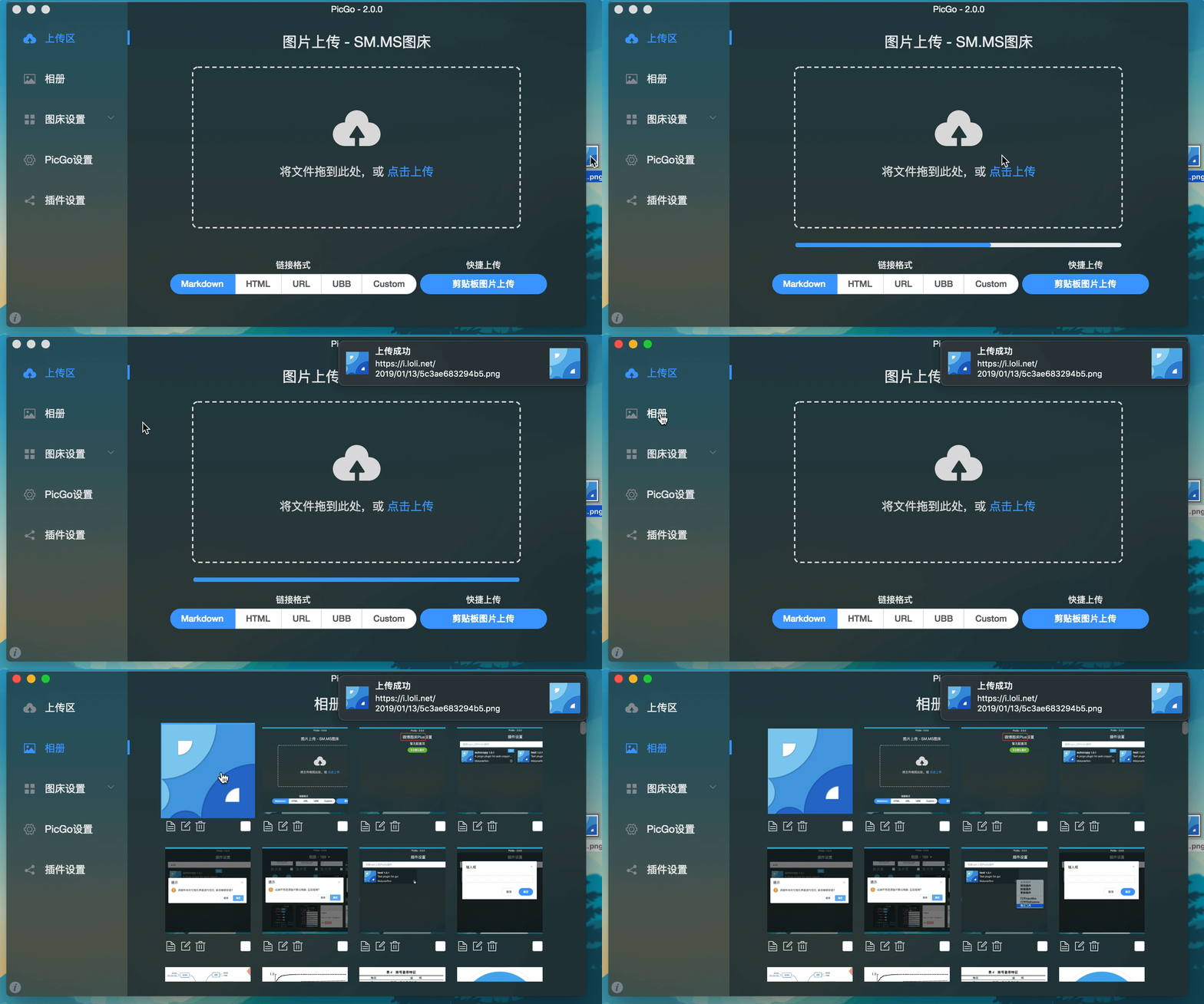
|
||||
|
||||
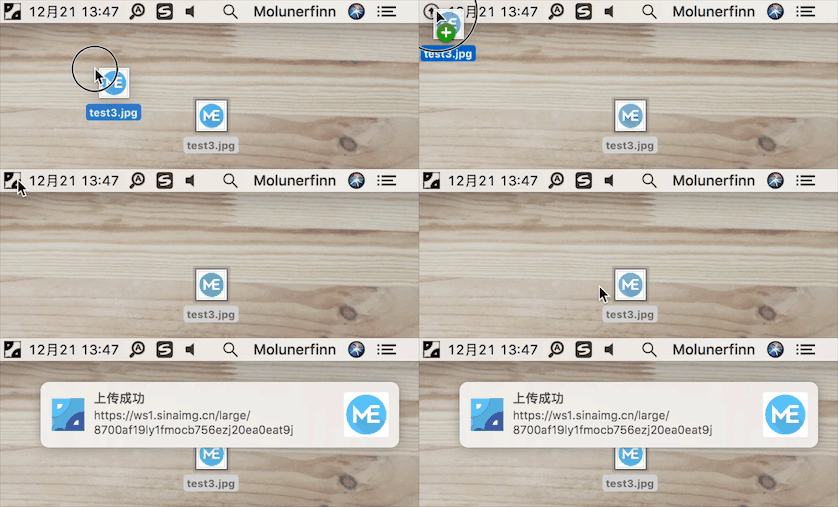
|
||||
|
||||
## Development
|
||||
|
||||
> Currently tested on macOS and Windows only. Linux has not been fully tested.
|
||||
|
||||
If you want to learn, contribute, modify, or build PicGo yourself:
|
||||
|
||||
> For an Electron-vue learning series, see: [Electron-vue development](https://molunerfinn.com/tags/Electron-vue/)
|
||||
|
||||
1. Install Node.js and Git, and make sure you’re familiar with npm basics.
|
||||
2. Clone the repo: `git clone https://github.com/Molunerfinn/PicGo.git` and enter the directory.
|
||||
3. Install dependencies with `pnpm`. If you don’t have it yet, install it from the [pnpm website](https://pnpm.io/installation) first.
|
||||
4. On macOS you’ll need Xcode; on Windows you’ll need Visual Studio.
|
||||
5. For contributing, see [CONTRIBUTING.md](./CONTRIBUTING.md).
|
||||
|
||||
### Development mode
|
||||
|
||||
Run `pnpm run dev` to start the dev workflow with hot reload. Note: dev mode can be unstable and the process may crash—if that happens:
|
||||
|
||||
```bash
|
||||
ctrl+c # stop dev mode
|
||||
pnpm run dev # restart
|
||||
```
|
||||
|
||||
> On Windows, after dev mode starts, PicGo’s tray icon will appear in the bottom-right system tray area.
|
||||
|
||||
### Production build
|
||||
|
||||
To build release artifacts locally, run `pnpm run build`. After a successful build, the installer files will be generated under `dist`.
|
||||
|
||||
**Note**: If your network is unstable, `electron-builder` may fail to download Electron binaries. You can set an alternative mirror before building:
|
||||
|
||||
```bash
|
||||
export ELECTRON_MIRROR="https://npmmirror.com/mirrors/electron/"
|
||||
# On Windows: set ELECTRON_MIRROR=https://npmmirror.com/mirrors/electron/ (no quotes)
|
||||
pnpm run build
|
||||
```
|
||||
|
||||
Electron binaries are stored under `~/.electron/`. If you need to refresh them, delete that directory and rebuild.
|
||||
|
||||
## Related Projects
|
||||
|
||||
- [vs-picgo](https://github.com/PicGo/vs-picgo): PicGo for VS Code.
|
||||
- [flutter-picgo](https://github.com/PicGo/flutter-picgo): mobile app (Android & iOS).
|
||||
- [PicHoro](https://github.com/Kuingsmile/PicHoro): another mobile app compatible with PicGo config (Android only for now).
|
||||
|
||||
## Sponsorship
|
||||
|
||||
If you like PicGo and it helps your workflow, feel free to buy me a coffee.
|
||||
|
||||
Alipay:
|
||||
|
||||

|
||||
|
||||
WeChat Pay:
|
||||
|
||||

|
||||
|
||||
GitHub Sponsors:
|
||||
|
||||
[](https://github.com/sponsors/Molunerfinn)
|
||||
|
||||
## License
|
||||
|
||||
[MIT](http://opensource.org/licenses/MIT)
|
||||
|
||||
Copyright (c) 2017 - Now Molunerfinn
|
||||
@@ -1,169 +0,0 @@
|
||||
<div align="center" markdown="1">
|
||||
<sup>Special thanks to:</sup>
|
||||
<br>
|
||||
<a href="https://go.warp.dev/picgo">
|
||||
<img alt="Warp sponsorship" width="400" src="https://raw.githubusercontent.com/warpdotdev/brand-assets/refs/heads/main/Github/Sponsor/Warp-Github-LG-03.png">
|
||||
</a>
|
||||
|
||||
### [Warp, the intelligent terminal for developers](https://go.warp.dev/picgo)
|
||||
[Available for macOS, Linux, & Windows](https://go.warp.dev/picgo)<br>
|
||||
|
||||
</div>
|
||||
|
||||
---
|
||||
|
||||
**中文** | [English](./README.md)
|
||||
|
||||
<div align="center">
|
||||
<img src="https://raw.githubusercontent.com/Molunerfinn/test/master/picgo/New%20LOGO-150.png" alt="PicGo Logo">
|
||||
<h1>PicGo</h1>
|
||||
<h3>高效创作者的最佳图片上传工具</h3>
|
||||
<p>The Ultimate Image Uploader for Efficient Creators</p>
|
||||
|
||||
<p align="center">
|
||||
<a href="https://github.com/Molunerfinn/PicGo/actions">
|
||||
<img src="https://img.shields.io/badge/code%20style-standard-green.svg?style=flat-square" alt="">
|
||||
</a>
|
||||
<a href="https://github.com/Molunerfinn/PicGo/actions">
|
||||
<img src="https://github.com/Molunerfinn/PicGo/actions/workflows/main.yml/badge.svg" alt="">
|
||||
</a>
|
||||
<a href="https://github.com/Molunerfinn/PicGo/releases">
|
||||
<img src="https://img.shields.io/github/downloads/Molunerfinn/PicGo/total.svg?style=flat-square" alt="">
|
||||
</a>
|
||||
<a href="https://github.com/Molunerfinn/PicGo/releases/latest">
|
||||
<img src="https://img.shields.io/github/release/Molunerfinn/PicGo.svg?style=flat-square" alt="">
|
||||
</a>
|
||||
<a href="https://github.com/PicGo/bump-version">
|
||||
<img src="https://img.shields.io/badge/picgo-convention-blue.svg?style=flat-square" alt="">
|
||||
</a>
|
||||
</p>
|
||||
</div>
|
||||
|
||||
## 📖 应用概述
|
||||
|
||||
**PicGo 致力于将图片上传无缝集成到你的创作工作流中。**
|
||||
|
||||
无论你是写博客、做笔记还是编写开发文档,PicGo 都能帮你一键上传图片并自动复制链接,让你专注于内容创作本身,而不是繁琐的上传步骤。
|
||||
|
||||
### 核心支持
|
||||
|
||||
PicGo 原生支持主流图床平台,并可通过插件系统无限扩展:
|
||||
|
||||
- **国内云厂商**:七牛云、腾讯云 COS、又拍云、阿里云 OSS
|
||||
- **国际/开源平台**:GitHub、SM.MS、Imgur
|
||||
- **更多支持**:通过插件支持 AWS S3、Cloudflare R2、MinIO 等第三方图床
|
||||
|
||||
> **注意**:PicGo 本体不再增加默认的第三方图床支持。你可以自行开发第三方图床插件。详见 [PicGo-Core](https://picgo.github.io/PicGo-Core-Doc/)。
|
||||
|
||||
## ✨ 特色功能
|
||||
|
||||
PicGo 打造了全方位的上传体验,让“传图”这件事变得前所未有的简单:
|
||||
|
||||
### ⚡️ 无缝写作流
|
||||
- **自动复制链接**:上传成功后,链接会自动复制到你的剪贴板。
|
||||
- **格式随心定义**:支持 Markdown、HTML、URL、自定义等多种格式,粘贴即用,完美适配你的编辑器。
|
||||
- **零上下文切换**:无需切换窗口。在你常用的编辑器里直接粘贴图片,让 PicGo 在后台完成上传。
|
||||
- _通过原生支持或社区插件开启该工作流:_ [Obsidian](https://obsidian.md) \ [VS Code](https://code.visualstudio.com/) \ [Typora](https://typora.io/) \ [Neovim](https://neovim.io/) \ [MarkText](https://marktext.me/) \ [SiYuan](https://b3log.org/siyuan/en/) \ 等等……
|
||||
|
||||
### 🚀 极速上传体验
|
||||
- **多维上传方式**:支持拖拽图片、剪贴板粘贴、快捷键上传,甚至在 macOS/Windows 上支持右键菜单直接上传。
|
||||
- **全局快捷键**:默认 `Command+Shift+P` (macOS) / `Ctrl+Shift+P` (Windows/Linux) 即可唤起上传,无需离开当前窗口。 快捷键可自定义。
|
||||
|
||||
### 🧩 强大的插件生态
|
||||
- **高度可扩展**:PicGo 拥有丰富的插件系统,已有插件支持 AWS S3、Cloudflare R2、MinIO 等第三方图床。
|
||||
- **更多可能**:支持图片压缩、水印、重命名、Markdown 图片迁移等功能插件。
|
||||
- 探索更多插件:[Awesome-PicGo](https://github.com/PicGo/Awesome-PicGo)
|
||||
|
||||
### 🛠 开发者友好
|
||||
- **HTTP API**:支持通过 HTTP 请求调用 PicGo 上传 (v2.2.0+),方便与其他工具集成。
|
||||
- **开源透明**:代码完全开源,安全可靠。
|
||||
- **丰富的文档**:详尽的开发文档助你快速上手。插件开发请参考 [PicGo-Core 文档](https://picgo.github.io/PicGo-Core-Doc/)。
|
||||
|
||||
> 更多功能等你自己去发现,开发进度可以查看 [Projects](https://github.com/Molunerfinn/PicGo/projects)。
|
||||
|
||||
**如果第一次使用,请参考应用 [使用文档](https://picgo.github.io/PicGo-Doc/guide/getting-started.html)。遇到问题了还可以看看 [FAQ](https://github.com/Molunerfinn/PicGo/blob/dev/FAQ.md) 以及被关闭的 [issues](https://github.com/Molunerfinn/PicGo/issues?q=is%3Aissue+is%3Aclosed)。**
|
||||
|
||||
|
||||
## 下载安装
|
||||
|
||||
| 下载源 | 地址/安装方式 | 平台 | 备注 |
|
||||
| --------------------------------------------- | ----------------------------------------------------------- | ---------- | ----------------------------------------------------------------- |
|
||||
| GitHub Release | https://github.com/Molunerfinn/PicGo/releases | All | 国内下载速度可能会慢 |
|
||||
| [山东大学镜像站](https://mirrors.sdu.edu.cn/) | https://mirrors.sdu.edu.cn/github-release/Molunerfinn_PicGo | All | 感谢 [山东大学镜像站](https://mirrors.sdu.edu.cn/) 提供的镜像支持 |
|
||||
| [Scoop](https://scoop.sh/) | `scoop bucket add extras` & `scoop install picgo` | Windows | 感谢 @huangnauh 和 @Gladtbam 的贡献 |
|
||||
| [Chocolatey](https://chocolatey.org/) | `choco install picgo` | Windows | 感谢 @iYato 的贡献 |
|
||||
| [Homebrew](https://brew.sh/) | `brew install picgo --cask` | macOS | 感谢 @womeimingzi11 的贡献 |
|
||||
| [AUR](https://aur.archlinux.org/packages/yay) | `yay -S picgo-appimage` | Arch-Linux | 感谢 @houbaron 的贡献 |
|
||||
|
||||
## 应用截图
|
||||
|
||||

|
||||
|
||||

|
||||
|
||||
## 开发说明
|
||||
|
||||
> 目前仅针对 Mac、Windows。Linux 平台并未测试。
|
||||
|
||||
如果你想要学习、开发、修改或自行构建 PicGo,可以依照下面的指示:
|
||||
|
||||
> 如果想学习 Electron-vue 的开发,可以查看我写的系列教程——[Electron-vue 开发实战](https://molunerfinn.com/tags/Electron-vue/)
|
||||
|
||||
1. 你需要有 Node、Git 环境,了解 npm 的相关知识。
|
||||
2. `git clone https://github.com/Molunerfinn/PicGo.git` 并进入项目。
|
||||
3. `pnpm` 下载依赖。注意如果你没有 `pnpm`,请去 [官网](https://pnpm.io/installation) 下载安装后再使用。 **用 `pnpm install` 将导致未知错误!**
|
||||
4. Mac 需要有 Xcode 环境,Windows 需要有 VS 环境。
|
||||
5. 如果需要贡献代码,可以参考[贡献指南](./CONTRIBUTING.md)。
|
||||
|
||||
### 开发模式
|
||||
|
||||
输入 `pnpm run dev` 进入开发模式,开发模式具有热重载特性。不过需要注意的是,开发模式不稳定,会有进程崩溃的情况。此时需要:
|
||||
|
||||
```bash
|
||||
ctrl+c # 退出开发模式
|
||||
pnpm run dev # 重新进入开发模式
|
||||
```
|
||||
|
||||
**注:Windows 开发模式运行之后会在底部任务栏的右下角应用区出现 PicGo 的应用图标。**
|
||||
|
||||
### 生产模式
|
||||
|
||||
如果你需要自行构建,可以 `pnpm run build` 开始进行构建。构建成功后,会在 `dist` 目录里出现构建成功的相应安装文件。
|
||||
|
||||
**注意**:如果你的网络环境不太好,可能会出现 `electron-builder` 下载 `electron` 二进制文件失败的情况。这个时候需要在 build 之前指定一下 `electron` 的源为国内源:
|
||||
|
||||
```bash
|
||||
export ELECTRON_MIRROR="https://npmmirror.com/mirrors/electron/"
|
||||
# 在 Windows 上,则可以使用 set ELECTRON_MIRROR=https://npmmirror.com/mirrors/electron/ (无需引号)
|
||||
pnpm run build
|
||||
```
|
||||
|
||||
只需第一次构建的时候指定一下国内源即可。后续构建不需要特地指定。二进制文件下载在 `~/.electron/` 目录下。如果想要更新 `electron` 构建版本,可以删除 `~/.electron/` 目录,然后重新运行上一步,让 `electron-builder `去下载最新的 `electron` 二进制文件。
|
||||
|
||||
## 其他相关
|
||||
|
||||
- [vs-picgo](https://github.com/PicGo/vs-picgo):PicGo 的 VS Code 版。
|
||||
- [flutter-picgo](https://github.com/PicGo/flutter-picgo):PicGo 的手机版 App(支持 Android 和 iOS )。
|
||||
- [PicHoro](https://github.com/Kuingsmile/PicHoro):另一款支持 PicGo 配置的手机版 App(暂时只支持 Android)。
|
||||
|
||||
## 赞助
|
||||
|
||||
如果你喜欢 PicGo 并且它对你确实有帮助,欢迎给我打赏一杯咖啡哈~
|
||||
|
||||
支付宝:
|
||||
|
||||

|
||||
|
||||
微信:
|
||||
|
||||

|
||||
|
||||
GitHub Sponsors:
|
||||
|
||||
[](https://github.com/sponsors/Molunerfinn)
|
||||
|
||||
## License
|
||||
|
||||
[MIT](http://opensource.org/licenses/MIT)
|
||||
|
||||
Copyright (c) 2017 - Now Molunerfinn
|
||||
@@ -1,6 +0,0 @@
|
||||
module.exports = {
|
||||
presets: [
|
||||
'@vue/cli-plugin-babel/preset'
|
||||
],
|
||||
plugins: ['@babel/plugin-proposal-optional-chaining']
|
||||
}
|
||||
@@ -1,17 +0,0 @@
|
||||
<?xml version="1.0" encoding="UTF-8"?>
|
||||
<!DOCTYPE plist PUBLIC "-//Apple//DTD PLIST 1.0//EN" "http://www.apple.com/DTDs/PropertyList-1.0.dtd">
|
||||
<plist version="1.0">
|
||||
<dict>
|
||||
<!-- 允许 JIT (Electron 必须) -->
|
||||
<key>com.apple.security.cs.allow-jit</key>
|
||||
<true/>
|
||||
|
||||
<!-- 允许加载未签名的动态库 (插件、原生模块必须) -->
|
||||
<key>com.apple.security.cs.disable-library-validation</key>
|
||||
<true/>
|
||||
|
||||
<!-- 允许执行内存中可写的页 (部分 Electron 版本需要) -->
|
||||
<key>com.apple.security.cs.allow-unsigned-executable-memory</key>
|
||||
<true/>
|
||||
</dict>
|
||||
</plist>
|
||||

|
Before Width: | Height: | Size: 164 KiB |
|
Before Width: | Height: | Size: 31 KiB |
@@ -1,13 +0,0 @@
|
||||
!macro customInstall
|
||||
SetRegView 64
|
||||
WriteRegStr HKCR "*\shell\PicGo" "" "Upload pictures w&ith PicGo"
|
||||
WriteRegStr HKCR "*\shell\PicGo" "Icon" "$INSTDIR\PicGo.exe"
|
||||
WriteRegStr HKCR "*\shell\PicGo\command" "" '"$INSTDIR\PicGo.exe" "upload" "%1"'
|
||||
SetRegView 32
|
||||
WriteRegStr HKCR "*\shell\PicGo" "" "Upload pictures w&ith PicGo"
|
||||
WriteRegStr HKCR "*\shell\PicGo" "Icon" "$INSTDIR\PicGo.exe"
|
||||
WriteRegStr HKCR "*\shell\PicGo\command" "" '"$INSTDIR\PicGo.exe" "upload" "%1"'
|
||||
!macroend
|
||||
!macro customUninstall
|
||||
DeleteRegKey HKCR "*\shell\PicGo"
|
||||
!macroend
|
||||
@@ -1,129 +0,0 @@
|
||||
# PicGo 2.4.0 Changelog
|
||||
|
||||
## Features
|
||||
- Add filename display in the gallery (#1050)
|
||||
- Add default placeholders when images/URLs cannot be shown in the gallery or tray window (#1050)
|
||||

|
||||
- Add filename display in the macOS tray window (#1054)
|
||||
- Allow multiple configs per uploader type and choose one for upload (thanks @STDSuperman, #1016)
|
||||

|
||||
- Allow the uploader selection menu to pick a specific config entry for that uploader type
|
||||

|
||||
- Add Dock icon visibility option (#1045)
|
||||
<img width="787" alt="image" src="https://github.com/Molunerfinn/PicGo/assets/12621342/bb9492f1-6522-45ce-ae5d-c614901d8b06" />
|
||||
- Add PicGo Repair Toolbox for self-diagnosis
|
||||
<img width="324" alt="image" src="https://github.com/Molunerfinn/PicGo/assets/12621342/98cf6e64-7313-4ebe-83d0-aa86e4514109" />
|
||||
- Add option to encode/escape output URLs (#731)
|
||||
<img width="775" alt="image" src="https://github.com/Molunerfinn/PicGo/assets/12621342/6e0c13dd-3404-4b07-9c99-412321835b27" />
|
||||
- Support drag-and-drop uploads for arbitrary file formats (#1052)
|
||||
- Tencent COS: add Endpoint and Intelligent Compression settings (thanks @palmcivet @yc910920)
|
||||

|
||||
- Add Markdown-rendered tips for uploader config (see tcyun uploader config)
|
||||

|
||||
- Show the active uploader config name in the upload screen
|
||||
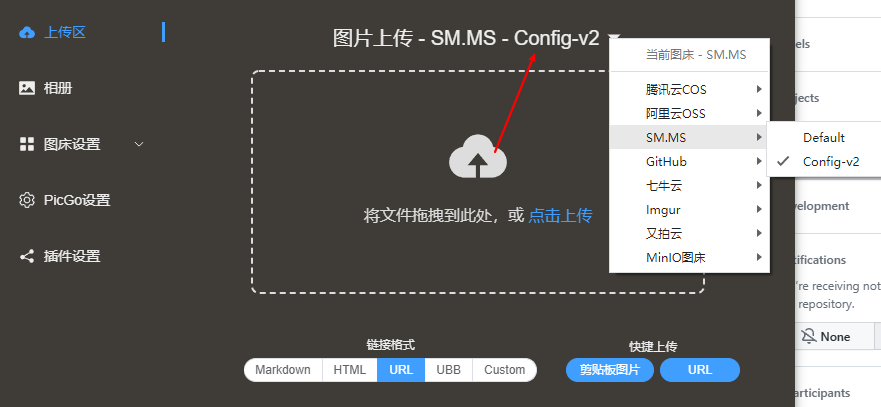
|
||||
- Gallery toolbar: bulk replace image URL host (#875)
|
||||
Note: select images first; you can filter by uploader; e.g., replace `https://www.a.com/...` with `https://www.b.com/...`
|
||||
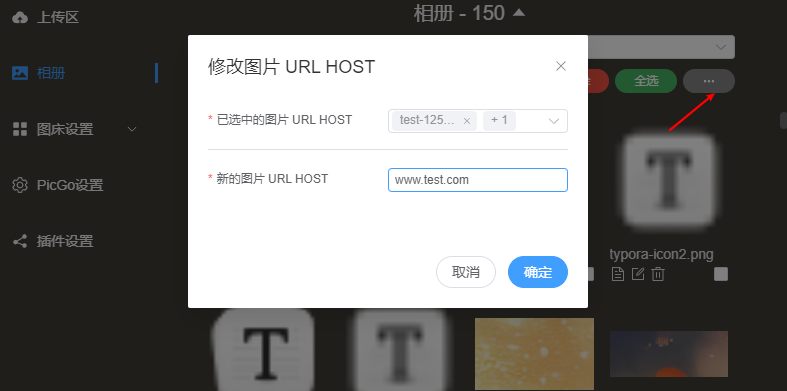
|
||||
- Add “Startup Mode”: Silent (default) / Main Window; Windows/Linux also support Mini Window (#915)
|
||||
<img width="577" alt="image" src="https://github.com/Molunerfinn/PicGo/assets/12621342/7e63bb5c-44b0-480e-824f-3c2edbed4fbb" />
|
||||
- PicGo Server: support multipart form uploads (field `files`, #428, thanks @happy-game)
|
||||
<img width="951" alt="image" src="https://github.com/user-attachments/assets/14244f1d-60f5-487f-bde6-6d0e009645fb" />
|
||||
|
||||
## Bug Fixes
|
||||
- Fix Windows context-menu config script generation (#1019)
|
||||
- Fix custom link URL encoding (#1112)
|
||||
- Fix potential logging dead loop (#1101)
|
||||
- Fix drag-to-tray upload error (#1107)
|
||||
- Fix filename encoding (#1121)
|
||||
- Prevent errors on GitHub uploads with duplicate filenames
|
||||
- Fix beta.2 style issues
|
||||
- Fix slow filename display in the rename window (#1130)
|
||||
- Fix “open config file” actually opening the log file (#1163)
|
||||
- Fix plugin config dialog not reading/saving correctly
|
||||
- Fix inability to add new uploader configs (created as edit) (#1198, #1196)
|
||||
- Fix macOS context menu disappearing (thanks @muwoo, #1179)
|
||||
- Fix macOS tray window flashing after right-click (thanks @QThans, #1217)
|
||||
- Fix uploader config page not scrollable when many fields (#1237)
|
||||
- Fix Tencent COS URL encoding (#1265)
|
||||
- Fix plugin list search not working (#1297)
|
||||
- Fix clipboard filename losing “seconds” (#1293)
|
||||
- Fix macOS tray copy-link failing on click (#1280, #1210)
|
||||
- Fix auto-copy URL toggle not turning off (#1294, thanks @happy-game)
|
||||
- Fix Wayland clipboard image upload issue (#1261, thanks @happy-game)
|
||||
- Fix URL uploads with Chinese characters being encoded in filenames (#1339)
|
||||
|
||||
## Other
|
||||
- COS distribution paused due to malicious traffic charges
|
||||
- Upgrade to Vue3
|
||||
- Refactor parts of the code
|
||||
- Refactor parts of the code (again)
|
||||
- Add more detailed hotkey logs (#1031)
|
||||
- Known issue: some button styles were incorrect (fixed in later betas)
|
||||
- Update README scoop installation section (thanks @wuhang2003)
|
||||
|
||||
----------
|
||||
|
||||
## Features
|
||||
- 新增 相册页新增文件名展示,参考 #1050
|
||||
- 新增 相册中和顶部栏窗口中无法展示的图片或者 url 将会展示默认图片,参考#1050
|
||||

|
||||
- 新增 macOS 顶部栏窗口新增文件名展示,参考 #1054
|
||||
- 新增 同种类型图床支持多份配置,上传时可以指定某一份配置进行上传。感谢 @STDSuperman ,参考 #1016
|
||||

|
||||
- 新增 选择图床的菜单可以支持选择该图床类型某一项具体配置
|
||||

|
||||
- 新增 显示 dock 栏图标选项,参考 #1045
|
||||
<img width="787" alt="image" src="https://github.com/Molunerfinn/PicGo/assets/12621342/bb9492f1-6522-45ce-ae5d-c614901d8b06" />
|
||||
- 新增 PicGo 修复工具箱,可以自行排查一些问题
|
||||
<img width="324" alt="image" src="https://github.com/Molunerfinn/PicGo/assets/12621342/98cf6e64-7313-4ebe-83d0-aa86e4514109" />
|
||||
- 新增 对输出的 URL 进行 encode 转义的选项,参考 #731
|
||||
<img width="775" alt="image" src="https://github.com/Molunerfinn/PicGo/assets/12621342/6e0c13dd-3404-4b07-9c99-412321835b27" />
|
||||
- 新增 支持拖拽任意格式文件上传,参考 #1052
|
||||
- 新增 腾讯云 COS 支持 `Endpoint` 配置 和 `极智压缩` 配置。 感谢 @palmcivet @yc910920 的贡献!
|
||||

|
||||
- 新增 `tips` 配置渲染的支持,可以动态渲染 Uploader config 的 tips。支持 markdown 格式。参考 [tcyun uploader config](https://github.com/PicGo/PicGo-Core/blob/dev/src/plugins/uploader/tcyun.ts#L280)
|
||||

|
||||
- 新增 上传界面展示当前图床使用的配置名
|
||||

|
||||
- 新增 相册页工具栏,目前内置 `批量修改图片 URL HOST 的功能` 。参考 #875
|
||||
注意:需要先选中指定的图片,然后会根据已选中的图片进行修改,你可以通过图床筛选功能只筛选出需要修改的图片
|
||||
例如,你有一批图片都是 `https://www.a.com/...` 打头的 URL,你想把 `www.a.com` 批量修改成 `www.b.com` ,就可以用这个功能
|
||||

|
||||
- 新增 `启动模式`,可以设置启动的时候是否要打开窗口。全平台支持 `静默启动`(默认值) & `打开主窗口`,Windows 和 Linux 额外支持 `打开 Mini 窗口`。参考 #915
|
||||
<img width="577" alt="image" src="https://github.com/Molunerfinn/PicGo/assets/12621342/7e63bb5c-44b0-480e-824f-3c2edbed4fbb" />
|
||||
- 新增 PicGo Server 支持表单形式上传图片。参考 #428 ,感谢 @happy-game
|
||||
表单字段为 files。参考截图:
|
||||
<img width="951" alt="image" src="https://github.com/user-attachments/assets/14244f1d-60f5-487f-bde6-6d0e009645fb" />
|
||||
|
||||
## Bug Fixes
|
||||
- 修复 windows 右键菜单配置生成脚本,参考 #1019
|
||||
- 修复 自定义链接 URL encode 问题,参考 #1112
|
||||
- 修复 日志写入可能存在死循环问题,参考 #1101
|
||||
- 修复 拖拽文件到顶部栏图标报错问题,参考 #1107
|
||||
- 修复 文件名 encode 问题。参考 #1121
|
||||
- 修复 GitHub 重名文件上传不再报错
|
||||
- 修复 beta.2 版本部分样式问题
|
||||
- 修复 重命名窗口某些情况下显示文件名过慢的问题,参考 #1130
|
||||
- 修复 打开配置文件打开的是日志文件的 bug,参考 #1163
|
||||
- 修复 插件配置弹窗打开后无法正确读取和保存配置的问题
|
||||
- 修复 无法新增图床配置的问题(新增变成了编辑)。参考 #1198,#1196
|
||||
- 修复 macOS 右键菜单消失问题。感谢 @muwoo 。参考 #1179
|
||||
- 修复 macOS 顶部栏窗口右键之后一闪而过的问题。 感谢 @QThans。 参考 #1217
|
||||
- 修复 图床配置页面配置项过多时无法滚动到底部的问题。参考 #1237
|
||||
- 修复 腾讯云 COS URL encode 的问题。参考 #1265
|
||||
- 修复 插件列表无法搜索的问题。 参考 #1297
|
||||
- 修复 剪贴板文件名丢失 `秒` 的问题。 参考 #1293
|
||||
- 修复 macOS 顶部栏点击图片复制链接失效的问题。 参考 #1280 , #1210
|
||||
- 修复 自动复制 URL 这个开关无法被关闭的问题。参考 #1294 ,感谢 @happy-game
|
||||
- 修复 wayland 里无法使用剪贴板图片的问题。参考 #1261 ,感谢 @happy-game
|
||||
- 修复 直接通过 URL 上传图片的时候,带有汉字的 URL 上传后,文件名被 encode 的问题。 参考 #1339
|
||||
|
||||
## Other
|
||||
- 由于 PicGo 存储的 COS 空间被恶意刷大量流量导致欠费,暂时停止 COS 渠道的 PicGo 分发
|
||||
- 更新至 Vue3
|
||||
- 重构部分代码
|
||||
- 重构部分代码
|
||||
- 补充更详细的快捷键相关日志,参考 #1031
|
||||
- 已知问题:部分按钮样式有点问题,下个版本会修复
|
||||
- 更新 README中的 scoop 下载安装的部分,感谢 @wuhang2003
|
||||
@@ -1,31 +0,0 @@
|
||||
# PicGo 2.4.1 Changelog
|
||||
|
||||
## Features
|
||||
|
||||
- Add `showMenubarIcon` setting to control the visibility of the macOS menu bar icon. See #1222 for details
|
||||
|
||||
## Bug Fixes
|
||||
- Fix: An issue where the macOS menu bar window could not read images from the clipboard. See https://github.com/Molunerfinn/PicGo/issues/1310 for details
|
||||
- Fix: An issue where the macOS Intel build could not be opened. Please take a look at #1363 and #1310 for details
|
||||
|
||||
## Other
|
||||
- Upgraded Electron to v38 and migrated the underlying build framework to Electron-vite
|
||||
- Unified the main window UI on Windows/Linux to match the macOS style
|
||||
<img width="821" height="472" alt="image" src="https://github.com/user-attachments/assets/dbafadeb-7a9f-40e5-bd87-d4012c9a3902" />
|
||||
- Updated ARM64 builds for Windows & Linux, and added Linux deb packages
|
||||
|
||||
----------
|
||||
|
||||
## Features
|
||||
|
||||
- 新增 `showMenubarIcon` 配置项,用于控制 macOS 顶部栏图标的显示与隐藏。参考 #1222
|
||||
|
||||
## Bug Fixes
|
||||
- 修复 macOS 顶部栏窗口无法获取剪贴板图片的问题。参考 https://github.com/Molunerfinn/PicGo/issues/1310
|
||||
- 修复 macOS intel 架构 app 无法打开的问题。参考 #1363, #1310
|
||||
|
||||
## Other
|
||||
- 更新 Electron 版本到 38 以及切换底层开发框架到 Electron-vite
|
||||
- 更新 Windows\Linux 系统现在主窗口的样式跟 macOS 一致了
|
||||
<img width="821" height="472" alt="image" src="https://github.com/user-attachments/assets/dbafadeb-7a9f-40e5-bd87-d4012c9a3902" />
|
||||
- 更新 Windows & Linux 平台的 ARM64 架构构建产物;新增 Linux `deb` 构建产物
|
||||
@@ -1,31 +0,0 @@
|
||||
# PicGo 2.4.2 Changelog
|
||||
|
||||
## Features
|
||||
- New: macOS version with signature && notarization. No more manual handling
|
||||
<img width="260" height="260" alt="image" src="https://github.com/user-attachments/assets/dc1b7114-1f10-40e3-b45e-e3b330712399" />
|
||||
- Add duplicate button for image host config item. And add a double confirm dialog for `duplicate` and `delete` config item action
|
||||
<img width="800" height="450" alt="image" src="https://github.com/user-attachments/assets/238881e3-e993-4cb7-9699-fd2f7441ce02" />
|
||||
- Add: Refactor notifications and add `notificationSound` setting (#1370)
|
||||
|
||||
## Bug Fixes
|
||||
- Fix: An issue that the app icon will be too big under macOS 26. See #1367 for more details
|
||||
- Fix: Clamp tray image titles to two lines or the style will be broken
|
||||
|
||||
## Other
|
||||
- Refactor: Remove config store (#1371)
|
||||
|
||||
----------
|
||||
|
||||
## Features
|
||||
- 新增:macOS 版本签名+公证,现在不再需要手动放行,可以直接下载安装使用
|
||||
<img width="260" height="260" alt="image" src="https://github.com/user-attachments/assets/dc1b7114-1f10-40e3-b45e-e3b330712399" />
|
||||
- 新增:图床配置界面新增复制按钮,可以一键复制已有配置,方便进行多样化操作。同时复制和删除均增加二次确认弹窗
|
||||
<img width="800" height="450" alt="image" src="https://github.com/user-attachments/assets/238881e3-e993-4cb7-9699-fd2f7441ce02" />
|
||||
- 新增:重构通知并新增 `notificationSound` 设置(#1370)
|
||||
|
||||
## Bug Fixes
|
||||
- 修复:在 macOS 26 版本下 app 图标过大的问题。参考 #1367
|
||||
- 修复:托盘图片标题最多显示两行否则样式会被破坏的问题
|
||||
|
||||
## Other
|
||||
- 重构:移除 config store(#1371)
|
||||
@@ -1,50 +0,0 @@
|
||||
# gen_changelog.md
|
||||
|
||||
This guide describes how to generate a consolidated changelog for any PicGo release series (e.g., 2.4.0, 2.5.0) from the GitHub release notes of its betas and finals
|
||||
|
||||
## Source of truth
|
||||
- Use GitHub release pages only (e.g., `https://github.com/Molunerfinn/PicGo/releases/tag/vX.Y.Z-beta.N` and `vX.Y.Z` if present). You can fetch these via MCP GitHub APIs (e.g., `get_release_by_tag`, `list_releases`) instead of manual browsing
|
||||
- Do **not** use `CHANGELOG.md` in the repo
|
||||
- Preserve all text and images exactly as written in the releases
|
||||
- Exception: Remove holiday greetings (e.g., "Happy New Year!", "新年快乐!") from the generated changelog. These can stay in GitHub release notes but should not appear in `changelog/X.Y.Z.md`
|
||||
|
||||
## Structure
|
||||
- Target file: `changelog/X.Y.Z.md` (replace with the series version)
|
||||
- Three top-level sections: `## Features`, `## Bug Fixes`, `## Other`
|
||||
- Do **not** nest content under individual beta version headers; merge all items into these sections
|
||||
- Keep items in chronological order (early → late) within each section, mirroring the beta sequence
|
||||
- Keep inline issue references, thanks, and notes as-is
|
||||
- Remove download-link sections entirely
|
||||
- After the English sections, insert a line with `----------`, then add a full Chinese translation with the same structure/content (including images)
|
||||
|
||||
## Formatting rules
|
||||
- Markdown, plain ASCII
|
||||
- Bullet lists only; no numbered lists required
|
||||
- Indent images under their bullet with two spaces to keep association clear
|
||||
- Keep inline HTML image tags from the releases (e.g., `<img width="...">`) untouched
|
||||
- Keep line breaks and multi-line notes intact
|
||||
- Do not reword or summarize; copy content verbatim except for removing beta headers and download sections
|
||||
- If you need to add items from git commit logs (for the same release series), do not paste raw commit messages. Normalize them to the existing changelog style (e.g., use `Add:`, `Fix:`, `Refactor:` prefixes without emoji)
|
||||
- Chinese translation must mirror the English bullets in order and content (keep images alongside the translated bullets)
|
||||
|
||||
## Regeneration steps
|
||||
1) Collect all release bodies for the target series (e.g., `vX.Y.Z-beta.0…N` and, if present, `vX.Y.Z`) from GitHub releases
|
||||
2) For each release, copy bullets and images into the appropriate section:
|
||||
- Features ↔ “Feature(s)” or “Features” blocks
|
||||
- Bug Fixes ↔ “Bug Fixes” blocks
|
||||
- Other ↔ “Other”, “Notice”, or misc notes that are not features/bugs
|
||||
3) Omit “国内可下载链接” (or any download links) entirely
|
||||
4) Drop beta subheadings; keep only section-level bullets in chronological order
|
||||
5) Ensure images remain adjacent to their bullets with indentation
|
||||
6) After the English sections are complete, insert `----------` on its own line
|
||||
7) Append the Chinese translation, preserving bullet order and images, under `## Features`, `## Bug Fixes`, `## Other` again (same section titles, just Chinese content; no “(Chinese)” suffix)
|
||||
8) Save the result to `changelog/X.Y.Z.md`
|
||||
|
||||
## Quick checklist
|
||||
- [ ] All features present with images kept
|
||||
- [ ] All bug fixes present
|
||||
- [ ] All “Other” notes present
|
||||
- [ ] No beta headers
|
||||
- [ ] No download links
|
||||
- [ ] Chronological ordering preserved
|
||||
- [ ] Chinese translation present with matching bullets/images after `----------`
|
||||
@@ -1,216 +0,0 @@
|
||||
<template lang='pug'>
|
||||
#app(v-cloak)
|
||||
#header
|
||||
.mask
|
||||
img.logo(src="~icons/256x256.png", alt="PicGo")
|
||||
h1.title PicGo
|
||||
small(v-if="version") {{ version }}
|
||||
h2.desc 图片上传+管理新体验
|
||||
button.download(@click="goLink('https://github.com/Molunerfinn/picgo/releases')") 免费下载
|
||||
button.download(@click="goLink('https://picgo.github.io/PicGo-Doc/guide/')") 查看文档
|
||||
h3.desc
|
||||
| 基于#[a(href="https://github.com/SimulatedGREG/electron-vue" target="_blank") electron-vue]开发
|
||||
h3.desc
|
||||
| 支持macOS,Windows,Linux
|
||||
h3.desc
|
||||
| 支持#[a(href="https://picgo.github.io/PicGo-Doc/guide/config.html#%E6%8F%92%E4%BB%B6%E8%AE%BE%E7%BD%AE%EF%BC%88v2-0%EF%BC%89" target="_blank") 插件系统],让PicGo更强大
|
||||
#container.container-fluid
|
||||
.row.ex-width
|
||||
img.gallery.col-xs-10.col-xs-offset-1.col-md-offset-2.col-md-8(src="https://cdn.jsdelivr.net/gh/Molunerfinn/test/picgo-site/first.png")
|
||||
.row.ex-width.display-list
|
||||
.display-list__item(v-for="(item, index) in itemList" :key="index" :class="{ 'o-item': index % 2 !== 0 }")
|
||||
.col-xs-10.col-xs-offset-1.col-md-7.col-md-offset-0
|
||||
img(:src="item.url")
|
||||
.col-xs-10.col-xs-offset-1.col-md-5.col-md-offset-0.display-list__content
|
||||
.display-list__title {{ item.title }}
|
||||
.display-list__desc {{ item.desc }}
|
||||
.row.ex-width.info
|
||||
.col-xs-10.col-xs-offset-1
|
||||
| ©2017 - {{ year }} #[a(href="https://github.com/Molunerfinn" target="_blank") Molunerfinn]
|
||||
</template>
|
||||
<script>
|
||||
export default {
|
||||
name: 'HomePage',
|
||||
data () {
|
||||
return {
|
||||
version: '',
|
||||
year: new Date().getFullYear(),
|
||||
itemList: [
|
||||
{
|
||||
url: 'https://cdn.jsdelivr.net/gh/Molunerfinn/test/picgo-site/second.png',
|
||||
title: '精致设计',
|
||||
desc: 'macOS系统下,支持拖拽至menubar图标实现上传。menubar app 窗口显示最新上传的5张图片以及剪贴板里的图片。点击图片自动将上传的链接复制到剪贴板。(Windows平台不支持)'
|
||||
},
|
||||
{
|
||||
url: 'https://cdn.jsdelivr.net/gh/Molunerfinn/test/picgo-site/third.png',
|
||||
title: 'Mini小窗',
|
||||
desc: 'Windows以及Linux系统下提供一个mini悬浮窗用于用户拖拽上传,节约你宝贵的桌面空间。'
|
||||
},
|
||||
{
|
||||
url: 'https://cdn.jsdelivr.net/gh/Molunerfinn/test/picgo-site/forth.png',
|
||||
title: '便捷管理',
|
||||
desc: '查看你的上传记录,重复使用更方便。支持点击图片大图查看。支持删除图片(仅本地记录),让界面更加干净。'
|
||||
},
|
||||
{
|
||||
url: 'https://cdn.jsdelivr.net/gh/Molunerfinn/test/picgo-site/fifth.png',
|
||||
title: '可选图床',
|
||||
desc: '默认支持微博图床、七牛图床、腾讯云COS、又拍云、GitHub、SM.MS、阿里云OSS、Imgur。方便不同图床的上传需求。2.0版本开始更可以自己开发插件实现其他图床的上传需求。'
|
||||
},
|
||||
{
|
||||
url: 'https://cdn.jsdelivr.net/gh/Molunerfinn/test/picgo-site/sixth.png',
|
||||
title: '多样链接',
|
||||
desc: '支持5种默认剪贴板链接格式,包括一种自定义格式,让你的文本编辑游刃有余。'
|
||||
},
|
||||
{
|
||||
url: 'https://cdn.jsdelivr.net/gh/Molunerfinn/test/picgo-site/seventh.png',
|
||||
title: '插件系统',
|
||||
desc: '2.0版本开始支持插件系统,让PicGo发挥无限潜能,成为一个极致的效率工具。'
|
||||
}
|
||||
]
|
||||
}
|
||||
},
|
||||
created () {
|
||||
this.getVersion()
|
||||
},
|
||||
methods: {
|
||||
goLink (link) {
|
||||
window.open(link, '_blank')
|
||||
},
|
||||
async getVersion () {
|
||||
const release = 'https://api.github.com/repos/Molunerfinn/PicGo/releases/latest'
|
||||
const res = await this.$http.get(release)
|
||||
this.version = res.data.name
|
||||
}
|
||||
}
|
||||
}
|
||||
</script>
|
||||
<style lang='stylus'>
|
||||
[v-cloak]
|
||||
display none
|
||||
*
|
||||
box-sizing border-box
|
||||
body,
|
||||
html,
|
||||
h1
|
||||
margin 0
|
||||
padding 0
|
||||
font-family "Source Sans Pro","Helvetica Neue","PingFang SC","Hiragino Sans GB","Microsoft YaHei","微软雅黑",Arial,sans-serif
|
||||
#app
|
||||
position relative
|
||||
.mask
|
||||
position absolute
|
||||
width 100%
|
||||
height 100vh
|
||||
top 0
|
||||
left 0
|
||||
background rgba(0,0,0, 0.7)
|
||||
z-index -1
|
||||
#header
|
||||
height 100vh
|
||||
width 100%
|
||||
background-image url("https://cdn.jsdelivr.net/gh/Molunerfinn/test/picgo-site/bg.jpeg")
|
||||
background-attachment fixed
|
||||
background-size cover
|
||||
background-position center
|
||||
text-align center
|
||||
padding 15vh
|
||||
position relative
|
||||
z-index 2
|
||||
.logo
|
||||
width 120px
|
||||
.title
|
||||
color #4BA2E2
|
||||
font-size 36px
|
||||
font-weight 300
|
||||
margin 10px auto
|
||||
text-align center
|
||||
small
|
||||
margin-left 10px
|
||||
font-size 14px
|
||||
.desc
|
||||
font-weight 400
|
||||
margin 20px auto 10px
|
||||
color #ddd
|
||||
a
|
||||
text-decoration none
|
||||
color #4BA2E2
|
||||
.download
|
||||
display inline-block
|
||||
line-height 1
|
||||
white-space nowrap
|
||||
cursor pointer
|
||||
background transparent
|
||||
border 1px solid #d8dce5
|
||||
color #ddd
|
||||
-webkit-appearance none
|
||||
text-align center
|
||||
box-sizing border-box
|
||||
outline none
|
||||
margin 20px 12px
|
||||
transition .1s
|
||||
font-weight 500
|
||||
user-select none
|
||||
padding 12px 20px
|
||||
font-size 14px
|
||||
border-radius 20px
|
||||
padding 12px 23px
|
||||
transition .2s all ease-in-out
|
||||
&:hover
|
||||
background #ddd
|
||||
color rgba(0,0,0, 0.7)
|
||||
#container
|
||||
position relative
|
||||
text-align center
|
||||
margin-top -10vh
|
||||
z-index 3
|
||||
.gallery
|
||||
margin-bottom 60px
|
||||
cursor pointer
|
||||
transition all .2s ease-in-out
|
||||
&:hover
|
||||
transform scale(1.05)
|
||||
.display-list
|
||||
&__item
|
||||
padding 48px
|
||||
text-align left
|
||||
background #2E2E2E
|
||||
overflow hidden
|
||||
&.o-item
|
||||
background #fff
|
||||
.display-list__desc
|
||||
color #2E2E2E
|
||||
img
|
||||
width 100%
|
||||
cursor pointer
|
||||
transition all .2s ease-in-out
|
||||
&:hover
|
||||
transform scale(1.05)
|
||||
&__content
|
||||
padding-top 120px
|
||||
&__title
|
||||
color #4BA2E2
|
||||
font-size 50px
|
||||
&__desc
|
||||
color #fff
|
||||
margin-top 20px
|
||||
.info
|
||||
padding 48px 0
|
||||
background #2E2E2E
|
||||
color #fff
|
||||
a
|
||||
text-decoration none
|
||||
color #fff
|
||||
@media (max-width: 768px)
|
||||
#header
|
||||
padding 10vh
|
||||
#container
|
||||
.display-list
|
||||
&__item
|
||||
padding 24px 12px
|
||||
&__content
|
||||
padding-top 30px
|
||||
&__title
|
||||
font-size 25px
|
||||
&__desc
|
||||
margin-top 12px
|
||||
</style>
|
||||
@@ -1,10 +0,0 @@
|
||||
import Vue from 'vue'
|
||||
import App from './APP.vue'
|
||||
import 'melody.css'
|
||||
import axios from 'axios'
|
||||
|
||||
Vue.prototype.$http = axios
|
||||
|
||||
new Vue({
|
||||
render: h => h(App)
|
||||
}).$mount('#app')
|
||||
@@ -1,12 +0,0 @@
|
||||
<!DOCTYPE html>
|
||||
<html lang="en">
|
||||
<head>
|
||||
<meta charset="UTF-8">
|
||||
<meta name="viewport" content="width=device-width, initial-scale=1.0">
|
||||
<meta http-equiv="X-UA-Compatible" content="ie=edge">
|
||||
<title>PicGo</title>
|
||||
</head>
|
||||
<body>
|
||||
<div id="app"></div>
|
||||
</body>
|
||||
</html>
|
||||
@@ -1,119 +0,0 @@
|
||||
import type { Configuration } from 'electron-builder'
|
||||
import dotenv from 'dotenv'
|
||||
|
||||
dotenv.config()
|
||||
|
||||
const shouldNotarize = process.env.SKIP_NOTARIZE !== 'true';
|
||||
|
||||
const config: Configuration = {
|
||||
appId: 'com.molunerfinn.picgo',
|
||||
productName: 'PicGo',
|
||||
afterSign: shouldNotarize ? 'scripts/notarize.js' : undefined,
|
||||
// publish: [
|
||||
// {
|
||||
// provider: 'github',
|
||||
// owner: 'Molunerfinn',
|
||||
// repo: 'PicGo',
|
||||
// releaseType: 'draft'
|
||||
// }
|
||||
// ],
|
||||
// temporarily disable auto update feature
|
||||
publish: [],
|
||||
files: [
|
||||
'dist_electron/**/*',
|
||||
'public/**/*',
|
||||
'package.json',
|
||||
'!node_modules/@babel/**/*',
|
||||
"!**/node_modules/typescript{,/**}"
|
||||
],
|
||||
extraResources: [
|
||||
{
|
||||
from: 'public',
|
||||
to: 'public'
|
||||
}
|
||||
],
|
||||
dmg: {
|
||||
contents: [
|
||||
{
|
||||
x: 410,
|
||||
y: 150,
|
||||
type: 'link',
|
||||
path: '/Applications'
|
||||
},
|
||||
{
|
||||
x: 130,
|
||||
y: 150,
|
||||
type: 'file'
|
||||
}
|
||||
]
|
||||
},
|
||||
mac: {
|
||||
icon: 'build/icons/icon.icns',
|
||||
extendInfo: {
|
||||
LSUIElement: 0
|
||||
},
|
||||
target: [
|
||||
{
|
||||
target: 'dmg',
|
||||
arch: ['arm64', 'x64']
|
||||
}
|
||||
],
|
||||
artifactName: 'PicGo-${version}-${arch}.${ext}',
|
||||
hardenedRuntime: true,
|
||||
entitlements: 'build/entitlements.mac.plist',
|
||||
entitlementsInherit: 'build/entitlements.mac.plist',
|
||||
notarize: false
|
||||
},
|
||||
win: {
|
||||
icon: 'build/icons/icon.ico',
|
||||
artifactName: 'PicGo-${version}-${arch}.exe',
|
||||
target: [
|
||||
{
|
||||
target: 'nsis',
|
||||
arch: ['x64']
|
||||
},
|
||||
{
|
||||
target: 'nsis',
|
||||
arch: ['ia32']
|
||||
},
|
||||
{
|
||||
target: 'nsis',
|
||||
arch: ['arm64']
|
||||
}
|
||||
]
|
||||
},
|
||||
nsis: {
|
||||
shortcutName: 'PicGo',
|
||||
oneClick: false,
|
||||
allowToChangeInstallationDirectory: true,
|
||||
buildUniversalInstaller: false,
|
||||
include: 'build/installer.nsh'
|
||||
},
|
||||
linux: {
|
||||
executableName: 'PicGo',
|
||||
icon: 'build/icons/512x512.png',
|
||||
artifactName: 'PicGo-${version}-${arch}.${ext}',
|
||||
target: [
|
||||
{
|
||||
target: 'AppImage',
|
||||
arch: ['x64', 'arm64']
|
||||
},
|
||||
{
|
||||
target: 'deb',
|
||||
arch: ['x64', 'arm64']
|
||||
},
|
||||
{
|
||||
target: 'snap',
|
||||
arch: ['x64'],
|
||||
}
|
||||
],
|
||||
maintainer: 'Molunerfinn',
|
||||
category: 'Utility',
|
||||
publish: []
|
||||
},
|
||||
snap: {
|
||||
publish: []
|
||||
}
|
||||
}
|
||||
|
||||
export default config
|
||||
@@ -1,58 +0,0 @@
|
||||
import { defineConfig, externalizeDepsPlugin } from 'electron-vite'
|
||||
import vue from '@vitejs/plugin-vue'
|
||||
// temp for webUtils
|
||||
import electronRenderer from '@molunerfinn/vite-plugin-electron-renderer'
|
||||
import { resolve } from 'path'
|
||||
|
||||
const alias = {
|
||||
'@': resolve(__dirname, 'src/renderer'),
|
||||
'~': resolve(__dirname, 'src'),
|
||||
'#': resolve(__dirname, 'src/universal'),
|
||||
root: resolve(__dirname, '.'),
|
||||
apis: resolve(__dirname, 'src/main/apis'),
|
||||
'@core': resolve(__dirname, 'src/main/apis/core')
|
||||
}
|
||||
|
||||
export default defineConfig({
|
||||
main: {
|
||||
plugins: [externalizeDepsPlugin()],
|
||||
resolve: { alias },
|
||||
build: {
|
||||
outDir: 'dist_electron/main',
|
||||
rollupOptions: {
|
||||
input: {
|
||||
index: resolve(__dirname, 'src/background.ts')
|
||||
}
|
||||
}
|
||||
}
|
||||
},
|
||||
preload: {
|
||||
plugins: [externalizeDepsPlugin()],
|
||||
resolve: { alias },
|
||||
build: {
|
||||
outDir: 'dist_electron/preload',
|
||||
rollupOptions: {
|
||||
input: {
|
||||
index: resolve(__dirname, 'src/preload/index.ts')
|
||||
}
|
||||
}
|
||||
}
|
||||
},
|
||||
renderer: {
|
||||
root: 'src/renderer',
|
||||
publicDir: resolve(__dirname, 'src/renderer/public'),
|
||||
resolve: { alias },
|
||||
plugins: [vue(), electronRenderer()],
|
||||
build: {
|
||||
outDir: 'dist_electron/renderer',
|
||||
rollupOptions: {
|
||||
input: {
|
||||
index: resolve(__dirname, 'src/renderer/index.html')
|
||||
}
|
||||
}
|
||||
},
|
||||
server: {
|
||||
port: 5173
|
||||
}
|
||||
}
|
||||
})
|
||||
@@ -1,143 +0,0 @@
|
||||
const globals = require('globals')
|
||||
const path = require('node:path')
|
||||
const eslintJs = require('@eslint/js')
|
||||
const tsPlugin = require('@typescript-eslint/eslint-plugin')
|
||||
const tsParser = require('@typescript-eslint/parser')
|
||||
const importPlugin = require('eslint-plugin-import')
|
||||
const promisePlugin = require('eslint-plugin-promise')
|
||||
const vuePlugin = require('eslint-plugin-vue')
|
||||
const stylistic = require('@stylistic/eslint-plugin')
|
||||
|
||||
const isProduction = process.env.NODE_ENV === 'production'
|
||||
const vueConfigs = vuePlugin.configs['flat/recommended'].map(config => ({
|
||||
...config,
|
||||
languageOptions: {
|
||||
...(config.languageOptions || {}),
|
||||
parserOptions: {
|
||||
...(config.languageOptions?.parserOptions || {}),
|
||||
parser: tsParser,
|
||||
ecmaVersion: 'latest',
|
||||
sourceType: 'module',
|
||||
extraFileExtensions: ['.vue']
|
||||
}
|
||||
}
|
||||
}))
|
||||
|
||||
const tsConfigs = tsPlugin.configs['flat/recommended'].map(config => ({
|
||||
...config,
|
||||
files: config.files || ['**/*.ts', '**/*.tsx', '**/*.mts', '**/*.cts'],
|
||||
languageOptions: {
|
||||
...(config.languageOptions || {}),
|
||||
parser: tsParser,
|
||||
parserOptions: {
|
||||
...(config.languageOptions?.parserOptions || {}),
|
||||
ecmaVersion: 'latest',
|
||||
sourceType: 'module',
|
||||
extraFileExtensions: ['.vue'],
|
||||
project: path.join(__dirname, 'tsconfig.json'),
|
||||
tsconfigRootDir: __dirname
|
||||
}
|
||||
},
|
||||
rules: {
|
||||
...(config.rules || {}),
|
||||
'no-unused-vars': 'off',
|
||||
'@typescript-eslint/no-unused-vars': ['error', {
|
||||
argsIgnorePattern: '^_',
|
||||
varsIgnorePattern: '^_',
|
||||
caughtErrors: 'none'
|
||||
}],
|
||||
'@typescript-eslint/no-explicit-any': 'off',
|
||||
'@typescript-eslint/ban-ts-comment': 'off',
|
||||
'@typescript-eslint/no-require-imports': 'off',
|
||||
'@typescript-eslint/no-unsafe-function-type': 'off',
|
||||
'@typescript-eslint/no-empty-object-type': 'off'
|
||||
}
|
||||
}))
|
||||
|
||||
module.exports = [
|
||||
{
|
||||
ignores: [
|
||||
'dist/**',
|
||||
'dist_electron/**',
|
||||
'build/**',
|
||||
'test/unit/coverage/**',
|
||||
'test/unit/*.js',
|
||||
'test/e2e/*.js',
|
||||
'node_modules/**'
|
||||
]
|
||||
},
|
||||
{
|
||||
name: 'eslint/base',
|
||||
languageOptions: {
|
||||
ecmaVersion: 'latest',
|
||||
sourceType: 'module',
|
||||
globals: {
|
||||
__static: 'readonly'
|
||||
}
|
||||
},
|
||||
plugins: {
|
||||
import: importPlugin,
|
||||
promise: promisePlugin,
|
||||
'@stylistic': stylistic
|
||||
},
|
||||
settings: {
|
||||
'import/resolver': {
|
||||
node: {
|
||||
extensions: ['.js', '.jsx', '.ts', '.tsx', '.d.ts', '.vue']
|
||||
}
|
||||
}
|
||||
},
|
||||
rules: {
|
||||
...eslintJs.configs.recommended.rules,
|
||||
...importPlugin.configs.recommended.rules,
|
||||
...promisePlugin.configs.recommended.rules,
|
||||
'import/named': 'off',
|
||||
'import/no-named-as-default-member': 'off',
|
||||
'import/no-unresolved': 'off',
|
||||
'promise/catch-or-return': 'off',
|
||||
'promise/always-return': 'off',
|
||||
'no-console': 'off',
|
||||
'no-debugger': isProduction ? 'error' : 'off',
|
||||
'no-async-promise-executor': 'off',
|
||||
'no-empty': ['error', { allowEmptyCatch: true }],
|
||||
'no-unused-vars': 'off',
|
||||
'@stylistic/indent': ['error', 2],
|
||||
'@stylistic/semi': ['error', 'never'],
|
||||
'no-unexpected-multiline': 'error'
|
||||
}
|
||||
},
|
||||
...vueConfigs,
|
||||
{
|
||||
files: ['*.vue', '**/*.vue'],
|
||||
rules: {
|
||||
'vue/no-v-html': 'off',
|
||||
'vue/attribute-hyphenation': 'off'
|
||||
}
|
||||
},
|
||||
...tsConfigs,
|
||||
{
|
||||
files: ['**/*.{ts,tsx,vue}'],
|
||||
rules: {
|
||||
'no-undef': 'off'
|
||||
}
|
||||
},
|
||||
{
|
||||
files: ['**/*.d.ts'],
|
||||
rules: {
|
||||
'no-var': 'off',
|
||||
'@typescript-eslint/no-empty-object-type': 'off',
|
||||
'@typescript-eslint/no-explicit-any': 'off'
|
||||
}
|
||||
},
|
||||
{
|
||||
// 1. 针对所有 JS 文件(或者特定目录)启用 Node 全局变量
|
||||
files: ["**/*.js", "scripts/*.js"],
|
||||
languageOptions: {
|
||||
globals: {
|
||||
...globals.node, // 注入 process, require, module, __dirname 等
|
||||
...globals.browser // 如果你的项目是前端项目,可能还需要 browser
|
||||
},
|
||||
sourceType: "commonjs" // 如果你的项目代码主要是 CJS,加上这个;如果是 ESM 则设为 "module"
|
||||
}
|
||||
},
|
||||
]
|
||||

|
Before Width: | Height: | Size: 16 KiB After Width: | Height: | Size: 16 KiB |
@@ -0,0 +1,21 @@
|
||||
<!DOCTYPE html>
|
||||
<html lang="en">
|
||||
|
||||
<head>
|
||||
<meta charset="UTF-8">
|
||||
<meta name="viewport" content="width=device-width, initial-scale=1.0">
|
||||
<title>Redirecting to PicGo.app...</title>
|
||||
<link rel="canonical" href="https://picgo.app" />
|
||||
<!-- 2. Meta Refresh:浏览器原生跳转 (0秒) -->
|
||||
<meta http-equiv="refresh" content="0; url=https://picgo.app">
|
||||
<script type="text/javascript">
|
||||
window.location.href = "https://picgo.app";
|
||||
</script>
|
||||
</head>
|
||||
|
||||
<body>
|
||||
<p>PicGo has moved to <a href="https://picgo.app">picgo.app</a>.</p>
|
||||
<p>Redirecting...</p>
|
||||
</body>
|
||||
|
||||
</html>
|
||||
@@ -1,131 +0,0 @@
|
||||
{
|
||||
"name": "picgo",
|
||||
"version": "2.4.2",
|
||||
"private": true,
|
||||
"main": "dist_electron/main/index.js",
|
||||
"description": "A powerful & simple image uploader for creators.",
|
||||
"author": {
|
||||
"name": "Molunerfinn",
|
||||
"email": "marksz@teamsz.xyz"
|
||||
},
|
||||
"scripts": {
|
||||
"build": "electron-vite build && electron-builder --config electron-builder.config.ts --publish never",
|
||||
"build:win": "npm run build && electron-builder --config electron-builder.config.ts --win --publish never",
|
||||
"build:mac": "npm run build && electron-builder --config electron-builder.config.ts --mac --publish never",
|
||||
"build:linux": "npm run build && electron-builder --config electron-builder.config.ts --linux --publish never",
|
||||
"build:local": "dotenv -e .env -- electron-vite build && electron-builder --config electron-builder.config.ts --publish never",
|
||||
"lint": "pnpm lint:dpdm && eslint --ext .js,.jsx,.ts,.tsx,.vue src/",
|
||||
"tsc": "tsc --noEmit",
|
||||
"bump": "bump-version",
|
||||
"cz": "git-cz",
|
||||
"dev": "electron-vite dev",
|
||||
"preview": "electron-vite preview",
|
||||
"gen-i18n": "node ./scripts/gen-i18n-types.js",
|
||||
"lint:fix": "eslint --fix --ext .js,.jsx,.ts,.tsx,.vue src/",
|
||||
"postinstall": "electron-builder install-app-deps",
|
||||
"postuninstall": "electron-builder install-app-deps",
|
||||
"upload-dist": "node ./scripts/upload-dist.js",
|
||||
"lint:dpdm": "dpdm -T --tsconfig ./tsconfig.json --no-tree --no-warning --exit-code circular:1 src/background.ts",
|
||||
"check": "pnpm run tsc && pnpm run lint"
|
||||
},
|
||||
"dependencies": {
|
||||
"@element-plus/icons-vue": "^2.3.2",
|
||||
"@picgo/i18n": "^1.0.0",
|
||||
"@picgo/store": "^2.1.0",
|
||||
"@picgo/video-duration": "^1.0.1",
|
||||
"axios": "^0.19.0",
|
||||
"clip-filepaths": "^0.3.0",
|
||||
"compare-versions": "^4.1.3",
|
||||
"core-js": "^3.27.1",
|
||||
"dayjs": "^1.11.19",
|
||||
"element-plus": "^2.3.7",
|
||||
"epipebomb": "^1.0.0",
|
||||
"fs-extra": "^10.0.0",
|
||||
"js-yaml": "^4.1.0",
|
||||
"keycode": "^2.2.0",
|
||||
"lodash": "^4.17.21",
|
||||
"lodash-id": "^0.14.0",
|
||||
"lowdb": "^1.0.0",
|
||||
"marked": "^7.0.4",
|
||||
"mime-types": "^3.0.2",
|
||||
"mitt": "^3.0.1",
|
||||
"multer": "^1.4.5-lts.1",
|
||||
"picgo": "^1.6.4",
|
||||
"qrcode.vue": "^3.3.3",
|
||||
"semver": "^7.7.3",
|
||||
"shell-path": "2.1.0",
|
||||
"systeminformation": "^5.27.14",
|
||||
"tunnel": "^0.0.6",
|
||||
"uuid": "^9.0.0",
|
||||
"vue": "^3.3.4",
|
||||
"vue-router": "^4.2.2",
|
||||
"vue3-lazyload": "^0.3.6",
|
||||
"vue3-photo-preview": "^0.3.0",
|
||||
"write-file-atomic": "^7.0.0"
|
||||
},
|
||||
"devDependencies": {
|
||||
"@aws-sdk/client-s3": "^3.276.0",
|
||||
"@aws-sdk/lib-storage": "^3.276.0",
|
||||
"@eslint/js": "^9.39.1",
|
||||
"@molunerfinn/vite-plugin-electron-renderer": "^0.14.7",
|
||||
"@picgo/bump-version": "^2.0.0",
|
||||
"@stylistic/eslint-plugin": "^5.6.1",
|
||||
"@types/electron-devtools-installer": "^2.2.0",
|
||||
"@types/fs-extra": "^9.0.13",
|
||||
"@types/inquirer": "^6.5.0",
|
||||
"@types/js-yaml": "^4.0.5",
|
||||
"@types/lodash": "^4.17.21",
|
||||
"@types/lowdb": "^1.0.9",
|
||||
"@types/multer": "^1.4.12",
|
||||
"@types/node": "^20",
|
||||
"@types/request-promise-native": "^1.0.17",
|
||||
"@types/semver": "^7.3.8",
|
||||
"@types/tunnel": "^0.0.3",
|
||||
"@types/uuid": "^9.0.2",
|
||||
"@types/write-file-atomic": "^4.0.0",
|
||||
"@typescript-eslint/eslint-plugin": "^8.49.0",
|
||||
"@typescript-eslint/parser": "^8.49.0",
|
||||
"@vitejs/plugin-vue": "^6.0.2",
|
||||
"autoprefixer": "^10.4.14",
|
||||
"commitizen": "^4.3.1",
|
||||
"conventional-changelog": "^3.1.18",
|
||||
"cz-customizable": "^7.5.1",
|
||||
"dotenv": "^16.0.1",
|
||||
"dotenv-cli": "^11.0.0",
|
||||
"dpdm": "^3.13.1",
|
||||
"electron": "^38",
|
||||
"electron-builder": "26.1.0",
|
||||
"electron-devtools-installer": "^3.2.0",
|
||||
"electron-vite": "^4.0.1",
|
||||
"eslint": "^9.39.1",
|
||||
"eslint-plugin-import": "^2.32.0",
|
||||
"eslint-plugin-promise": "^7.2.1",
|
||||
"eslint-plugin-vue": "^10.6.2",
|
||||
"globals": "^16.5.0",
|
||||
"husky": "^3.1.0",
|
||||
"postcss": "^8.4.23",
|
||||
"stylus": "^0.54.7",
|
||||
"stylus-loader": "^3.0.2",
|
||||
"tailwindcss": "^3.3.2",
|
||||
"typescript": "^5.9.3",
|
||||
"vite": "^7.2.6"
|
||||
},
|
||||
"commitlint": {
|
||||
"extends": [
|
||||
"./node_modules/@picgo/bump-version/commitlint-picgo"
|
||||
]
|
||||
},
|
||||
"config": {
|
||||
"commitizen": {
|
||||
"path": "./node_modules/cz-customizable"
|
||||
},
|
||||
"cz-customizable": {
|
||||
"config": "./node_modules/@picgo/bump-version/.cz-config.js"
|
||||
}
|
||||
},
|
||||
"husky": {
|
||||
"hooks": {
|
||||
"commit-msg": "npm run lint:dpdm && commitlint -E HUSKY_GIT_PARAMS"
|
||||
}
|
||||
}
|
||||
}
|
||||
@@ -1,17 +0,0 @@
|
||||
onlyBuiltDependencies:
|
||||
- core-js
|
||||
- ejs
|
||||
- electron
|
||||
- electron-winstaller
|
||||
- esbuild
|
||||
- husky
|
||||
- vue-demi
|
||||
|
||||
# for multi-arch builds, include both x64 and arm64 versions of electron
|
||||
# will be deprecated in future(use different arch machine to build different arch binaries)
|
||||
supportedArchitectures:
|
||||
os:
|
||||
- current
|
||||
cpu:
|
||||
- x64
|
||||
- arm64
|
||||
@@ -1,6 +0,0 @@
|
||||
module.exports = {
|
||||
plugins: {
|
||||
autoprefixer: {},
|
||||
tailwindcss: {}
|
||||
}
|
||||
}
|
||||
@@ -1,33 +0,0 @@
|
||||
<?xml version="1.0" encoding="UTF-8"?>
|
||||
<!DOCTYPE plist PUBLIC "-//Apple//DTD PLIST 1.0//EN" "http://www.apple.com/DTDs/PropertyList-1.0.dtd">
|
||||
<plist version="1.0">
|
||||
<dict>
|
||||
<key>NSServices</key>
|
||||
<array>
|
||||
<dict>
|
||||
<key>NSBackgroundColorName</key>
|
||||
<string>background</string>
|
||||
<key>NSBackgroundSystemColorName</key>
|
||||
<string>systemBlueColor</string>
|
||||
<key>NSIconName</key>
|
||||
<string>NSTouchBarShare</string>
|
||||
<key>NSMenuItem</key>
|
||||
<dict>
|
||||
<key>default</key>
|
||||
<string>Upload pictures with PicGo</string>
|
||||
</dict>
|
||||
<key>NSMessage</key>
|
||||
<string>runWorkflowAsService</string>
|
||||
<key>NSRequiredContext</key>
|
||||
<dict>
|
||||
<key>NSApplicationIdentifier</key>
|
||||
<string>com.apple.finder</string>
|
||||
</dict>
|
||||
<key>NSSendFileTypes</key>
|
||||
<array>
|
||||
<string>public.image</string>
|
||||
</array>
|
||||
</dict>
|
||||
</array>
|
||||
</dict>
|
||||
</plist>
|
||||

|
Before Width: | Height: | Size: 3.5 KiB |
@@ -1,314 +0,0 @@
|
||||
<?xml version="1.0" encoding="UTF-8"?>
|
||||
<!DOCTYPE plist PUBLIC "-//Apple//DTD PLIST 1.0//EN" "http://www.apple.com/DTDs/PropertyList-1.0.dtd">
|
||||
<plist version="1.0">
|
||||
<dict>
|
||||
<key>AMApplicationBuild</key>
|
||||
<string>444.42</string>
|
||||
<key>AMApplicationVersion</key>
|
||||
<string>2.9</string>
|
||||
<key>AMDocumentVersion</key>
|
||||
<string>2</string>
|
||||
<key>actions</key>
|
||||
<array>
|
||||
<dict>
|
||||
<key>action</key>
|
||||
<dict>
|
||||
<key>AMAccepts</key>
|
||||
<dict>
|
||||
<key>Container</key>
|
||||
<string>List</string>
|
||||
<key>Optional</key>
|
||||
<true/>
|
||||
<key>Types</key>
|
||||
<array>
|
||||
<string>com.apple.cocoa.string</string>
|
||||
</array>
|
||||
</dict>
|
||||
<key>AMActionVersion</key>
|
||||
<string>2.0.3</string>
|
||||
<key>AMApplication</key>
|
||||
<array>
|
||||
<string>自动操作</string>
|
||||
</array>
|
||||
<key>AMParameterProperties</key>
|
||||
<dict>
|
||||
<key>COMMAND_STRING</key>
|
||||
<dict/>
|
||||
<key>CheckedForUserDefaultShell</key>
|
||||
<dict/>
|
||||
<key>inputMethod</key>
|
||||
<dict/>
|
||||
<key>shell</key>
|
||||
<dict/>
|
||||
<key>source</key>
|
||||
<dict/>
|
||||
</dict>
|
||||
<key>AMProvides</key>
|
||||
<dict>
|
||||
<key>Container</key>
|
||||
<string>List</string>
|
||||
<key>Types</key>
|
||||
<array>
|
||||
<string>com.apple.cocoa.string</string>
|
||||
</array>
|
||||
</dict>
|
||||
<key>ActionBundlePath</key>
|
||||
<string>/System/Library/Automator/Run Shell Script.action</string>
|
||||
<key>ActionName</key>
|
||||
<string>运行 Shell 脚本</string>
|
||||
<key>ActionParameters</key>
|
||||
<dict>
|
||||
<key>COMMAND_STRING</key>
|
||||
<string>/Applications/PicGo.app/Contents/MacOS/PicGo upload "$@" > /dev/null 2>&1 &</string>
|
||||
<key>CheckedForUserDefaultShell</key>
|
||||
<true/>
|
||||
<key>inputMethod</key>
|
||||
<integer>1</integer>
|
||||
<key>shell</key>
|
||||
<string>/bin/bash</string>
|
||||
<key>source</key>
|
||||
<string></string>
|
||||
</dict>
|
||||
<key>BundleIdentifier</key>
|
||||
<string>com.apple.RunShellScript</string>
|
||||
<key>CFBundleVersion</key>
|
||||
<string>2.0.3</string>
|
||||
<key>CanShowSelectedItemsWhenRun</key>
|
||||
<false/>
|
||||
<key>CanShowWhenRun</key>
|
||||
<true/>
|
||||
<key>Category</key>
|
||||
<array>
|
||||
<string>AMCategoryUtilities</string>
|
||||
</array>
|
||||
<key>Class Name</key>
|
||||
<string>RunShellScriptAction</string>
|
||||
<key>InputUUID</key>
|
||||
<string>79609224-28DD-4ADE-AA8F-5A6C68C18C18</string>
|
||||
<key>Keywords</key>
|
||||
<array>
|
||||
<string>Shell</string>
|
||||
<string>脚本</string>
|
||||
<string>命令</string>
|
||||
<string>运行</string>
|
||||
<string>Unix</string>
|
||||
</array>
|
||||
<key>OutputUUID</key>
|
||||
<string>35CD6B4C-A616-4F89-8D76-DCD3249C5B4E</string>
|
||||
<key>UUID</key>
|
||||
<string>4350A83B-E7E6-4D2B-9768-B1D676CF58F3</string>
|
||||
<key>UnlocalizedApplications</key>
|
||||
<array>
|
||||
<string>Automator</string>
|
||||
</array>
|
||||
<key>arguments</key>
|
||||
<dict>
|
||||
<key>0</key>
|
||||
<dict>
|
||||
<key>default value</key>
|
||||
<integer>0</integer>
|
||||
<key>name</key>
|
||||
<string>inputMethod</string>
|
||||
<key>required</key>
|
||||
<string>0</string>
|
||||
<key>type</key>
|
||||
<string>0</string>
|
||||
<key>uuid</key>
|
||||
<string>0</string>
|
||||
</dict>
|
||||
<key>1</key>
|
||||
<dict>
|
||||
<key>default value</key>
|
||||
<string></string>
|
||||
<key>name</key>
|
||||
<string>source</string>
|
||||
<key>required</key>
|
||||
<string>0</string>
|
||||
<key>type</key>
|
||||
<string>0</string>
|
||||
<key>uuid</key>
|
||||
<string>1</string>
|
||||
</dict>
|
||||
<key>2</key>
|
||||
<dict>
|
||||
<key>default value</key>
|
||||
<false/>
|
||||
<key>name</key>
|
||||
<string>CheckedForUserDefaultShell</string>
|
||||
<key>required</key>
|
||||
<string>0</string>
|
||||
<key>type</key>
|
||||
<string>0</string>
|
||||
<key>uuid</key>
|
||||
<string>2</string>
|
||||
</dict>
|
||||
<key>3</key>
|
||||
<dict>
|
||||
<key>default value</key>
|
||||
<string></string>
|
||||
<key>name</key>
|
||||
<string>COMMAND_STRING</string>
|
||||
<key>required</key>
|
||||
<string>0</string>
|
||||
<key>type</key>
|
||||
<string>0</string>
|
||||
<key>uuid</key>
|
||||
<string>3</string>
|
||||
</dict>
|
||||
<key>4</key>
|
||||
<dict>
|
||||
<key>default value</key>
|
||||
<string>/bin/sh</string>
|
||||
<key>name</key>
|
||||
<string>shell</string>
|
||||
<key>required</key>
|
||||
<string>0</string>
|
||||
<key>type</key>
|
||||
<string>0</string>
|
||||
<key>uuid</key>
|
||||
<string>4</string>
|
||||
</dict>
|
||||
</dict>
|
||||
<key>isViewVisible</key>
|
||||
<true/>
|
||||
<key>location</key>
|
||||
<string>449.000000:305.000000</string>
|
||||
<key>nibPath</key>
|
||||
<string>/System/Library/Automator/Run Shell Script.action/Contents/Resources/Base.lproj/main.nib</string>
|
||||
</dict>
|
||||
<key>isViewVisible</key>
|
||||
<true/>
|
||||
</dict>
|
||||
</array>
|
||||
<key>connectors</key>
|
||||
<dict/>
|
||||
<key>workflowMetaData</key>
|
||||
<dict>
|
||||
<key>applicationBundleID</key>
|
||||
<string>com.apple.finder</string>
|
||||
<key>applicationBundleIDsByPath</key>
|
||||
<dict>
|
||||
<key>/System/Library/CoreServices/Finder.app</key>
|
||||
<string>com.apple.finder</string>
|
||||
</dict>
|
||||
<key>applicationPath</key>
|
||||
<string>/System/Library/CoreServices/Finder.app</string>
|
||||
<key>applicationPaths</key>
|
||||
<array>
|
||||
<string>/System/Library/CoreServices/Finder.app</string>
|
||||
</array>
|
||||
<key>backgroundColor</key>
|
||||
<data>
|
||||
YnBsaXN0MDDUAQIDBAUGNjdYJHZlcnNpb25YJG9iamVjdHNZJGFyY2hpdmVy
|
||||
VCR0b3ASAAGGoKoHCBMUFR4kKC8zVSRudWxs1QkKCwwNDg8QERJWJGNsYXNz
|
||||
W05TQ29sb3JOYW1lXE5TQ29sb3JTcGFjZV1OU0NhdGFsb2dOYW1lV05TQ29s
|
||||
b3KACYADEAaAAoAEVlN5c3RlbV8QD3N5c3RlbUJsdWVDb2xvctUWFwsYCRka
|
||||
GxwOXE5TQ29tcG9uZW50c1VOU1JHQl8QEk5TQ3VzdG9tQ29sb3JTcGFjZUcw
|
||||
IDAgMSAxTxARMCAwIDAuOTk4MTg4OTcyNQAQAYAFgAnTHyAJISIjVE5TSURV
|
||||
TlNJQ0MQB4AGgAjSJQkmJ1dOUy5kYXRhTxEMSAAADEhMaW5vAhAAAG1udHJS
|
||||
R0IgWFlaIAfOAAIACQAGADEAAGFjc3BNU0ZUAAAAAElFQyBzUkdCAAAAAAAA
|
||||
AAAAAAAAAAD21gABAAAAANMtSFAgIAAAAAAAAAAAAAAAAAAAAAAAAAAAAAAA
|
||||
AAAAAAAAAAAAAAAAAAAAAAAAAAAAAAAAEWNwcnQAAAFQAAAAM2Rlc2MAAAGE
|
||||
AAAAbHd0cHQAAAHwAAAAFGJrcHQAAAIEAAAAFHJYWVoAAAIYAAAAFGdYWVoA
|
||||
AAIsAAAAFGJYWVoAAAJAAAAAFGRtbmQAAAJUAAAAcGRtZGQAAALEAAAAiHZ1
|
||||
ZWQAAANMAAAAhnZpZXcAAAPUAAAAJGx1bWkAAAP4AAAAFG1lYXMAAAQMAAAA
|
||||
JHRlY2gAAAQwAAAADHJUUkMAAAQ8AAAIDGdUUkMAAAQ8AAAIDGJUUkMAAAQ8
|
||||
AAAIDHRleHQAAAAAQ29weXJpZ2h0IChjKSAxOTk4IEhld2xldHQtUGFja2Fy
|
||||
ZCBDb21wYW55AABkZXNjAAAAAAAAABJzUkdCIElFQzYxOTY2LTIuMQAAAAAA
|
||||
AAAAAAAAEnNSR0IgSUVDNjE5NjYtMi4xAAAAAAAAAAAAAAAAAAAAAAAAAAAA
|
||||
AAAAAAAAAAAAAAAAAAAAAAAAAAAAAAAAAAAAAABYWVogAAAAAAAA81EAAQAA
|
||||
AAEWzFhZWiAAAAAAAAAAAAAAAAAAAAAAWFlaIAAAAAAAAG+iAAA49QAAA5BY
|
||||
WVogAAAAAAAAYpkAALeFAAAY2lhZWiAAAAAAAAAkoAAAD4QAALbPZGVzYwAA
|
||||
AAAAAAAWSUVDIGh0dHA6Ly93d3cuaWVjLmNoAAAAAAAAAAAAAAAWSUVDIGh0
|
||||
dHA6Ly93d3cuaWVjLmNoAAAAAAAAAAAAAAAAAAAAAAAAAAAAAAAAAAAAAAAA
|
||||
AAAAAAAAAAAAAAAAAAAAAGRlc2MAAAAAAAAALklFQyA2MTk2Ni0yLjEgRGVm
|
||||
YXVsdCBSR0IgY29sb3VyIHNwYWNlIC0gc1JHQgAAAAAAAAAAAAAALklFQyA2
|
||||
MTk2Ni0yLjEgRGVmYXVsdCBSR0IgY29sb3VyIHNwYWNlIC0gc1JHQgAAAAAA
|
||||
AAAAAAAAAAAAAAAAAAAAAABkZXNjAAAAAAAAACxSZWZlcmVuY2UgVmlld2lu
|
||||
ZyBDb25kaXRpb24gaW4gSUVDNjE5NjYtMi4xAAAAAAAAAAAAAAAsUmVmZXJl
|
||||
bmNlIFZpZXdpbmcgQ29uZGl0aW9uIGluIElFQzYxOTY2LTIuMQAAAAAAAAAA
|
||||
AAAAAAAAAAAAAAAAAAAAAAAAdmlldwAAAAAAE6T+ABRfLgAQzxQAA+3MAAQT
|
||||
CwADXJ4AAAABWFlaIAAAAAAATAlWAFAAAABXH+dtZWFzAAAAAAAAAAEAAAAA
|
||||
AAAAAAAAAAAAAAAAAAACjwAAAAJzaWcgAAAAAENSVCBjdXJ2AAAAAAAABAAA
|
||||
AAAFAAoADwAUABkAHgAjACgALQAyADcAOwBAAEUASgBPAFQAWQBeAGMAaABt
|
||||
AHIAdwB8AIEAhgCLAJAAlQCaAJ8ApACpAK4AsgC3ALwAwQDGAMsA0ADVANsA
|
||||
4ADlAOsA8AD2APsBAQEHAQ0BEwEZAR8BJQErATIBOAE+AUUBTAFSAVkBYAFn
|
||||
AW4BdQF8AYMBiwGSAZoBoQGpAbEBuQHBAckB0QHZAeEB6QHyAfoCAwIMAhQC
|
||||
HQImAi8COAJBAksCVAJdAmcCcQJ6AoQCjgKYAqICrAK2AsECywLVAuAC6wL1
|
||||
AwADCwMWAyEDLQM4A0MDTwNaA2YDcgN+A4oDlgOiA64DugPHA9MD4APsA/kE
|
||||
BgQTBCAELQQ7BEgEVQRjBHEEfgSMBJoEqAS2BMQE0wThBPAE/gUNBRwFKwU6
|
||||
BUkFWAVnBXcFhgWWBaYFtQXFBdUF5QX2BgYGFgYnBjcGSAZZBmoGewaMBp0G
|
||||
rwbABtEG4wb1BwcHGQcrBz0HTwdhB3QHhgeZB6wHvwfSB+UH+AgLCB8IMghG
|
||||
CFoIbgiCCJYIqgi+CNII5wj7CRAJJQk6CU8JZAl5CY8JpAm6Cc8J5Qn7ChEK
|
||||
Jwo9ClQKagqBCpgKrgrFCtwK8wsLCyILOQtRC2kLgAuYC7ALyAvhC/kMEgwq
|
||||
DEMMXAx1DI4MpwzADNkM8w0NDSYNQA1aDXQNjg2pDcMN3g34DhMOLg5JDmQO
|
||||
fw6bDrYO0g7uDwkPJQ9BD14Peg+WD7MPzw/sEAkQJhBDEGEQfhCbELkQ1xD1
|
||||
ERMRMRFPEW0RjBGqEckR6BIHEiYSRRJkEoQSoxLDEuMTAxMjE0MTYxODE6QT
|
||||
xRPlFAYUJxRJFGoUixStFM4U8BUSFTQVVhV4FZsVvRXgFgMWJhZJFmwWjxay
|
||||
FtYW+hcdF0EXZReJF64X0hf3GBsYQBhlGIoYrxjVGPoZIBlFGWsZkRm3Gd0a
|
||||
BBoqGlEadxqeGsUa7BsUGzsbYxuKG7Ib2hwCHCocUhx7HKMczBz1HR4dRx1w
|
||||
HZkdwx3sHhYeQB5qHpQevh7pHxMfPh9pH5Qfvx/qIBUgQSBsIJggxCDwIRwh
|
||||
SCF1IaEhziH7IiciVSKCIq8i3SMKIzgjZiOUI8Ij8CQfJE0kfCSrJNolCSU4
|
||||
JWgllyXHJfcmJyZXJocmtyboJxgnSSd6J6sn3CgNKD8ocSiiKNQpBik4KWsp
|
||||
nSnQKgIqNSpoKpsqzysCKzYraSudK9EsBSw5LG4soizXLQwtQS12Last4S4W
|
||||
Lkwugi63Lu4vJC9aL5Evxy/+MDUwbDCkMNsxEjFKMYIxujHyMioyYzKbMtQz
|
||||
DTNGM38zuDPxNCs0ZTSeNNg1EzVNNYc1wjX9Njc2cjauNuk3JDdgN5w31zgU
|
||||
OFA4jDjIOQU5Qjl/Obw5+To2OnQ6sjrvOy07azuqO+g8JzxlPKQ84z0iPWE9
|
||||
oT3gPiA+YD6gPuA/IT9hP6I/4kAjQGRApkDnQSlBakGsQe5CMEJyQrVC90M6
|
||||
Q31DwEQDREdEikTORRJFVUWaRd5GIkZnRqtG8Ec1R3tHwEgFSEtIkUjXSR1J
|
||||
Y0mpSfBKN0p9SsRLDEtTS5pL4kwqTHJMuk0CTUpNk03cTiVObk63TwBPSU+T
|
||||
T91QJ1BxULtRBlFQUZtR5lIxUnxSx1MTU19TqlP2VEJUj1TbVShVdVXCVg9W
|
||||
XFapVvdXRFeSV+BYL1h9WMtZGllpWbhaB1pWWqZa9VtFW5Vb5Vw1XIZc1l0n
|
||||
XXhdyV4aXmxevV8PX2Ffs2AFYFdgqmD8YU9homH1YklinGLwY0Njl2PrZEBk
|
||||
lGTpZT1lkmXnZj1mkmboZz1nk2fpaD9olmjsaUNpmmnxakhqn2r3a09rp2v/
|
||||
bFdsr20IbWBtuW4SbmtuxG8eb3hv0XArcIZw4HE6cZVx8HJLcqZzAXNdc7h0
|
||||
FHRwdMx1KHWFdeF2Pnabdvh3VnezeBF4bnjMeSp5iXnnekZ6pXsEe2N7wnwh
|
||||
fIF84X1BfaF+AX5ifsJ/I3+Ef+WAR4CogQqBa4HNgjCCkoL0g1eDuoQdhICE
|
||||
44VHhauGDoZyhteHO4efiASIaYjOiTOJmYn+imSKyoswi5aL/IxjjMqNMY2Y
|
||||
jf+OZo7OjzaPnpAGkG6Q1pE/kaiSEZJ6kuOTTZO2lCCUipT0lV+VyZY0lp+X
|
||||
Cpd1l+CYTJi4mSSZkJn8mmia1ZtCm6+cHJyJnPedZJ3SnkCerp8dn4uf+qBp
|
||||
oNihR6G2oiailqMGo3aj5qRWpMelOKWpphqmi6b9p26n4KhSqMSpN6mpqhyq
|
||||
j6sCq3Wr6axcrNCtRK24ri2uoa8Wr4uwALB1sOqxYLHWskuywrM4s660JbSc
|
||||
tRO1irYBtnm28Ldot+C4WbjRuUq5wro7urW7LrunvCG8m70VvY++Cr6Evv+/
|
||||
er/1wHDA7MFnwePCX8Lbw1jD1MRRxM7FS8XIxkbGw8dBx7/IPci8yTrJuco4
|
||||
yrfLNsu2zDXMtc01zbXONs62zzfPuNA50LrRPNG+0j/SwdNE08bUSdTL1U7V
|
||||
0dZV1tjXXNfg2GTY6Nls2fHadtr724DcBdyK3RDdlt4c3qLfKd+v4DbgveFE
|
||||
4cziU+Lb42Pj6+Rz5PzlhOYN5pbnH+ep6DLovOlG6dDqW+rl63Dr++yG7RHt
|
||||
nO4o7rTvQO/M8Fjw5fFy8f/yjPMZ86f0NPTC9VD13vZt9vv3ivgZ+Kj5OPnH
|
||||
+lf65/t3/Af8mP0p/br+S/7c/23//4AH0ikqKyxaJGNsYXNzbmFtZVgkY2xh
|
||||
c3Nlc11OU011dGFibGVEYXRhoystLlZOU0RhdGFYTlNPYmplY3TSKSowMVxO
|
||||
U0NvbG9yU3BhY2WiMi5cTlNDb2xvclNwYWNl0ikqNDVXTlNDb2xvcqI0Ll8Q
|
||||
D05TS2V5ZWRBcmNoaXZlctE4OVRyb290gAEACAARABoAIwAtADIANwBCAEgA
|
||||
UwBaAGYAcwCBAIkAiwCNAI8AkQCTAJoArAC3AMQAygDfAOcA+wD9AP8BAQEI
|
||||
AQ0BEwEVARcBGQEeASYNcg10DXkNhA2NDZsNnw2mDa8NtA3BDcQN0Q3WDd4N
|
||||
4Q3zDfYN+wAAAAAAAAIBAAAAAAAAADoAAAAAAAAAAAAAAAAAAA39
|
||||
</data>
|
||||
<key>backgroundColorName</key>
|
||||
<string>systemBlueColor</string>
|
||||
<key>inputTypeIdentifier</key>
|
||||
<string>com.apple.Automator.fileSystemObject.image</string>
|
||||
<key>outputTypeIdentifier</key>
|
||||
<string>com.apple.Automator.nothing</string>
|
||||
<key>presentationMode</key>
|
||||
<integer>15</integer>
|
||||
<key>processesInput</key>
|
||||
<integer>0</integer>
|
||||
<key>serviceApplicationBundleID</key>
|
||||
<string>com.apple.finder</string>
|
||||
<key>serviceApplicationPath</key>
|
||||
<string>/System/Library/CoreServices/Finder.app</string>
|
||||
<key>serviceInputTypeIdentifier</key>
|
||||
<string>com.apple.Automator.fileSystemObject.image</string>
|
||||
<key>serviceOutputTypeIdentifier</key>
|
||||
<string>com.apple.Automator.nothing</string>
|
||||
<key>serviceProcessesInput</key>
|
||||
<integer>0</integer>
|
||||
<key>systemImageName</key>
|
||||
<string>NSTouchBarShare</string>
|
||||
<key>useAutomaticInputType</key>
|
||||
<integer>0</integer>
|
||||
<key>workflowTypeIdentifier</key>
|
||||
<string>com.apple.Automator.servicesMenu</string>
|
||||
</dict>
|
||||
</dict>
|
||||
</plist>
|
||||
|
Before Width: | Height: | Size: 4.2 KiB |
@@ -1,289 +0,0 @@
|
||||
LANG_DISPLAY_LABEL: "English"
|
||||
ABOUT: About
|
||||
OPEN_MAIN_WINDOW: Open Main Window
|
||||
CHOOSE_DEFAULT_PICBED: Choose Default Picbed
|
||||
OPEN_UPDATE_HELPER: Open Update Helper
|
||||
PRIVACY_AGREEMENT: Privacy Agreement
|
||||
RELOAD_APP: Reload App
|
||||
UPLOAD_FAILED: Upload Failed
|
||||
UPLOAD_SUCCEED: Upload Succeed
|
||||
UPLOAD_PROGRESS: Upload Progress
|
||||
OPERATION_FAILED: Operation Failed
|
||||
OPERATION_SUCCEED: Operation Succeed
|
||||
UPLOADING: Uploading
|
||||
QUICK_UPLOAD: Quick Upload
|
||||
UPLOAD_BY_CLIPBOARD: Upload by Clipboard
|
||||
HIDE_WINDOW: Hide Window
|
||||
SPONSOR_PICGO: Sponsor PicGo
|
||||
SHOW_PICBED_QRCODE: Show Picbed Qrcode
|
||||
PICBED_QRCODE: Picbed Qrcode
|
||||
ENABLE: Enable
|
||||
DISABLE: Disable
|
||||
CONFIG_THING: Config ${c}
|
||||
FIND_NEW_VERSION: Find New Version
|
||||
NO_MORE_NOTICE: No More Notice
|
||||
SHOW_DEVTOOLS: Show Devtools
|
||||
CURRENT_PICBED: Current Picbed
|
||||
OPEN_TOOLBOX: Open Toolbox
|
||||
|
||||
# ---renderer i18n begin---
|
||||
|
||||
CHOOSE_YOUR_DEFAULT_PICBED: "Choose ${d} as your default picbed:"
|
||||
UPLOAD_AREA: Upload Area
|
||||
GALLERY: Gallery
|
||||
PICBEDS_SETTINGS: Picbeds Settings
|
||||
PICGO_SETTINGS: PicGo Settings
|
||||
PLUGIN_SETTINGS: Plugins Settings
|
||||
PICGO_SPONSOR_TEXT: PicGo is a free software, if you like it, please don't forget to buy me a cup of coffee.
|
||||
ALIPAY: Alipay
|
||||
WECHATPAY: Wechat Pay
|
||||
CHOOSE_PICBED: Choose Picbed
|
||||
COPY_PICBED_CONFIG: Copy Picbed Config
|
||||
COPY_PICBED_CONFIG_SUCCEED: Copy Picbed Config Succeed
|
||||
INPUT: Input
|
||||
CANCEL: Cancel
|
||||
CONFIRM: Confirm
|
||||
CHOOSE_SHOWED_PICBED: Choose Showed Picbed
|
||||
CHOOSE_PASTE_FORMAT: Choose Paste Format
|
||||
SEARCH: Search
|
||||
COPY: Copy
|
||||
DELETE: Delete
|
||||
SELECT_ALL: Select All
|
||||
CHANGE_IMAGE_URL: Change Image URL
|
||||
CHANGE_IMAGE_URL_SUCCEED: Change Image URL Succeed
|
||||
COPY_LINK_SUCCEED: Copy Link Succeed
|
||||
BATCH_COPY_LINK_SUCCEED: Batch Copy Link Succeed
|
||||
FILE_RENAME: File Rename
|
||||
COPY_FILE_PATH: Copy file path
|
||||
OPEN_FILE_PATH: Open file path
|
||||
SUCCESS: Success
|
||||
FAILED: Failed
|
||||
|
||||
# settings
|
||||
|
||||
SETTINGS: Settings
|
||||
SETTINGS_OPEN_CONFIG_FILE: Open Config File
|
||||
SETTINGS_CLICK_TO_OPEN: Click to Open
|
||||
SETTINGS_SET_LOG_FILE: Set Log File
|
||||
SETTINGS_CLICK_TO_SET: Click to Set
|
||||
SETTINGS_CLICK_TO_CHECK: Click to Check
|
||||
SETTINGS_SET_SHORTCUT: Set Shortcut
|
||||
SETTINGS_CUSTOM_LINK_FORMAT: Custom Link Format
|
||||
SETTINGS_SET_PROXY_AND_MIRROR: Set Proxy and Mirror
|
||||
SETTINGS_SET_SERVER: Set Server
|
||||
SETTINGS_CHECK_UPDATE: Check Update
|
||||
SETTINGS_OPEN_UPDATE_HELPER: Open Update Helper
|
||||
SETTINGS_OPEN: Open
|
||||
SETTINGS_CLOSE: Close
|
||||
SETTINGS_ACCEPT_BETA_UPDATE: Accept Beta Update
|
||||
SETTINGS_LAUNCH_ON_BOOT: Launch On Boot
|
||||
SETTINGS_RENAME_BEFORE_UPLOAD: Rename Before Upload
|
||||
SETTINGS_TIMESTAMP_RENAME: Timestamp Rename
|
||||
SETTINGS_OPEN_UPLOAD_TIPS: Open Upload Tips
|
||||
SETTINGS_NOTIFICATION_SOUND: Play Notification Sound
|
||||
SETTINGS_MINI_WINDOW_ON_TOP: Mini Window On Top
|
||||
SETTINGS_AUTO_COPY_URL_AFTER_UPLOAD: Auto Copy URL After Upload
|
||||
SETTINGS_TIPS_PLACEHOLDER_URL: Use $url to represent url position
|
||||
SETTINGS_TIPS_PLACEHOLDER_FILENAME: Use $fileName to represent file name position
|
||||
SETTINGS_TIPS_PLACEHOLDER_EXTNAME: Use $extName to represent file's ext position
|
||||
SETTINGS_TIPS_SUCH_AS: "Such as: $url/$fileName"
|
||||
SETTINGS_UPLOAD_PROXY: Upload Proxy
|
||||
SETTINGS_PLUGIN_INSTALL_PROXY: Proxy for Plugin Install
|
||||
SETTINGS_PLUGIN_INSTALL_MIRROR: Mirror for Plugin Install
|
||||
SETTINGS_CURRENT_VERSION: Current Version
|
||||
SETTINGS_NEWEST_VERSION: Newest Version
|
||||
SETTINGS_GETING: Getting...
|
||||
SETTINGS_TIPS_HAS_NEW_VERSION: PicGo has a new version, please click confirm to open download page
|
||||
SETTINGS_LOG_FILE: Log File
|
||||
SETTINGS_LOG_LEVEL: Log Level
|
||||
SETTINGS_LOG_FILE_SIZE: Log File Size
|
||||
SETTINGS_SET_PICGO_SERVER: Set PicGo Server
|
||||
SETTINGS_TIPS_SERVER_NOTICE: If you don't know what is the server's function, please read the document, or don't modify the configuration.
|
||||
SETTINGS_ENABLE_SERVER: Enable Server
|
||||
SETTINGS_SET_SERVER_HOST: Set Server Host
|
||||
SETTINGS_SET_SERVER_PORT: Set Server Port
|
||||
SETTINGS_TIP_PLACEHOLDER_HOST: Default:127.0.0.1
|
||||
SETTINGS_TIP_PLACEHOLDER_PORT: Default:36677
|
||||
SETTINGS_LOG_LEVEL_ALL: All
|
||||
SETTINGS_LOG_LEVEL_SUCCESS: Success
|
||||
SETTINGS_LOG_LEVEL_ERROR: Error
|
||||
SETTINGS_LOG_LEVEL_INFO: Info
|
||||
SETTINGS_LOG_LEVEL_WARN: Warn
|
||||
SETTINGS_LOG_LEVEL_NONE: None
|
||||
SETTINGS_RESULT: Result
|
||||
SETTINGS_DEFAULT_PICBED: Default Picbed
|
||||
SETTINGS_SET_DEFAULT_PICBED: Set Default Picbed
|
||||
SETTINGS_NOT_CONFIG_OPTIONS: Not Config Options
|
||||
SETTINGS_USE_BUILTIN_CLIPBOARD_UPLOAD: Use Builtin Clipboard to Upload
|
||||
SETTINGS_CHOOSE_LANGUAGE: Choose Language
|
||||
UPLOADER_CONFIG_NAME: Configuration Name
|
||||
BUILTIN_CLIPBOARD_TIPS: Use builtin clipboard function to upload instead of using scripts
|
||||
UPLOADER_CONFIG_PLACEHOLDER: Please Enter Configuration Name
|
||||
SELECTED_SETTING_HINT: Selected
|
||||
SETTINGS_ENCODE_OUTPUT_URL: Encode Output(or Copyed) URL
|
||||
SETTINGS_SHOW_DOCK_ICON: Show Dock icon
|
||||
SETTINGS_SHOW_MENUBAR_ICON: Show Menubar icon
|
||||
SETTINGS_SHOW_MENUBAR_ICON_TIPS: If both "Show Dock icon" and "Show Menubar icon" are turned off, you won't be able to find PicGo's main window. Edit the config file and set showDockIcon or showMenubarIcon to true to recover.
|
||||
SETTINGS_STARTUP_MODE: Startup Mode
|
||||
SETTINGS_STARTUP_MODE_MAIN_WINDOW: Open Main Window
|
||||
SETTINGS_STARTUP_MODE_MINI_WINDOW: Open Mini Window
|
||||
SETTINGS_STARTUP_MODE_HIDE: Silent Startup
|
||||
|
||||
# shortcut-page
|
||||
|
||||
SHORTCUT_NAME: Shortcut Name
|
||||
SHORTCUT_BIND: Shortcut Binding
|
||||
SHORTCUT_STATUS: Status
|
||||
SHORTCUT_ENABLED: Enabled
|
||||
SHORTCUT_DISABLED: Disabled
|
||||
SHORTCUT_SOURCE: Source
|
||||
SHORTCUT_HANDLE: Handle
|
||||
SHORTCUT_ENABLE: Enable
|
||||
SHORTCUT_DISABLE: Disable
|
||||
SHORTCUT_EDIT: Edit
|
||||
SHORTCUT_CHANGE_UPLOAD: Change Upload Shortcut
|
||||
|
||||
# gallery-page
|
||||
CHANGE_IMAGE_URL_HOST: Change Image URL HOST
|
||||
NEW_IMAGE_URL_HOST: New Image URL HOST
|
||||
SELECTED_IMAGE_URL_HOST: Selected Image URL HOST
|
||||
CHANGE_IMAGE_URL_HOST_RESULT: The result of changing image URL HOST
|
||||
CHANGE_IMAGE_URL_HOST_WARN: You must select at least one picture first
|
||||
|
||||
# tray-page
|
||||
|
||||
WAIT_TO_UPLOAD: Wait to Upload
|
||||
ALREADY_UPLOAD: Already Upload
|
||||
|
||||
# upload-page
|
||||
|
||||
PICTURE_UPLOAD: Picture Upload
|
||||
DRAG_FILE_TO_HERE: Drag file to here, or
|
||||
CLICK_TO_UPLOAD: click to upload
|
||||
LINK_FORMAT: Link Format
|
||||
CUSTOM: Custom
|
||||
CLIPBOARD_PICTURE: Clipboard
|
||||
TIPS_DRAG_VALID_PICTURE_OR_URL: Drag valid picture or url to here
|
||||
TIPS_INPUT_URL: Input URL
|
||||
TIPS_HTTP_PREFIX: http:// or https://
|
||||
TIPS_INPUT_VALID_URL: Input valid URL
|
||||
|
||||
# plugins
|
||||
|
||||
PLUGIN_SEARCH_PLACEHOLDER: Search picgo plugins on npm, or click the button to view the awesome plugins list
|
||||
PLUGIN_INSTALL: Install
|
||||
PLUGIN_INSTALLING: Installing...
|
||||
PLUGIN_INSTALLED: Installed
|
||||
PLUGIN_DOING_SOMETHING: Doing...
|
||||
PLUGIN_LIST: Plugin List
|
||||
PLUGIN_IMPORT_LOCAL: Import Local Plugins
|
||||
|
||||
# tips
|
||||
|
||||
TIPS_REMOVE_LINK: This operation will remove the picture from the album, continue?
|
||||
TIPS_WILL_REMOVE_CHOOSED_IMAGES: This operation will remove the picture from the album, continue?
|
||||
TIPS_MUST_CONTAINS_URL: Must contains $url or $fileName or $extName
|
||||
TIPS_NETWORK_ERROR: Network Error
|
||||
TIPS_NEED_RELOAD: Need Reload App
|
||||
TIPS_PLEASE_CHOOSE_LOG_LEVEL: Please choose log level
|
||||
TIPS_SET_SUCCEED: Set successfully
|
||||
TIPS_PLUGIN_NOT_GUI_IMPLEMENT: This plugin is not optimized for the GUI, continue?
|
||||
TIPS_CLICK_NOTIFICATION_TO_RELOAD: Click notification to reload app
|
||||
TIPS_GET_PLUGIN_LIST_FAILED: Get plugin list failed
|
||||
|
||||
# ---renderer i18n end---
|
||||
|
||||
# plugins
|
||||
PLUGIN_INSTALL_SUCCEED: Plugin install succeed
|
||||
PLUGIN_INSTALL_FAILED: Plugin install failed
|
||||
PLUGIN_UNINSTALL_SUCCEED: Plugin uninstall succeed
|
||||
PLUGIN_UNINSTALL_FAILED: Plugin uninstall failed
|
||||
PLUGIN_UPDATE_SUCCEED: Plugin update succeed
|
||||
PLUGIN_UPDATE_FAILED: Plugin update failed
|
||||
PLUGIN_IMPORT_SUCCEED: Plugin import succeed
|
||||
PLUGIN_IMPORT_FAILED: Plugin import failed
|
||||
ENABLE_PLUGIN: Enable Plugin
|
||||
DISABLE_PLUGIN: Disable Plugin
|
||||
UNINSTALL_PLUGIN: Uninstall Plugin
|
||||
UPDATE_PLUGIN: Update Plugin
|
||||
|
||||
# toolbox
|
||||
TOOLBOX: Toolbox
|
||||
TOOLBOX_TITLE: Troubleshoot PicGo runtime issues
|
||||
TOOLBOX_SUB_TITLE: Scan the following items immediately to fix usage issues
|
||||
TOOLBOX_CHECK_CONFIG_FILE_BROKEN: Check if the configuration file is damaged
|
||||
TOOLBOX_CHECK_GALLERY_FILE_BROKEN: Check if the album file is damaged
|
||||
TOOLBOX_CHECK_PROBLEM_WITH_CLIPBOARD_PIC_UPLOAD: Check if there is a problem with clipboard picture upload
|
||||
TOOLBOX_CHECK_PROBLEM_WITH_PROXY: Check if the proxy settings are normal
|
||||
TOOLBOX_FIX_DONE_NEED_RELOAD: Repair completed, need to restart to take effect, restart or not
|
||||
TOOLBOX_CANT_AUTO_FIX: Unable to automatically repair, please repair the following problems yourself
|
||||
TOOLBOX_START_SCAN: Start scanning
|
||||
TOOLBOX_RE_SCAN: Re scanning
|
||||
TOOLBOX_START_FIX: Start fixing
|
||||
TOOLBOX_SUCCESS_TIPS: Congratulations, no problems were found
|
||||
TOOLBOX_CHECK_CONFIG_FILE_PATH_TIPS: "The configuration file path is: ${path}"
|
||||
TOOLBOX_CHECK_CONFIG_FILE_BROKEN_TIPS: The configuration file is damaged
|
||||
TOOLBOX_CHECK_GALLERY_FILE_PATH_TIPS: "The album file path is: ${path}"
|
||||
TOOLBOX_CHECK_GALLERY_FILE_BROKEN_TIPS: The album file is damaged
|
||||
TOOLBOX_CHECK_PROXY_SUCCESS_TIPS: Proxy settings normal
|
||||
TOOLBOX_CHECK_PROXY_NO_PROXY_TIPS: No proxy settings
|
||||
TOOLBOX_CHECK_PROXY_PROXY_IS_NOT_CORRECT: Proxy settings incorrect
|
||||
TOOLBOX_CHECK_PROXY_PROXY_IS_NOT_WORKING: Proxy settings unavailable
|
||||
TOOLBOX_CHECK_CLIPBOARD_FILE_PATH_TIPS: "The temporary folder path for clipboard pictures is: ${path}"
|
||||
TOOLBOX_CHECK_CLIPBOARD_FILE_PATH_NOT_EXIST_TIPS: "The temporary folder for clipboard pictures does not exist: ${path}"
|
||||
TOOLBOX_CHECK_CLIPBOARD_FILE_PATH_ERROR_TIPS: "Please create the folder yourself: ${path}"
|
||||
|
||||
# tips
|
||||
TIPS_NOTICE: Tips
|
||||
TIPS_WARNING: Warning
|
||||
TIPS_ERROR: Error
|
||||
TIPS_INSTALL_NODE_AND_RELOAD_PICGO: Please install Node.js and restart PicGo to continue
|
||||
TIPS_PLUGIN_REMOVE_GALLERY_ITEM: Plugin is trying to remove some images from the album gallery, continue?
|
||||
TIPS_PLUGIN_OVERWRITE_GALLERY: Plugin is trying to overwrite the album gallery, continue?
|
||||
TIPS_UPLOAD_NOT_PICTURES: The latest clipboard item is not a picture
|
||||
TIPS_PICGO_CONFIG_FILE_BROKEN_WITH_DEFAULT: PicGo config file broken, has been restored to default
|
||||
TIPS_PICGO_CONFIG_FILE_BROKEN_WITH_BACKUP: PicGo config file broken, has been restored to backup
|
||||
TIPS_PICGO_BACKUP_FILE_VERSION: "Backup file version: ${v}"
|
||||
TIPS_CUSTOM_CONFIG_FILE_PATH_ERROR: Custom config file parse error, please check the path content
|
||||
TIPS_SHORTCUT_MODIFIED_SUCCEED: Shortcut modified successfully
|
||||
TIPS_SHORTCUT_MODIFIED_CONFLICT: Shortcut conflict, please reset
|
||||
TIPS_CUSTOM_LINK_STYLE_MODIFIED_SUCCEED: Custom link style modified successfully
|
||||
TIPS_FIND_NEW_VERSION: Find new version ${v},update many new features, do you want to download the latest version?
|
||||
TIPS_DELETE_UPLOADER_CONFIG: Are you sure you want to delete this config?
|
||||
TIPS_COPY_UPLOADER_CONFIG: Are you sure you want to copy this config?
|
||||
|
||||
# privacy
|
||||
PRIVACY: >
|
||||
|
||||
This software respects and protects the personal privacy of all users who use the service. In order to provide you with more accurate and better services, this software will use and collect some of your behavioral information in accordance with the provisions of this Privacy Policy. When you agree to the software service use agreement, you are deemed to have agreed to the entire content of this privacy policy. This privacy policy is an integral part of the software service use agreement, and it will not be used if you do not agree.
|
||||
This Agreement will be updated periodically.
|
||||
|
||||
1. Scope of application
|
||||
|
||||
|
||||
a) When you use this software, this software will record some information about your operation behavior of this software, including but not limited to the time-consuming, type, quantity and other information of your use of this software to upload files.
|
||||
|
||||
|
||||
2. Use of Information
|
||||
|
||||
|
||||
a) After obtaining your usage data, the software will upload it to the data analysis server so as to provide you with better services after analyzing the data.
|
||||
|
||||
|
||||
3. Information disclosure
|
||||
|
||||
|
||||
a) This software will not disclose your information to untrusted third parties.
|
||||
|
||||
|
||||
b) In accordance with the relevant provisions of the law, or the requirements of administrative or judicial institutions, disclose to third parties or administrative or judicial institutions;
|
||||
|
||||
|
||||
|
||||
|
||||
4. Information Security
|
||||
|
||||
|
||||
a) This software does not collect your personal information, key information and other private information, and the collected information is only used for improving the software, optimizing the experience, and understanding the daily activities of the software.
|
||||
PRIVACY_TIPS: Please agree the privacy policy to upload
|
||||
QUIT: Quit
|
||||
@@ -1,289 +0,0 @@
|
||||
LANG_DISPLAY_LABEL: 中文
|
||||
ABOUT: 关于
|
||||
OPEN_MAIN_WINDOW: 打开主窗口
|
||||
CHOOSE_DEFAULT_PICBED: 选择默认图床
|
||||
OPEN_UPDATE_HELPER: 打开更新助手
|
||||
PRIVACY_AGREEMENT: 隐私协议
|
||||
RELOAD_APP: 重启应用
|
||||
UPLOAD_SUCCEED: 上传成功
|
||||
UPLOAD_FAILED: 上传失败
|
||||
UPLOAD_PROGRESS: 上传进度
|
||||
OPERATION_SUCCEED: 操作成功
|
||||
OPERATION_FAILED: 操作失败
|
||||
UPLOADING: 正在上传
|
||||
QUICK_UPLOAD: 快捷上传
|
||||
UPLOAD_BY_CLIPBOARD: 剪贴板图片上传
|
||||
HIDE_WINDOW: 隐藏窗口
|
||||
SPONSOR_PICGO: 赞助 PicGo
|
||||
SHOW_PICBED_QRCODE: 生成图床配置二维码
|
||||
PICBED_QRCODE: 图床配置二维码
|
||||
ENABLE: 启用
|
||||
DISABLE: 禁用
|
||||
CONFIG_THING: 配置${c}
|
||||
FIND_NEW_VERSION: 发现新版本
|
||||
NO_MORE_NOTICE: 以后不再提醒
|
||||
SHOW_DEVTOOLS: 打开开发者工具
|
||||
CURRENT_PICBED: 当前图床
|
||||
OPEN_TOOLBOX: 打开修复工具箱
|
||||
|
||||
# ---renderer i18n begin---
|
||||
|
||||
CHOOSE_YOUR_DEFAULT_PICBED: 选择 ${d} 作为你默认图床:
|
||||
UPLOAD_AREA: 上传区
|
||||
GALLERY: 相册
|
||||
PICBEDS_SETTINGS: 图床设置
|
||||
PICGO_SETTINGS: PicGo设置
|
||||
PLUGIN_SETTINGS: 插件设置
|
||||
PICGO_SPONSOR_TEXT: PicGo是免费开源的软件,如果你喜欢它,对你有帮助,不妨请我喝杯咖啡?
|
||||
ALIPAY: 支付宝
|
||||
WECHATPAY: 微信支付
|
||||
CHOOSE_PICBED: 选择图床
|
||||
COPY_PICBED_CONFIG: 复制图床配置
|
||||
COPY_PICBED_CONFIG_SUCCEED: 复制图床配置成功
|
||||
INPUT: 输入框
|
||||
CANCEL: 取消
|
||||
CONFIRM: 确定
|
||||
CHOOSE_SHOWED_PICBED: 请选择显示的图床
|
||||
CHOOSE_PASTE_FORMAT: 请选择粘贴的格式
|
||||
SEARCH: 搜索
|
||||
COPY: 复制
|
||||
DELETE: 删除
|
||||
SELECT_ALL: 全选
|
||||
CHANGE_IMAGE_URL: 修改图片URL
|
||||
CHANGE_IMAGE_URL_SUCCEED: 修改图片URL成功
|
||||
COPY_LINK_SUCCEED: 复制链接成功
|
||||
BATCH_COPY_LINK_SUCCEED: 批量复制链接成功
|
||||
FILE_RENAME: 文件改名
|
||||
COPY_FILE_PATH: 复制文件路径
|
||||
OPEN_FILE_PATH: 打开文件路径
|
||||
SUCCESS: 成功
|
||||
FAILED: 失败
|
||||
|
||||
# settings
|
||||
|
||||
SETTINGS: 设置
|
||||
SETTINGS_OPEN_CONFIG_FILE: 打开配置文件
|
||||
SETTINGS_CLICK_TO_OPEN: 点击打开
|
||||
SETTINGS_SET_LOG_FILE: 设置日志文件
|
||||
SETTINGS_CLICK_TO_SET: 点击设置
|
||||
SETTINGS_CLICK_TO_CHECK: 点击检查
|
||||
SETTINGS_SET_SHORTCUT: 设置快捷键
|
||||
SETTINGS_CUSTOM_LINK_FORMAT: 自定义链接格式
|
||||
SETTINGS_SET_PROXY_AND_MIRROR: 设置代理和镜像地址
|
||||
SETTINGS_SET_SERVER: 设置Server
|
||||
SETTINGS_CHECK_UPDATE: 检查更新
|
||||
SETTINGS_OPEN_UPDATE_HELPER: 打开更新助手
|
||||
SETTINGS_OPEN: 开
|
||||
SETTINGS_CLOSE: 关
|
||||
SETTINGS_ACCEPT_BETA_UPDATE: 接受Beta版本更新
|
||||
SETTINGS_LAUNCH_ON_BOOT: 开机自启
|
||||
SETTINGS_RENAME_BEFORE_UPLOAD: 上传前重命名
|
||||
SETTINGS_TIMESTAMP_RENAME: 时间戳重命名
|
||||
SETTINGS_OPEN_UPLOAD_TIPS: 开启上传提示
|
||||
SETTINGS_NOTIFICATION_SOUND: 开启通知提示音
|
||||
SETTINGS_MINI_WINDOW_ON_TOP: Mini窗口置顶
|
||||
SETTINGS_AUTO_COPY_URL_AFTER_UPLOAD: 上传后自动复制URL
|
||||
SETTINGS_TIPS_PLACEHOLDER_URL: 用占位符 $url 来表示url的位置
|
||||
SETTINGS_TIPS_PLACEHOLDER_FILENAME: 用占位符 $fileName 来表示文件名的位置
|
||||
SETTINGS_TIPS_PLACEHOLDER_EXTNAME: 用占位符 $extName 来表示文件格式的位置
|
||||
SETTINGS_TIPS_SUCH_AS: 如
|
||||
SETTINGS_UPLOAD_PROXY: 上传代理
|
||||
SETTINGS_PLUGIN_INSTALL_PROXY: 插件安装代理
|
||||
SETTINGS_PLUGIN_INSTALL_MIRROR: 插件安装镜像
|
||||
SETTINGS_CURRENT_VERSION: 当前版本
|
||||
SETTINGS_NEWEST_VERSION: 最新版本
|
||||
SETTINGS_GETING: 正在获取中
|
||||
SETTINGS_TIPS_HAS_NEW_VERSION: PicGo更新啦,请点击确定打开下载页面
|
||||
SETTINGS_LOG_FILE: 日志文件
|
||||
SETTINGS_LOG_LEVEL: 日志记录等级
|
||||
SETTINGS_LOG_FILE_SIZE: 日志文件大小
|
||||
SETTINGS_SET_PICGO_SERVER: 设置PicGo-Server
|
||||
SETTINGS_TIPS_SERVER_NOTICE: 如果你不知道Server的作用,请阅读文档,或者不用修改配置。
|
||||
SETTINGS_ENABLE_SERVER: 是否开启Server
|
||||
SETTINGS_SET_SERVER_HOST: 设置监听地址
|
||||
SETTINGS_SET_SERVER_PORT: 设置监听端口
|
||||
SETTINGS_TIP_PLACEHOLDER_HOST: 推荐默认地址:127.0.0.1
|
||||
SETTINGS_TIP_PLACEHOLDER_PORT: 推荐默认端口:36677
|
||||
SETTINGS_LOG_LEVEL_ALL: 全部-All
|
||||
SETTINGS_LOG_LEVEL_SUCCESS: 成功-Success
|
||||
SETTINGS_LOG_LEVEL_ERROR: 错误-Error
|
||||
SETTINGS_LOG_LEVEL_INFO: 普通-Info
|
||||
SETTINGS_LOG_LEVEL_WARN: 提醒-Warn
|
||||
SETTINGS_LOG_LEVEL_NONE: 不记录日志-None
|
||||
SETTINGS_RESULT: 设置结果
|
||||
SETTINGS_DEFAULT_PICBED: 设置默认图床
|
||||
SETTINGS_SET_DEFAULT_PICBED: 设为默认图床
|
||||
SETTINGS_NOT_CONFIG_OPTIONS: 暂无配置项
|
||||
SETTINGS_USE_BUILTIN_CLIPBOARD_UPLOAD: 使用内置剪贴板上传
|
||||
SETTINGS_CHOOSE_LANGUAGE: 选择语言
|
||||
BUILTIN_CLIPBOARD_TIPS: 使用内置剪贴板函数而不是调用脚本获取剪贴板图片
|
||||
UPLOADER_CONFIG_NAME: 图床配置名
|
||||
UPLOADER_CONFIG_PLACEHOLDER: 请输入配置名称
|
||||
SELECTED_SETTING_HINT: 已选中
|
||||
SETTINGS_ENCODE_OUTPUT_URL: 输出(复制) URL 时进行转义
|
||||
SETTINGS_SHOW_DOCK_ICON: 显示 Dock 栏图标
|
||||
SETTINGS_SHOW_MENUBAR_ICON: 显示顶部栏图标
|
||||
SETTINGS_SHOW_MENUBAR_ICON_TIPS: 若“显示 Dock 栏图标”和“显示顶部栏图标”都关闭,将会无法找到 PicGo 主界面。需要手动修改配置文件里的 showDockIcon 或 showMenubarIcon 为 true 才能恢复。
|
||||
SETTINGS_STARTUP_MODE: 启动模式
|
||||
SETTINGS_STARTUP_MODE_MAIN_WINDOW: 打开主窗口
|
||||
SETTINGS_STARTUP_MODE_MINI_WINDOW: 打开 Mini 窗口
|
||||
SETTINGS_STARTUP_MODE_HIDE: 静默启动
|
||||
|
||||
# shortcut-page
|
||||
|
||||
SHORTCUT_NAME: 快捷键名称
|
||||
SHORTCUT_BIND: 快捷键绑定
|
||||
SHORTCUT_STATUS: 状态
|
||||
SHORTCUT_ENABLED: 已启用
|
||||
SHORTCUT_DISABLED: 已禁用
|
||||
SHORTCUT_SOURCE: 来源
|
||||
SHORTCUT_HANDLE: 操作
|
||||
SHORTCUT_ENABLE: 启用
|
||||
SHORTCUT_DISABLE: 禁用
|
||||
SHORTCUT_EDIT: 编辑
|
||||
SHORTCUT_CHANGE_UPLOAD: 修改上传快捷键
|
||||
|
||||
# gallery-page
|
||||
CHANGE_IMAGE_URL_HOST: 修改图片 URL HOST
|
||||
NEW_IMAGE_URL_HOST: 新的图片 URL HOST
|
||||
SELECTED_IMAGE_URL_HOST: 已选中的图片 URL HOST
|
||||
CHANGE_IMAGE_URL_HOST_RESULT: 修改图片 URL HOST 结果
|
||||
CHANGE_IMAGE_URL_HOST_WARN: 你必须先选中至少一张图片
|
||||
|
||||
# tray-page
|
||||
|
||||
WAIT_TO_UPLOAD: 等待上传
|
||||
ALREADY_UPLOAD: 已上传
|
||||
|
||||
# upload-page
|
||||
|
||||
PICTURE_UPLOAD: 图片上传
|
||||
DRAG_FILE_TO_HERE: 将文件拖拽到此处,或
|
||||
CLICK_TO_UPLOAD: 点击上传
|
||||
LINK_FORMAT: 链接格式
|
||||
CUSTOM: 自定义
|
||||
CLIPBOARD_PICTURE: 剪贴板图片
|
||||
TIPS_DRAG_VALID_PICTURE_OR_URL: 请拖入合法的图片文件或者图片URL地址
|
||||
TIPS_INPUT_URL: 请输入URL
|
||||
TIPS_HTTP_PREFIX: http://或者https://开头
|
||||
TIPS_INPUT_VALID_URL: 请输入合法的URL
|
||||
|
||||
# plugins
|
||||
|
||||
PLUGIN_SEARCH_PLACEHOLDER: 搜索npm上的PicGo插件,或者点击上方按钮查看优秀插件列表
|
||||
PLUGIN_INSTALL: 安装
|
||||
PLUGIN_INSTALLING: 安装中
|
||||
PLUGIN_INSTALLED: 已安装
|
||||
PLUGIN_DOING_SOMETHING: 进行中
|
||||
PLUGIN_LIST: 插件列表
|
||||
PLUGIN_IMPORT_LOCAL: 导入本地插件
|
||||
|
||||
# tips
|
||||
|
||||
TIPS_REMOVE_LINK: 此操作将把该图片移出相册, 是否继续?
|
||||
TIPS_WILL_REMOVE_CHOOSED_IMAGES: 将在相册中移除刚才选中的 ${m} 张图片,是否继续?
|
||||
TIPS_MUST_CONTAINS_URL: 必须含有$url 或 $fileName 或 $extName
|
||||
TIPS_NETWORK_ERROR: 网络错误暂时无法获取
|
||||
TIPS_NEED_RELOAD: 需要重启生效
|
||||
TIPS_PLEASE_CHOOSE_LOG_LEVEL: 请选择日志记录等级
|
||||
TIPS_SET_SUCCEED: 设置成功
|
||||
TIPS_PLUGIN_NOT_GUI_IMPLEMENT: 该插件未对可视化界面进行优化, 是否继续安装?
|
||||
TIPS_CLICK_NOTIFICATION_TO_RELOAD: 请点击此通知重启应用以生效
|
||||
TIPS_GET_PLUGIN_LIST_FAILED: 获取插件列表失败
|
||||
|
||||
# ---renderer i18n end---
|
||||
|
||||
# plugins
|
||||
PLUGIN_INSTALL_SUCCEED: 插件安装成功
|
||||
PLUGIN_INSTALL_FAILED: 插件安装失败
|
||||
PLUGIN_UNINSTALL_SUCCEED: 插件卸载成功
|
||||
PLUGIN_UNINSTALL_FAILED: 插件卸载失败
|
||||
PLUGIN_UPDATE_SUCCEED: 插件更新成功
|
||||
PLUGIN_UPDATE_FAILED: 插件更新失败
|
||||
PLUGIN_IMPORT_SUCCEED: 插件导入成功
|
||||
PLUGIN_IMPORT_FAILED: 插件导入失败
|
||||
ENABLE_PLUGIN: 启用插件
|
||||
DISABLE_PLUGIN: 禁用插件
|
||||
UNINSTALL_PLUGIN: 卸载插件
|
||||
UPDATE_PLUGIN: 更新插件
|
||||
|
||||
# toolbox
|
||||
TOOLBOX: 工具箱
|
||||
TOOLBOX_TITLE: 排查 PicGo 运行时问题
|
||||
TOOLBOX_SUB_TITLE: 立即扫描以下项目,修复使用问题
|
||||
TOOLBOX_CHECK_CONFIG_FILE_BROKEN: 检查配置文件是否损坏
|
||||
TOOLBOX_CHECK_GALLERY_FILE_BROKEN: 检查相册文件是否损坏
|
||||
TOOLBOX_CHECK_PROBLEM_WITH_CLIPBOARD_PIC_UPLOAD: 检查剪贴板图片上传是否存在问题
|
||||
TOOLBOX_CHECK_PROBLEM_WITH_PROXY: 检查代理设置是否正常
|
||||
TOOLBOX_FIX_DONE_NEED_RELOAD: 修复完成,需要重启生效,是否重启
|
||||
TOOLBOX_CANT_AUTO_FIX: 无法自动修复,请自行修复以下问题
|
||||
TOOLBOX_START_SCAN: 开始扫描
|
||||
TOOLBOX_RE_SCAN: 重新扫描
|
||||
TOOLBOX_START_FIX: 开始修复
|
||||
TOOLBOX_SUCCESS_TIPS: 恭喜你,没有检查出问题
|
||||
TOOLBOX_CHECK_CONFIG_FILE_PATH_TIPS: 配置文件路径是:${path}
|
||||
TOOLBOX_CHECK_CONFIG_FILE_BROKEN_TIPS: 配置文件已损坏
|
||||
TOOLBOX_CHECK_GALLERY_FILE_PATH_TIPS: 相册文件路径是:${path}
|
||||
TOOLBOX_CHECK_GALLERY_FILE_BROKEN_TIPS: 相册文件已损坏
|
||||
TOOLBOX_CHECK_PROXY_SUCCESS_TIPS: 代理设置正常
|
||||
TOOLBOX_CHECK_PROXY_NO_PROXY_TIPS: 无代理设置
|
||||
TOOLBOX_CHECK_PROXY_PROXY_IS_NOT_CORRECT: 代理设置不正确
|
||||
TOOLBOX_CHECK_PROXY_PROXY_IS_NOT_WORKING: 代理设置不可用
|
||||
TOOLBOX_CHECK_CLIPBOARD_FILE_PATH_TIPS: 剪贴板图片临时文件夹路径是:${path}
|
||||
TOOLBOX_CHECK_CLIPBOARD_FILE_PATH_NOT_EXIST_TIPS: 剪贴板图片临时文件夹不存在:${path}
|
||||
TOOLBOX_CHECK_CLIPBOARD_FILE_PATH_ERROR_TIPS: 请自行创建文件夹:${path}
|
||||
|
||||
# tips
|
||||
TIPS_NOTICE: 注意
|
||||
TIPS_WARNING: 警告
|
||||
TIPS_ERROR: 发生错误
|
||||
TIPS_INSTALL_NODE_AND_RELOAD_PICGO: 请安装Node.js并重启PicGo再继续操作
|
||||
TIPS_PLUGIN_REMOVE_GALLERY_ITEM: 有插件正在试图删除一些相册图片,是否继续
|
||||
TIPS_PLUGIN_OVERWRITE_GALLERY: 有插件正在试图覆盖相册列表,是否继续
|
||||
TIPS_UPLOAD_NOT_PICTURES: 剪贴板最新的一条记录不是图片
|
||||
TIPS_PICGO_CONFIG_FILE_BROKEN_WITH_DEFAULT: PicGo 配置文件损坏,已经恢复为默认配置
|
||||
TIPS_PICGO_CONFIG_FILE_BROKEN_WITH_BACKUP: PicGo 配置文件损坏,已经恢复为备份配置
|
||||
TIPS_PICGO_BACKUP_FILE_VERSION: "备份文件版本: ${v}"
|
||||
TIPS_CUSTOM_CONFIG_FILE_PATH_ERROR: 自定义文件解析出错,请检查路径内容是否正确
|
||||
TIPS_SHORTCUT_MODIFIED_SUCCEED: 快捷键已经修改成功
|
||||
TIPS_SHORTCUT_MODIFIED_CONFLICT: 快捷键冲突,请重新设置
|
||||
TIPS_CUSTOM_LINK_STYLE_MODIFIED_SUCCEED: 自定义链接格式已经修改成功
|
||||
TIPS_FIND_NEW_VERSION: 发现新版本${v},更新了很多功能,是否去下载最新的版本?
|
||||
TIPS_DELETE_UPLOADER_CONFIG: 是否要删除这个配置?
|
||||
TIPS_COPY_UPLOADER_CONFIG: 是否要复制这个配置?
|
||||
|
||||
# privacy
|
||||
PRIVACY: >
|
||||
|
||||
本软件尊重并保护所有使用服务用户的个人隐私权。为了给您提供更准确、更优质的服务,本软件会按照本隐私权政策的规定使用和收集您的一些行为信息。您在同意本软件服务使用协议之时,即视为您已经同意本隐私权政策全部内容。本隐私权政策属于本软件服务使用协议不可分割的一部分,如果不同意将无法使用。本协议会定期更新。
|
||||
|
||||
|
||||
1.适用范围
|
||||
|
||||
|
||||
a)在您使用本软件时,本软件会记录的您对本软件的一些操作行为信息,包括但不限于您使用本软件进行文件上传的耗时、类型、数量等信息。
|
||||
|
||||
|
||||
2.信息的使用
|
||||
|
||||
|
||||
a)在获得您的使用数据之后,本软件会将其上传至数据分析服务器,以便分析数据后,提供给您更好的服务。
|
||||
|
||||
|
||||
3.信息披露
|
||||
|
||||
|
||||
a)本软件不会将您的信息披露给不受信任的第三方。
|
||||
|
||||
|
||||
b)根据法律的有关规定,或者行政或司法机构的要求,向第三方或者行政、司法机构披露;
|
||||
|
||||
|
||||
|
||||
|
||||
4.信息安全
|
||||
|
||||
|
||||
a)本软件不会收集您的个人信息、密钥信息等隐私信息,所收集的信息仅仅作为改善软件、优化体验、了解软件日活等用途。
|
||||
PRIVACY_TIPS: 请同意隐私协议,否则无法上传。
|
||||
QUIT: 退出
|
||||
@@ -1,289 +0,0 @@
|
||||
LANG_DISPLAY_LABEL: 繁體中文
|
||||
ABOUT: 關於
|
||||
OPEN_MAIN_WINDOW: 打開主視窗
|
||||
CHOOSE_DEFAULT_PICBED: 選擇預設圖床
|
||||
OPEN_UPDATE_HELPER: 開啟更新助手
|
||||
PRIVACY_AGREEMENT: 隱私協議
|
||||
RELOAD_APP: 重啟程式
|
||||
UPLOAD_SUCCEED: 上傳成功
|
||||
UPLOAD_FAILED: 上傳失敗
|
||||
UPLOAD_PROGRESS: 上傳進度
|
||||
OPERATION_SUCCEED: 操作成功
|
||||
OPERATION_FAILED: 操作失敗
|
||||
UPLOADING: 正在上傳
|
||||
QUICK_UPLOAD: 快速上傳
|
||||
UPLOAD_BY_CLIPBOARD: 剪貼簿圖片上傳
|
||||
HIDE_WINDOW: 隱藏視窗
|
||||
SPONSOR_PICGO: 贊助 PicGo
|
||||
SHOW_PICBED_QRCODE: 產生圖床配置 QRCODE
|
||||
PICBED_QRCODE: 圖床配置 QRCODE
|
||||
ENABLE: 啟用
|
||||
DISABLE: 禁用
|
||||
CONFIG_THING: 設定${c}
|
||||
FIND_NEW_VERSION: 發現新版本
|
||||
NO_MORE_NOTICE: 以後不再提醒
|
||||
SHOW_DEVTOOLS: 開啟開發者工具
|
||||
CURRENT_PICBED: 當前圖床
|
||||
OPEN_TOOLBOX: 開啟修復工具箱
|
||||
|
||||
# ---renderer i18n begin---
|
||||
|
||||
CHOOSE_YOUR_DEFAULT_PICBED: 選擇 ${d} 作為你的預設圖床:
|
||||
UPLOAD_AREA: 上傳區
|
||||
GALLERY: 相簿
|
||||
PICBEDS_SETTINGS: 圖床設定
|
||||
PICGO_SETTINGS: PicGo設定
|
||||
PLUGIN_SETTINGS: 插件設定
|
||||
PICGO_SPONSOR_TEXT: PicGo是開放原始碼的軟體,如果你喜歡它,對你有幫助,不妨請我喝杯咖啡?
|
||||
ALIPAY: 支付寶
|
||||
WECHATPAY: 微信支付
|
||||
CHOOSE_PICBED: 選擇圖床
|
||||
COPY_PICBED_CONFIG: 複製圖床設定
|
||||
COPY_PICBED_CONFIG_SUCCEED: 複製圖床設定成功
|
||||
INPUT: 輸入框
|
||||
CANCEL: 取消
|
||||
CONFIRM: 確定
|
||||
CHOOSE_SHOWED_PICBED: 請選擇顯示的圖床
|
||||
CHOOSE_PASTE_FORMAT: 請選擇貼上的格式
|
||||
SEARCH: 搜尋
|
||||
COPY: 複製
|
||||
DELETE: 刪除
|
||||
SELECT_ALL: 全選
|
||||
CHANGE_IMAGE_URL: 修改圖片URL
|
||||
CHANGE_IMAGE_URL_SUCCEED: 修改圖片URL成功
|
||||
COPY_LINK_SUCCEED: 複製連結成功
|
||||
BATCH_COPY_LINK_SUCCEED: 批量複製連結成功
|
||||
FILE_RENAME: 檔案改名
|
||||
COPY_FILE_PATH: 複製檔案路徑
|
||||
OPEN_FILE_PATH: 打開檔案路徑
|
||||
SUCCESS: 成功
|
||||
FAILED: 失敗
|
||||
|
||||
# settings
|
||||
|
||||
SETTINGS: 設定
|
||||
SETTINGS_OPEN_CONFIG_FILE: 打開設定檔案
|
||||
SETTINGS_CLICK_TO_OPEN: 點擊打開
|
||||
SETTINGS_SET_LOG_FILE: 設定記錄檔案
|
||||
SETTINGS_CLICK_TO_SET: 點擊設定
|
||||
SETTINGS_CLICK_TO_CHECK: 點擊檢查
|
||||
SETTINGS_SET_SHORTCUT: 設定快捷鍵
|
||||
SETTINGS_CUSTOM_LINK_FORMAT: 自訂連結格式
|
||||
SETTINGS_SET_PROXY_AND_MIRROR: 設定PROXY和鏡像地址
|
||||
SETTINGS_SET_SERVER: 設定Server
|
||||
SETTINGS_CHECK_UPDATE: 檢查更新
|
||||
SETTINGS_OPEN_UPDATE_HELPER: 打開更新助手
|
||||
SETTINGS_OPEN: 開
|
||||
SETTINGS_CLOSE: 關
|
||||
SETTINGS_ACCEPT_BETA_UPDATE: 接受Beta版本更新
|
||||
SETTINGS_LAUNCH_ON_BOOT: 開機時啟動
|
||||
SETTINGS_RENAME_BEFORE_UPLOAD: 上傳前重新命名
|
||||
SETTINGS_TIMESTAMP_RENAME: 以時間戳命名
|
||||
SETTINGS_OPEN_UPLOAD_TIPS: 開啟上傳提示
|
||||
SETTINGS_NOTIFICATION_SOUND: 開啟通知提示音
|
||||
SETTINGS_MINI_WINDOW_ON_TOP: Mini視窗置頂
|
||||
SETTINGS_AUTO_COPY_URL_AFTER_UPLOAD: 上傳後自動複製URL
|
||||
SETTINGS_TIPS_PLACEHOLDER_URL: 用佔位符 $url 來表示URL的位置
|
||||
SETTINGS_TIPS_PLACEHOLDER_FILENAME: 用佔位符 $fileName 來表示檔案名稱的位置
|
||||
SETTINGS_TIPS_PLACEHOLDER_EXTNAME: 用佔位符 $extName 來表示檔案格式的位置
|
||||
SETTINGS_TIPS_SUCH_AS: 如
|
||||
SETTINGS_UPLOAD_PROXY: 上傳PROXY
|
||||
SETTINGS_PLUGIN_INSTALL_PROXY: 插件安裝PROXY
|
||||
SETTINGS_PLUGIN_INSTALL_MIRROR: 插件安裝鏡像
|
||||
SETTINGS_CURRENT_VERSION: 當前版本
|
||||
SETTINGS_NEWEST_VERSION: 最新版本
|
||||
SETTINGS_GETING: 正在取得中
|
||||
SETTINGS_TIPS_HAS_NEW_VERSION: PicGo更新啦,請點擊確定開啟下載頁面
|
||||
SETTINGS_LOG_FILE: 記錄檔案
|
||||
SETTINGS_LOG_LEVEL: 記錄等级
|
||||
SETTINGS_LOG_FILE_SIZE: 記錄檔案大小
|
||||
SETTINGS_SET_PICGO_SERVER: 設定PicGo-Server
|
||||
SETTINGS_TIPS_SERVER_NOTICE: 如果你不知道Server的作用,請閱讀文檔,或者不用修改設定。
|
||||
SETTINGS_ENABLE_SERVER: 是否開啟Server
|
||||
SETTINGS_SET_SERVER_HOST: 設定監聽地址
|
||||
SETTINGS_SET_SERVER_PORT: 設定監聽端口
|
||||
SETTINGS_TIP_PLACEHOLDER_HOST: 推薦預設地址:127.0.0.1
|
||||
SETTINGS_TIP_PLACEHOLDER_PORT: 推薦預設端口:36677
|
||||
SETTINGS_LOG_LEVEL_ALL: 全部-All
|
||||
SETTINGS_LOG_LEVEL_SUCCESS: 成功-Success
|
||||
SETTINGS_LOG_LEVEL_ERROR: 錯誤-Error
|
||||
SETTINGS_LOG_LEVEL_INFO: 普通-Info
|
||||
SETTINGS_LOG_LEVEL_WARN: 提醒-Warn
|
||||
SETTINGS_LOG_LEVEL_NONE: 不記錄-None
|
||||
SETTINGS_RESULT: 設定結果
|
||||
SETTINGS_DEFAULT_PICBED: 設定預設圖床
|
||||
SETTINGS_SET_DEFAULT_PICBED: 設為預設圖床
|
||||
SETTINGS_NOT_CONFIG_OPTIONS: 暫無設定選項
|
||||
SETTINGS_USE_BUILTIN_CLIPBOARD_UPLOAD: 使用內建剪貼簿上傳
|
||||
SETTINGS_CHOOSE_LANGUAGE: 選擇語言
|
||||
BUILTIN_CLIPBOARD_TIPS: 使用內建剪貼簿函數而不是調用腳本取得剪貼簿內的照片
|
||||
UPLOADER_CONFIG_NAME: 圖床配置名
|
||||
UPLOADER_CONFIG_PLACEHOLDER: 請輸入配置名稱
|
||||
SELECTED_SETTING_HINT: 已選中
|
||||
SETTINGS_ENCODE_OUTPUT_URL: 輸出(複製) URL 時進行轉義
|
||||
SETTINGS_SHOW_DOCK_ICON: 顯示 Dock 欄圖示
|
||||
SETTINGS_SHOW_MENUBAR_ICON: 顯示頂部欄圖示
|
||||
SETTINGS_SHOW_MENUBAR_ICON_TIPS: 若「顯示 Dock 欄圖示」與「顯示頂部欄圖示」都關閉,將會無法找到 PicGo 主介面。需要手動修改配置檔案裡的 showDockIcon 或 showMenubarIcon 為 true 才能恢復。
|
||||
SETTINGS_STARTUP_MODE: 啟動模式
|
||||
SETTINGS_STARTUP_MODE_MAIN_WINDOW: 打開主視窗
|
||||
SETTINGS_STARTUP_MODE_MINI_WINDOW: 打開 Mini 視窗
|
||||
SETTINGS_STARTUP_MODE_HIDE: 靜默啟動
|
||||
|
||||
# shortcut-page
|
||||
|
||||
SHORTCUT_NAME: 快捷鍵名稱
|
||||
SHORTCUT_BIND: 快捷鍵綁定
|
||||
SHORTCUT_STATUS: 狀態
|
||||
SHORTCUT_ENABLED: 已啟用
|
||||
SHORTCUT_DISABLED: 已禁用
|
||||
SHORTCUT_SOURCE: 來源
|
||||
SHORTCUT_HANDLE: 操作
|
||||
SHORTCUT_ENABLE: 啟用
|
||||
SHORTCUT_DISABLE: 禁用
|
||||
SHORTCUT_EDIT: 編輯
|
||||
SHORTCUT_CHANGE_UPLOAD: 修改上傳快捷鍵
|
||||
|
||||
# gallery-page
|
||||
CHANGE_IMAGE_URL_HOST: 修改圖片 URL HOST
|
||||
NEW_IMAGE_URL_HOST: 新的圖片 URL HOST
|
||||
SELECTED_IMAGE_URL_HOST: 已選中的圖片 URL HOST
|
||||
CHANGE_IMAGE_URL_HOST_RESULT: 修改圖片 URL HOST 結果
|
||||
CHANGE_IMAGE_URL_HOST_WARN: 你必須先選中至少一張圖片
|
||||
|
||||
# tray-page
|
||||
|
||||
WAIT_TO_UPLOAD: 等待上傳
|
||||
ALREADY_UPLOAD: 已上傳
|
||||
|
||||
# upload-page
|
||||
|
||||
PICTURE_UPLOAD: 圖片上傳
|
||||
DRAG_FILE_TO_HERE: 將檔案拖曳到此處,或
|
||||
CLICK_TO_UPLOAD: 點擊上傳
|
||||
LINK_FORMAT: 連結格式
|
||||
CUSTOM: 自訂
|
||||
CLIPBOARD_PICTURE: 剪貼簿圖片
|
||||
TIPS_DRAG_VALID_PICTURE_OR_URL: 請拖入合法的圖片檔案或者圖片URL地址
|
||||
TIPS_INPUT_URL: 請輸入URL
|
||||
TIPS_HTTP_PREFIX: http://或者https://開頭
|
||||
TIPS_INPUT_VALID_URL: 請輸入合法的URL
|
||||
|
||||
# plugins
|
||||
|
||||
PLUGIN_SEARCH_PLACEHOLDER: 搜尋npm上的PicGo插件,或者點擊上方按鈕查看優秀插件列表
|
||||
PLUGIN_INSTALL: 安裝
|
||||
PLUGIN_INSTALLING: 安裝中
|
||||
PLUGIN_INSTALLED: 已安裝
|
||||
PLUGIN_DOING_SOMETHING: 進行中
|
||||
PLUGIN_LIST: 插件列表
|
||||
PLUGIN_IMPORT_LOCAL: 導入本地插件
|
||||
|
||||
# tips
|
||||
|
||||
TIPS_REMOVE_LINK: 此操作將在相簿中移除該圖片,是否繼續?
|
||||
TIPS_WILL_REMOVE_CHOOSED_IMAGES: 將在相簿中移除剛才選中的 ${m} 張圖片,是否繼續?
|
||||
TIPS_MUST_CONTAINS_URL: 必須含有$url 或 $fileName 或 $extName
|
||||
TIPS_NETWORK_ERROR: 網路錯誤,暫時無法取得
|
||||
TIPS_NEED_RELOAD: 需要重新啟動生效
|
||||
TIPS_PLEASE_CHOOSE_LOG_LEVEL: 請選擇記錄等級
|
||||
TIPS_SET_SUCCEED: 設定成功
|
||||
TIPS_PLUGIN_NOT_GUI_IMPLEMENT: 該插件未對GUI進行優化,是否繼續安裝?
|
||||
TIPS_CLICK_NOTIFICATION_TO_RELOAD: 請點擊此通知重新啟動程式以生效
|
||||
TIPS_GET_PLUGIN_LIST_FAILED: 取得插件列表失敗
|
||||
|
||||
# ---renderer i18n end---
|
||||
|
||||
# plugins
|
||||
PLUGIN_INSTALL_SUCCEED: 插件安裝成功
|
||||
PLUGIN_INSTALL_FAILED: 插件安裝失敗
|
||||
PLUGIN_UNINSTALL_SUCCEED: 插件卸載成功
|
||||
PLUGIN_UNINSTALL_FAILED: 插件卸載失敗
|
||||
PLUGIN_UPDATE_SUCCEED: 插件更新成功
|
||||
PLUGIN_UPDATE_FAILED: 插件更新失敗
|
||||
PLUGIN_IMPORT_SUCCEED: 插件導入成功
|
||||
PLUGIN_IMPORT_FAILED: 插件導入失敗
|
||||
ENABLE_PLUGIN: 啟用插件
|
||||
DISABLE_PLUGIN: 禁用插件
|
||||
UNINSTALL_PLUGIN: 卸載插件
|
||||
UPDATE_PLUGIN: 更新插件
|
||||
|
||||
# toolbox
|
||||
TOOLBOX: 工具箱
|
||||
TOOLBOX_TITLE: 排查 PicGo 執行時問題
|
||||
TOOLBOX_SUB_TITLE: 立即掃描以下項目,修復使用問題
|
||||
TOOLBOX_CHECK_CONFIG_FILE_BROKEN: 檢查配置文件是否損壞
|
||||
TOOLBOX_CHECK_GALLERY_FILE_BROKEN: 檢查相冊文件是否損壞
|
||||
TOOLBOX_CHECK_PROBLEM_WITH_CLIPBOARD_PIC_UPLOAD: 檢查剪貼板圖片上傳是否存在問題
|
||||
TOOLBOX_CHECK_PROBLEM_WITH_PROXY: 檢查代理設置是否正常
|
||||
TOOLBOX_FIX_DONE_NEED_RELOAD: 修復完成,需要重啓生效,是否重啓
|
||||
TOOLBOX_CANT_AUTO_FIX: 無法自動修復,請自行修復以下問題
|
||||
TOOLBOX_START_SCAN: 開始掃描
|
||||
TOOLBOX_RE_SCAN: 重新掃描
|
||||
TOOLBOX_START_FIX: 開始修復
|
||||
TOOLBOX_SUCCESS_TIPS: 恭喜你,沒有檢查出問題
|
||||
TOOLBOX_CHECK_CONFIG_FILE_PATH_TIPS: 配置文件路徑是:${path}
|
||||
TOOLBOX_CHECK_CONFIG_FILE_BROKEN_TIPS: 配置文件已損壞
|
||||
TOOLBOX_CHECK_GALLERY_FILE_PATH_TIPS: 相冊文件路徑是:${path}
|
||||
TOOLBOX_CHECK_GALLERY_FILE_BROKEN_TIPS: 相冊文件已損壞
|
||||
TOOLBOX_CHECK_PROXY_SUCCESS_TIPS: 代理設置正常
|
||||
TOOLBOX_CHECK_PROXY_NO_PROXY_TIPS: 無代理設置
|
||||
TOOLBOX_CHECK_PROXY_PROXY_IS_NOT_CORRECT: 代理設置不正確
|
||||
TOOLBOX_CHECK_PROXY_PROXY_IS_NOT_WORKING: 代理設置不可用
|
||||
TOOLBOX_CHECK_CLIPBOARD_FILE_PATH_TIPS: 剪貼板圖片臨時文件夾路徑是:${path}
|
||||
TOOLBOX_CHECK_CLIPBOARD_FILE_PATH_NOT_EXIST_TIPS: 剪貼板圖片臨時文件夾不存在:${path}
|
||||
TOOLBOX_CHECK_CLIPBOARD_FILE_PATH_ERROR_TIPS: 請自行創建文件夾:${path}
|
||||
|
||||
# tips
|
||||
TIPS_NOTICE: 注意
|
||||
TIPS_WARNING: 警告
|
||||
TIPS_ERROR: 發生錯誤
|
||||
TIPS_INSTALL_NODE_AND_RELOAD_PICGO: 請安裝Node.js並重新啟動PicGo再繼續操作
|
||||
TIPS_PLUGIN_REMOVE_GALLERY_ITEM: 有插件正在試圖刪除一些相簿圖片,是否繼續?
|
||||
TIPS_PLUGIN_OVERWRITE_GALLERY: 有插件正在試圖覆蓋相簿列表,是否繼續?
|
||||
TIPS_UPLOAD_NOT_PICTURES: 剪貼簿最新的一條記錄不是圖片
|
||||
TIPS_PICGO_CONFIG_FILE_BROKEN_WITH_DEFAULT: PicGo 設定檔案已損壞,已經恢復為預設設定
|
||||
TIPS_PICGO_CONFIG_FILE_BROKEN_WITH_BACKUP: PicGo 設定檔案已損壞,已經恢復為備份設定
|
||||
TIPS_PICGO_BACKUP_FILE_VERSION: "備份檔案版本: ${v}"
|
||||
TIPS_CUSTOM_CONFIG_FILE_PATH_ERROR: 自訂設定檔案解析出錯,請檢查路徑內容是否正確
|
||||
TIPS_SHORTCUT_MODIFIED_SUCCEED: 快捷鍵已經修改成功
|
||||
TIPS_SHORTCUT_MODIFIED_CONFLICT: 快捷鍵衝突,請重新設定
|
||||
TIPS_CUSTOM_LINK_STYLE_MODIFIED_SUCCEED: 自訂連結格式已經修改成功
|
||||
TIPS_FIND_NEW_VERSION: 發現新版本${v},更新了很多功能,是否去下載最新的版本?
|
||||
TIPS_DELETE_UPLOADER_CONFIG: 是否要刪除這個配置?
|
||||
TIPS_COPY_UPLOADER_CONFIG: 是否要複製這個配置?
|
||||
|
||||
# privacy
|
||||
PRIVACY: >
|
||||
|
||||
本軟體尊重並保護所有使用服務用戶的個人隱私權。為了給您提供更準確、更優質的服務,本軟體會按照本隱私權政策的規定使用和收集您的一些行為信息。您在同意本軟體服務使用協議之時,即視為您已經同意本隱私權政策全部內容。本隱私權政策屬於本軟體服務使用協議不可分割的一部分,如果不同意將無法使用。本協議會定期更新。
|
||||
|
||||
|
||||
1.適用範圍
|
||||
|
||||
|
||||
a)在您使用本軟體時,本軟體會記錄的您對本軟體的一些操作行為信息,包括但不限於您使用本軟體進行文件上傳的耗時、類型、數量等信息。
|
||||
|
||||
|
||||
2.信息的使用
|
||||
|
||||
|
||||
a)在獲得您的使用數據之後,本軟體會將其上傳至數據分析服務器,以便分析數據後,提供給您更好的服務。
|
||||
|
||||
|
||||
3.信息披露
|
||||
|
||||
|
||||
a)本軟體不會將您的信息披露給不受信任的第三方。
|
||||
|
||||
|
||||
b)根據法律的有關規定,或者行政或司法機構的要求,向第三方或者行政、司法機構披露;
|
||||
|
||||
|
||||
|
||||
|
||||
4.信息安全
|
||||
|
||||
|
||||
a)本軟體不會收集您的個人信息、密鑰信息等隱私信息,所收集的信息僅僅作為改善軟體、優化體驗、了解軟體日活等用途。
|
||||
PRIVACY_TIPS: 請同意隱私協議,否則無法上傳。
|
||||
QUIT: 退出
|
||||
@@ -1,17 +0,0 @@
|
||||
<!DOCTYPE html>
|
||||
<html lang="en">
|
||||
<head>
|
||||
<meta charset="utf-8">
|
||||
<meta name="referrer" content="never">
|
||||
<meta http-equiv="X-UA-Compatible" content="IE=edge">
|
||||
<meta name="viewport" content="width=device-width,initial-scale=1.0">
|
||||
<link rel="icon" href="<%= BASE_URL %>favicon.ico">
|
||||
</head>
|
||||
<body>
|
||||
<noscript>
|
||||
<strong>We're sorry but picgo-new doesn't work properly without JavaScript enabled. Please enable it to continue.</strong>
|
||||
</noscript>
|
||||
<div id="app"></div>
|
||||
<!-- built files will be auto injected -->
|
||||
</body>
|
||||
</html>
|
||||
@@ -1,34 +0,0 @@
|
||||
#!/bin/sh
|
||||
if [ "$XDG_SESSION_TYPE" = "x11" ]; then
|
||||
# require xclip(see http://stackoverflow.com/questions/592620/check-if-a-program-exists-from-a-bash-script/677212#677212)
|
||||
command -v xclip >/dev/null 2>&1 || { echo >&1 "no xclip"; exit 1; }
|
||||
# write image in clipboard to file (see http://unix.stackexchange.com/questions/145131/copy-image-from-clipboard-to-file)
|
||||
filePath=`xclip -selection clipboard -o 2>/dev/null | grep ^file:// | cut -c8-`
|
||||
if [ ! -n "$filePath" ] ;then
|
||||
if
|
||||
xclip -selection clipboard -target image/png -o >/dev/null 2>&1
|
||||
then
|
||||
xclip -selection clipboard -target image/png -o >$1 2>/dev/null
|
||||
echo $1
|
||||
else
|
||||
echo "no image"
|
||||
fi
|
||||
else
|
||||
echo $filePath
|
||||
fi
|
||||
elif [ "$XDG_SESSION_TYPE" = "wayland" ]; then
|
||||
command -v wl-paste >/dev/null 2>&1 || { echo >&1 "no wl-clipboard"; exit 1; }
|
||||
isImage=`wl-paste --list-types | grep image`
|
||||
if [ -n "$isImage" ]; then
|
||||
wl-paste --type image/png > $1 2>/dev/null
|
||||
echo $1
|
||||
else
|
||||
echo "no image"
|
||||
exit 1
|
||||
fi
|
||||
else
|
||||
# fallback for unsupported session types
|
||||
echo >&2 "Error: Unsupported session type '$XDG_SESSION_TYPE'."
|
||||
echo >&2 "Solution: The variable of XDG_SESSION_TYPE must set as 'x11' or 'wayland'."
|
||||
exit 1
|
||||
fi
|
||||

|
Before Width: | Height: | Size: 38 KiB |

|
Before Width: | Height: | Size: 1.1 KiB |

|
Before Width: | Height: | Size: 1.7 KiB |

|
Before Width: | Height: | Size: 2.6 KiB |

|
Before Width: | Height: | Size: 541 B |

|
Before Width: | Height: | Size: 1.1 KiB |

|
Before Width: | Height: | Size: 1.7 KiB |

|
Before Width: | Height: | Size: 2.4 KiB |

|
Before Width: | Height: | Size: 20 KiB |

|
Before Width: | Height: | Size: 2.6 KiB |

|
Before Width: | Height: | Size: 1.4 KiB |

|
Before Width: | Height: | Size: 2.2 KiB |

|
Before Width: | Height: | Size: 497 B |

|
Before Width: | Height: | Size: 915 B |

|
Before Width: | Height: | Size: 1.4 KiB |

|
Before Width: | Height: | Size: 46 KiB |

|
Before Width: | Height: | Size: 32 KiB |

|
Before Width: | Height: | Size: 823 B |

|
Before Width: | Height: | Size: 2.0 KiB |

|
Before Width: | Height: | Size: 3.1 KiB |

|
Before Width: | Height: | Size: 777 B |

|
Before Width: | Height: | Size: 1.8 KiB |

|
Before Width: | Height: | Size: 2.6 KiB |
@@ -1,26 +0,0 @@
|
||||
|
||||
param($imagePath)
|
||||
|
||||
# Adapted from https://github.com/octan3/img-clipboard-dump/blob/master/dump-clipboard-png.ps1
|
||||
|
||||
Add-Type -Assembly PresentationCore
|
||||
$img = [Windows.Clipboard]::GetImage()
|
||||
|
||||
if ($img -eq $null) {
|
||||
"no image"
|
||||
Exit 1
|
||||
}
|
||||
|
||||
if (-not $imagePath) {
|
||||
"no image"
|
||||
Exit 1
|
||||
}
|
||||
|
||||
$fcb = new-object Windows.Media.Imaging.FormatConvertedBitmap($img, [Windows.Media.PixelFormats]::Rgb24, $null, 0)
|
||||
$stream = [IO.File]::Open($imagePath, "OpenOrCreate")
|
||||
$encoder = New-Object Windows.Media.Imaging.PngBitmapEncoder
|
||||
$encoder.Frames.Add([Windows.Media.Imaging.BitmapFrame]::Create($fcb)) | out-null
|
||||
$encoder.Save($stream) | out-null
|
||||
$stream.Dispose() | out-null
|
||||
|
||||
$imagePath
|
||||
@@ -1,45 +0,0 @@
|
||||
# Adapted from https://github.com/octan3/img-clipboard-dump/blob/master/dump-clipboard-png.ps1
|
||||
param($imagePath)
|
||||
|
||||
# https://github.com/PowerShell/PowerShell/issues/7233
|
||||
# fix the output encoding bug
|
||||
[console]::InputEncoding = [console]::OutputEncoding = New-Object System.Text.UTF8Encoding
|
||||
|
||||
Add-Type -Assembly PresentationCore
|
||||
function main {
|
||||
$img = [Windows.Clipboard]::GetImage()
|
||||
|
||||
if ($img -eq $null) {
|
||||
"no image"
|
||||
Exit 1
|
||||
}
|
||||
|
||||
if (-not $imagePath) {
|
||||
"no image"
|
||||
Exit 1
|
||||
}
|
||||
|
||||
$fcb = new-object Windows.Media.Imaging.FormatConvertedBitmap($img, [Windows.Media.PixelFormats]::Rgb24, $null, 0)
|
||||
$stream = [IO.File]::Open($imagePath, "OpenOrCreate")
|
||||
$encoder = New-Object Windows.Media.Imaging.PngBitmapEncoder
|
||||
$encoder.Frames.Add([Windows.Media.Imaging.BitmapFrame]::Create($fcb)) | out-null
|
||||
$encoder.Save($stream) | out-null
|
||||
$stream.Dispose() | out-null
|
||||
|
||||
$imagePath
|
||||
Exit 1
|
||||
}
|
||||
|
||||
try {
|
||||
# For WIN10
|
||||
$file = Get-Clipboard -Format FileDropList
|
||||
if ($file -ne $null) {
|
||||
Convert-Path $file
|
||||
Exit 1
|
||||
}
|
||||
} catch {
|
||||
# For WIN7 WIN8 WIN10
|
||||
main
|
||||
}
|
||||
|
||||
main
|
||||
@@ -1,18 +0,0 @@
|
||||
#!/bin/sh
|
||||
# grab the paths
|
||||
scriptPath=$(echo $0 | awk '{ print substr( $0, 1, length($0)-6 ) }')"windows10.ps1"
|
||||
imagePath=$(echo $1 | awk '{ print substr( $0, 1, length($0)-18 ) }')
|
||||
imageName=$(echo $1 | awk '{ print substr( $0, length($0)-17, length($0) ) }')
|
||||
|
||||
# run the powershell script
|
||||
res=$(powershell.exe -noprofile -noninteractive -nologo -sta -executionpolicy unrestricted -file $(wslpath -w $scriptPath) $(wslpath -w $imagePath)"\\"$imageName)
|
||||
|
||||
# note that there is a return symbol in powershell result
|
||||
noImage=$(echo "no image\r")
|
||||
|
||||
# check whether image exists
|
||||
if [ "$res" = "$noImage" ] ;then
|
||||
echo "no image"
|
||||
else
|
||||
echo $(wslpath -u $res)
|
||||
fi
|
||||
@@ -1,66 +0,0 @@
|
||||
// different platform has different format
|
||||
|
||||
// macos (dmg, x64 + arm64)
|
||||
const darwin = [{
|
||||
appNameWithPrefix: 'PicGo',
|
||||
ext: 'dmg',
|
||||
arch: 'arm64',
|
||||
'version-file': 'latest-mac.yml'
|
||||
}, {
|
||||
appNameWithPrefix: 'PicGo',
|
||||
ext: 'dmg',
|
||||
arch: 'x64',
|
||||
'version-file': 'latest-mac.yml'
|
||||
}]
|
||||
|
||||
// linux (AppImage, deb, snap)
|
||||
const linux = [{
|
||||
appNameWithPrefix: 'PicGo',
|
||||
ext: 'AppImage',
|
||||
arch: 'arm64',
|
||||
'version-file': 'latest-linux-arm64.yml'
|
||||
}, {
|
||||
appNameWithPrefix: 'PicGo',
|
||||
ext: 'AppImage',
|
||||
arch: 'x86_64',
|
||||
'version-file': 'latest-linux.yml'
|
||||
}, {
|
||||
appNameWithPrefix: 'PicGo',
|
||||
ext: 'deb',
|
||||
arch: 'arm64',
|
||||
'version-file': 'latest-linux-arm64.yml'
|
||||
}, {
|
||||
appNameWithPrefix: 'PicGo',
|
||||
ext: 'deb',
|
||||
arch: 'amd64',
|
||||
'version-file': 'latest-linux.yml'
|
||||
}, {
|
||||
appNameWithPrefix: 'PicGo',
|
||||
ext: 'snap',
|
||||
arch: 'amd64',
|
||||
'version-file': 'latest-linux.yml'
|
||||
}]
|
||||
|
||||
// windows (nsis, x64 + ia32 + arm64)
|
||||
const win32 = [{
|
||||
appNameWithPrefix: 'PicGo',
|
||||
ext: 'exe',
|
||||
arch: 'ia32',
|
||||
'version-file': 'latest.yml'
|
||||
}, {
|
||||
appNameWithPrefix: 'PicGo',
|
||||
ext: 'exe',
|
||||
arch: 'x64',
|
||||
'version-file': 'latest.yml'
|
||||
}, {
|
||||
appNameWithPrefix: 'PicGo',
|
||||
ext: 'exe',
|
||||
arch: 'arm64',
|
||||
'version-file': 'latest.yml'
|
||||
}]
|
||||
|
||||
module.exports = {
|
||||
darwin,
|
||||
linux,
|
||||
win32
|
||||
}
|
||||
@@ -1,39 +0,0 @@
|
||||
const pkg = require('../package.json')
|
||||
const version = pkg.version
|
||||
|
||||
const generateURL = (arch, ext, prefix = 'PicGo-') => `https://release.picgo.app/${version}/${prefix}${version}${arch}${ext}`
|
||||
|
||||
const windows = [
|
||||
{ label: '32 bit', arch: '-ia32', ext: '.exe' },
|
||||
{ label: '64 bit', arch: '-x64', ext: '.exe' },
|
||||
{ label: 'ARM64', arch: '-arm64', ext: '.exe' }
|
||||
]
|
||||
|
||||
const macos = [
|
||||
{ label: 'Intel', arch: '-x64', ext: '.dmg' },
|
||||
{ label: 'Apple Silicon', arch: '-arm64', ext: '.dmg' }
|
||||
]
|
||||
|
||||
const linux = {
|
||||
AppImage: [
|
||||
{ label: '64 bit', arch: '-x64', ext: '.AppImage' },
|
||||
{ label: 'ARM64', arch: '-arm64', ext: '.AppImage' }
|
||||
],
|
||||
Deb: [
|
||||
{ label: '64 bit', arch: '-x64', ext: '.deb' },
|
||||
{ label: 'ARM64', arch: '-arm64', ext: '.deb' }
|
||||
],
|
||||
Snap: [
|
||||
{ label: '64 bit', arch: '-x64', ext: '.snap' }
|
||||
]
|
||||
}
|
||||
|
||||
const renderLine = (items) => items.map(({ label, arch, ext }) => `[${label}](${generateURL(arch, ext)})`).join(' | ')
|
||||
|
||||
const sections = [
|
||||
`### Windows\n- ${renderLine(windows)}`,
|
||||
`### macOS\n- ${renderLine(macos)}`,
|
||||
`### Linux\n- AppImage: ${renderLine(linux.AppImage)}\n- Deb: ${renderLine(linux.Deb)}\n- Snap: ${renderLine(linux.Snap)}`
|
||||
]
|
||||
|
||||
console.log(sections.join('\n\n'))
|
||||
@@ -1,22 +0,0 @@
|
||||
const yaml = require('js-yaml')
|
||||
const path = require('path')
|
||||
const fs = require('fs')
|
||||
const languageFileName = 'zh-CN.yml' // use zh-CN for type is OK
|
||||
const i18nFolder = path.join(__dirname, '../public/i18n')
|
||||
const typeFolder = path.join(__dirname, '../src/universal/types')
|
||||
const languageFile = path.join(i18nFolder, languageFileName)
|
||||
|
||||
const langFile = fs.readFileSync(languageFile, 'utf8')
|
||||
|
||||
const obj = yaml.load(langFile)
|
||||
|
||||
const keys = Object.keys(obj)
|
||||
|
||||
const types =
|
||||
`interface ILocales {
|
||||
${keys.map(key => `${key}: string`).join('\n ')}
|
||||
}
|
||||
type ILocalesKey = keyof ILocales
|
||||
`
|
||||
|
||||
fs.writeFileSync(path.join(typeFolder, 'i18n.d.ts'), types)
|
||||
@@ -1,39 +0,0 @@
|
||||
require('dotenv').config()
|
||||
|
||||
const { notarize } = require('@electron/notarize')
|
||||
const { APPLE_ID, APPLE_TEAM_ID, APPLE_APP_SPECIFIC_PASSWORD } = process.env
|
||||
const APP_BUNDLE_ID = 'com.molunerfinn.picgo'
|
||||
|
||||
async function main(context) {
|
||||
const { electronPlatformName, appOutDir, packager } = context
|
||||
|
||||
if (
|
||||
electronPlatformName !== 'darwin' ||
|
||||
!APPLE_ID ||
|
||||
!APPLE_APP_SPECIFIC_PASSWORD ||
|
||||
!APPLE_TEAM_ID
|
||||
) {
|
||||
console.log('Skip notarization.')
|
||||
return
|
||||
}
|
||||
|
||||
const appName = packager.appInfo.productFilename
|
||||
const appPath = `${appOutDir}/${appName}.app`
|
||||
|
||||
const now = Date.now()
|
||||
|
||||
console.log('Starting Apple notarization for', appPath)
|
||||
|
||||
await notarize({
|
||||
appPath,
|
||||
appBundleId: APP_BUNDLE_ID,
|
||||
appleId: APPLE_ID,
|
||||
appleIdPassword: APPLE_APP_SPECIFIC_PASSWORD,
|
||||
teamId: APPLE_TEAM_ID
|
||||
})
|
||||
|
||||
console.log('Finished Apple notarization for', appPath, `in ${(Date.now() - now) / 1000}s`)
|
||||
}
|
||||
|
||||
|
||||
module.exports = main
|
||||
@@ -1,208 +0,0 @@
|
||||
// upload dist bundled-app to r2
|
||||
// upload version file to cos
|
||||
|
||||
require('dotenv').config()
|
||||
// const crypto = require('crypto')
|
||||
// const axios = require('axios').default
|
||||
const fs = require('fs')
|
||||
const pkg = require('../package.json')
|
||||
const configList = require('./config')
|
||||
const mime = require('mime-types')
|
||||
const path = require('path')
|
||||
const distPath = path.join(__dirname, '../dist')
|
||||
const S3Client = require('@aws-sdk/client-s3').S3Client
|
||||
const Upload = require('@aws-sdk/lib-storage').Upload
|
||||
// const BUCKET = 'picgo-1251750343'
|
||||
// const COS_SECRET_ID = process.env.PICGO_ENV_COS_SECRET_ID
|
||||
// const COS_SECRET_KEY = process.env.PICGO_ENV_COS_SECRET_KEY
|
||||
|
||||
const S3_BUCKET = 'release'
|
||||
const S3_LEGACY_BUCKET = 'picgo'
|
||||
// const AREA = 'ap-chengdu'
|
||||
const VERSION = pkg.version
|
||||
const FILE_PATH = `${VERSION}/`
|
||||
const S3_SECRET_ID = process.env.PICGO_ENV_S3_SECRET_ID
|
||||
const S3_SECRET_KEY = process.env.PICGO_ENV_S3_SECRET_KEY
|
||||
const S3_ACCOUNT_ID = process.env.PICGO_ENV_S3_ACCOUNT_ID
|
||||
const S3_LEGACY_SECRET_ID = process.env.PICGO_ENV_S3_LEGACY_SECRET_ID
|
||||
const S3_LEGACY_SECRET_KEY = process.env.PICGO_ENV_S3_LEGACY_SECRET_KEY
|
||||
const S3_LEGACY_ACCOUNT_ID = process.env.PICGO_ENV_S3_LEGACY_ACCOUNT_ID
|
||||
|
||||
const S3Options = {
|
||||
credentials: {
|
||||
accessKeyId: S3_SECRET_ID,
|
||||
secretAccessKey: S3_SECRET_KEY
|
||||
},
|
||||
endpoint: `https://${S3_ACCOUNT_ID}.r2.cloudflarestorage.com`,
|
||||
sslEnabled: true,
|
||||
region: 'auto'
|
||||
}
|
||||
|
||||
// for legacy release file fetch
|
||||
const S3LegacyOptions = {
|
||||
credentials: {
|
||||
accessKeyId: S3_LEGACY_SECRET_ID,
|
||||
secretAccessKey: S3_LEGACY_SECRET_KEY
|
||||
},
|
||||
endpoint: `https://${S3_LEGACY_ACCOUNT_ID}.r2.cloudflarestorage.com`,
|
||||
sslEnabled: true,
|
||||
region: 'auto'
|
||||
}
|
||||
|
||||
// https://cloud.tencent.com/document/product/436/7778#signature
|
||||
// /**
|
||||
// * @param {string} fileName
|
||||
// * @returns
|
||||
// */
|
||||
// const generateSignature = (fileName, folder = FILE_PATH) => {
|
||||
// const secretKey = COS_SECRET_ID
|
||||
// // const area = AREA
|
||||
// const bucket = BUCKET
|
||||
// const path = folder
|
||||
// const today = Math.floor(new Date().getTime() / 1000)
|
||||
// const tomorrow = today + 86400
|
||||
// const signTime = `${today};${tomorrow}`
|
||||
// const signKey = crypto.createHmac('sha1', secretKey).update(signTime).digest('hex')
|
||||
// const httpString = `put\n/${path}${fileName}\n\nhost=${bucket}.cos.accelerate.myqcloud.com\n`
|
||||
// const sha1edHttpString = crypto.createHash('sha1').update(httpString).digest('hex')
|
||||
// const stringToSign = `sha1\n${signTime}\n${sha1edHttpString}\n`
|
||||
// const signature = crypto.createHmac('sha1', signKey).update(stringToSign).digest('hex')
|
||||
// return {
|
||||
// signature,
|
||||
// signTime
|
||||
// }
|
||||
// }
|
||||
|
||||
// /**
|
||||
// *
|
||||
// * @param {string} fileName
|
||||
// * @param {Buffer} fileBuffer
|
||||
// * @param {{ signature: string, signTime: string }} signature
|
||||
// * @returns
|
||||
// */
|
||||
// const getReqOptions = (fileName, fileBuffer, signature, folder = FILE_PATH) => {
|
||||
// return {
|
||||
// method: 'PUT',
|
||||
// url: `http://${BUCKET}.cos.accelerate.myqcloud.com/${encodeURI(folder)}${encodeURI(fileName)}`,
|
||||
// headers: {
|
||||
// Host: `${BUCKET}.cos.accelerate.myqcloud.com`,
|
||||
// Authorization: `q-sign-algorithm=sha1&q-ak=${COS_SECRET_KEY}&q-sign-time=${signature.signTime}&q-key-time=${signature.signTime}&q-header-list=host&q-url-param-list=&q-signature=${signature.signature}`,
|
||||
// contentType: mime.lookup(fileName),
|
||||
// useAgent: `PicGo;${pkg.version};null;null`
|
||||
// },
|
||||
// maxContentLength: Infinity,
|
||||
// maxBodyLength: Infinity,
|
||||
// data: fileBuffer,
|
||||
// resolveWithFullResponse: true
|
||||
// }
|
||||
// }
|
||||
|
||||
/**
|
||||
* a backup for version file
|
||||
*/
|
||||
// const uploadVersionFile = async () => {
|
||||
// try {
|
||||
// const platform = process.platform
|
||||
// if (configList[platform]) {
|
||||
// let versionFileHasUploaded = false
|
||||
// for (const [, config] of configList[platform].entries()) {
|
||||
// const versionFilePath = path.join(distPath, config['version-file'])
|
||||
// let versionFileName = config['version-file']
|
||||
// if (VERSION.toLocaleLowerCase().includes('beta')) {
|
||||
// versionFileName = versionFileName.replace('.yml', '.beta.yml')
|
||||
// }
|
||||
// // upload version file
|
||||
// if (!versionFileHasUploaded) {
|
||||
// const signature = generateSignature(versionFileName, '')
|
||||
// const reqOptions = getReqOptions(versionFileName, fs.readFileSync(versionFilePath), signature, '')
|
||||
// console.log('[PicGo Version File] Uploading...', versionFileName)
|
||||
// await axios.request(reqOptions)
|
||||
// versionFileHasUploaded = true
|
||||
// }
|
||||
// }
|
||||
// } else {
|
||||
// console.warn('platform not supported!', platform)
|
||||
// }
|
||||
// } catch (e) {
|
||||
// console.error(e)
|
||||
// }
|
||||
// }
|
||||
|
||||
const uploadDist = async () => {
|
||||
try {
|
||||
const platform = process.platform
|
||||
if (configList[platform]) {
|
||||
const uploadedVersionFiles = new Set()
|
||||
for (const [index, config] of configList[platform].entries()) {
|
||||
const fileName = `${config.appNameWithPrefix}-${VERSION}-${config.arch}.${config.ext}`
|
||||
const filePath = path.join(distPath, fileName)
|
||||
const versionFilePath = path.join(distPath, config['version-file'])
|
||||
let versionFileName = config['version-file']
|
||||
if (VERSION.toLocaleLowerCase().includes('beta')) {
|
||||
versionFileName = versionFileName.replace('.yml', '.beta.yml')
|
||||
}
|
||||
console.log('[PicGo Dist] Preparing to upload', fileName)
|
||||
const client = new S3Client(S3Options)
|
||||
if (fs.existsSync(filePath)) {
|
||||
const uploadDistToS3 = new Upload({
|
||||
client,
|
||||
params: {
|
||||
Bucket: S3_BUCKET,
|
||||
Key: `${FILE_PATH}${fileName}`,
|
||||
Body: fs.createReadStream(filePath),
|
||||
ContentType: 'application/octet-stream'
|
||||
}
|
||||
})
|
||||
// upload dist file
|
||||
console.log('[PicGo Dist] Uploading...', fileName, `${index + 1}/${configList[platform].length}`)
|
||||
uploadDistToS3.on('httpUploadProgress', progress => {
|
||||
console.log(`[PicGo Dist] Uploading... ${progress.loaded}/${progress.total}`)
|
||||
})
|
||||
await uploadDistToS3.done()
|
||||
} else {
|
||||
console.warn('[PicGo Dist] File not found:', fileName)
|
||||
}
|
||||
|
||||
// upload version file
|
||||
if (!uploadedVersionFiles.has(versionFileName) && fs.existsSync(versionFilePath)) {
|
||||
const uploadVersionFileToS3 = new Upload({
|
||||
client,
|
||||
params: {
|
||||
Bucket: S3_BUCKET,
|
||||
Key: `${versionFileName}`,
|
||||
Body: fs.createReadStream(versionFilePath),
|
||||
ContentType: mime.lookup(versionFileName)
|
||||
}
|
||||
})
|
||||
// upload to legacy bucket as well
|
||||
// will be deprecated in 2.5.0
|
||||
const legacyClient = new S3Client(S3LegacyOptions)
|
||||
const uploadVersionFileToLegacyS3 = new Upload({
|
||||
client: legacyClient,
|
||||
params: {
|
||||
Bucket: S3_LEGACY_BUCKET,
|
||||
Key: `${versionFileName}`,
|
||||
Body: fs.createReadStream(versionFilePath),
|
||||
ContentType: mime.lookup(versionFileName)
|
||||
}
|
||||
})
|
||||
console.log('[PicGo Version File] Uploading...', versionFileName)
|
||||
await uploadVersionFileToS3.done()
|
||||
await uploadVersionFileToLegacyS3.done()
|
||||
uploadedVersionFiles.add(versionFileName)
|
||||
console.log('[PicGo Version File] Upload successfully')
|
||||
}
|
||||
}
|
||||
} else {
|
||||
console.warn('platform not supported!', platform)
|
||||
}
|
||||
} catch (e) {
|
||||
console.error(e)
|
||||
}
|
||||
}
|
||||
|
||||
const main = async () => {
|
||||
await uploadDist()
|
||||
}
|
||||
|
||||
main()
|
||||
@@ -1,25 +0,0 @@
|
||||
import { initStaticPath } from '~/main/utils/env'
|
||||
import { bootstrap } from '~/main/lifeCycle'
|
||||
|
||||
initStaticPath()
|
||||
bootstrap.launchApp()
|
||||
|
||||
/**
|
||||
* Auto Updater
|
||||
*
|
||||
* Uncomment the following code below and install `electron-updater` to
|
||||
* support auto updating. Code Signing with a valid certificate is required.
|
||||
* https://simulatedgreg.gitbooks.io/electron-vue/content/en/using-electron-builder.html#auto-updating
|
||||
*/
|
||||
|
||||
// import { autoUpdater } from 'electron-updater'
|
||||
|
||||
// autoUpdater.on('update-downloaded', () => {
|
||||
// autoUpdater.quitAndInstall()
|
||||
// })
|
||||
|
||||
// app.on('ready', () => {
|
||||
// if (process.env.NODE_ENV === 'production') {
|
||||
// autoUpdater.checkForUpdates()
|
||||
// }
|
||||
// })
|
||||
@@ -1,13 +0,0 @@
|
||||
# apis folder
|
||||
|
||||
## core
|
||||
|
||||
The lowest level APIs that are not dependent on each other. The upper APIs depend on them.
|
||||
|
||||
## app
|
||||
|
||||
Provide key API interfaces for PicGo application, including uploader, window management, shortcut key system, remotes handler, etc
|
||||
|
||||
## gui
|
||||
|
||||
GuiApi for PicGo plugins.
|
||||
@@ -1,198 +0,0 @@
|
||||
// get notice from remote
|
||||
// such as some notices for users; some updates for users
|
||||
import fs from 'fs-extra'
|
||||
import { app, clipboard, dialog, shell } from 'electron'
|
||||
import { IRemoteNoticeActionType, IRemoteNoticeTriggerCount, IRemoteNoticeTriggerHook } from '#/types/enum'
|
||||
import { lte, gte } from 'semver'
|
||||
import path from 'path'
|
||||
|
||||
import axios from 'axios'
|
||||
import windowManager from '../window/windowManager'
|
||||
import { showNotification } from '~/main/utils/common'
|
||||
import { isDev } from '~/universal/utils/common'
|
||||
import { STORE_PATH } from '~/main/utils/env'
|
||||
|
||||
// for test
|
||||
const REMOTE_NOTICE_URL = isDev ? 'http://localhost:8181/remote-notice.json' : 'https://release.picgo.app/remote-notice.yml'
|
||||
|
||||
const REMOTE_NOTICE_LOCAL_STORAGE_FILE = 'picgo-remote-notice.json'
|
||||
|
||||
const REMOTE_NOTICE_LOCAL_STORAGE_PATH = path.join(STORE_PATH, REMOTE_NOTICE_LOCAL_STORAGE_FILE)
|
||||
|
||||
class RemoteNoticeHandler {
|
||||
private remoteNotice: IRemoteNotice | null = null
|
||||
private remoteNoticeLocalCountStorage: IRemoteNoticeLocalCountStorage | null = null
|
||||
|
||||
async init () {
|
||||
this.remoteNotice = await this.getRemoteNoticeInfo()
|
||||
this.initLocalCountStorage()
|
||||
}
|
||||
|
||||
private initLocalCountStorage () {
|
||||
const localCountStorage = {}
|
||||
if (!fs.existsSync(REMOTE_NOTICE_LOCAL_STORAGE_PATH)) {
|
||||
fs.writeFileSync(REMOTE_NOTICE_LOCAL_STORAGE_PATH, JSON.stringify({}))
|
||||
}
|
||||
try {
|
||||
const localCountStorage: IRemoteNoticeLocalCountStorage = fs.readJSONSync(REMOTE_NOTICE_LOCAL_STORAGE_PATH, 'utf8')
|
||||
this.remoteNoticeLocalCountStorage = localCountStorage
|
||||
} catch (e) {
|
||||
console.log(e)
|
||||
this.remoteNoticeLocalCountStorage = localCountStorage
|
||||
}
|
||||
}
|
||||
|
||||
private saveLocalCountStorage (newData?: IRemoteNoticeLocalCountStorage) {
|
||||
if (newData) {
|
||||
this.remoteNoticeLocalCountStorage = newData
|
||||
}
|
||||
fs.writeFileSync(REMOTE_NOTICE_LOCAL_STORAGE_PATH, JSON.stringify(this.remoteNoticeLocalCountStorage))
|
||||
}
|
||||
|
||||
private async getRemoteNoticeInfo (): Promise<IRemoteNotice | null> {
|
||||
try {
|
||||
const noticeInfo = await axios({
|
||||
method: 'get',
|
||||
url: REMOTE_NOTICE_URL,
|
||||
responseType: 'json'
|
||||
}).then(res => res.data) as IRemoteNotice
|
||||
return noticeInfo
|
||||
} catch {
|
||||
return null
|
||||
}
|
||||
}
|
||||
|
||||
/**
|
||||
* if the notice is not shown or is always shown, then show the notice
|
||||
* @param action
|
||||
*/
|
||||
private checkActionCount (action: IRemoteNoticeAction) {
|
||||
try {
|
||||
if (!this.remoteNoticeLocalCountStorage) {
|
||||
return true
|
||||
}
|
||||
const actionCount = this.remoteNoticeLocalCountStorage[action.id]
|
||||
if (actionCount === undefined) {
|
||||
if (action.triggerCount === IRemoteNoticeTriggerCount.ALWAYS) {
|
||||
this.remoteNoticeLocalCountStorage[action.id] = 1 // if always, count number
|
||||
} else {
|
||||
this.remoteNoticeLocalCountStorage[action.id] = true
|
||||
}
|
||||
return true
|
||||
} else {
|
||||
// here is the count of action
|
||||
// if not always show, then can't show
|
||||
if (action.triggerCount !== IRemoteNoticeTriggerCount.ALWAYS) {
|
||||
return false
|
||||
} else {
|
||||
const preCount = this.remoteNoticeLocalCountStorage[action.id]
|
||||
if (typeof preCount !== 'number') {
|
||||
this.remoteNoticeLocalCountStorage[action.id] = true
|
||||
return true
|
||||
} else {
|
||||
this.remoteNoticeLocalCountStorage[action.id] = preCount + 1
|
||||
}
|
||||
return true
|
||||
}
|
||||
}
|
||||
} finally {
|
||||
this.saveLocalCountStorage()
|
||||
}
|
||||
}
|
||||
|
||||
private async doActions (actions: IRemoteNoticeAction[]) {
|
||||
for (const action of actions) {
|
||||
if (this.checkActionCount(action)) {
|
||||
switch (action.type) {
|
||||
case IRemoteNoticeActionType.SHOW_DIALOG: {
|
||||
// SHOW DIALOG
|
||||
const currentWindow = windowManager.getAvailableWindow()
|
||||
dialog.showOpenDialog(currentWindow, action.data?.options)
|
||||
break
|
||||
}
|
||||
case IRemoteNoticeActionType.SHOW_NOTICE:
|
||||
showNotification({
|
||||
title: action.data?.title || '',
|
||||
body: action.data?.content || '',
|
||||
clickToCopy: !!action.data?.copyToClipboard,
|
||||
copyContent: action.data?.copyToClipboard || '',
|
||||
callback () {
|
||||
if (action.data?.url) {
|
||||
shell.openExternal(action.data.url)
|
||||
}
|
||||
}
|
||||
})
|
||||
break
|
||||
case IRemoteNoticeActionType.OPEN_URL:
|
||||
// OPEN URL
|
||||
shell.openExternal(action.data?.url || '')
|
||||
break
|
||||
case IRemoteNoticeActionType.COMMON:
|
||||
// DO COMMON CASE
|
||||
if (action.data?.copyToClipboard) {
|
||||
clipboard.writeText(action.data.copyToClipboard)
|
||||
}
|
||||
if (action.data?.url) {
|
||||
shell.openExternal(action.data.url)
|
||||
}
|
||||
break
|
||||
case IRemoteNoticeActionType.SHOW_MESSAGE_BOX: {
|
||||
const currentWindow = windowManager.getAvailableWindow()
|
||||
dialog.showMessageBox(currentWindow, {
|
||||
title: action.data?.title || '',
|
||||
message: action.data?.content || '',
|
||||
type: 'info',
|
||||
buttons: action.data?.buttons?.map(item => item.label) || ['Yes']
|
||||
}).then(res => {
|
||||
const button = action.data?.buttons?.[res.response]
|
||||
if (button?.type === 'cancel') {
|
||||
// do nothing
|
||||
} else {
|
||||
if (button?.action) {
|
||||
this.doActions([button?.action])
|
||||
}
|
||||
}
|
||||
})
|
||||
break
|
||||
}
|
||||
}
|
||||
}
|
||||
}
|
||||
}
|
||||
|
||||
triggerHook (hook: IRemoteNoticeTriggerHook) {
|
||||
if (!this.remoteNotice || !this.remoteNotice.list) {
|
||||
return
|
||||
}
|
||||
const actions = this.remoteNotice.list
|
||||
.filter(item => {
|
||||
if (item.versionMatch) {
|
||||
switch (item.versionMatch) {
|
||||
case 'exact':
|
||||
return item.versions.includes(app.getVersion())
|
||||
case 'gte':
|
||||
return item.versions.some(version => {
|
||||
// appVersion >= version
|
||||
return gte(app.getVersion(), version)
|
||||
})
|
||||
case 'lte':
|
||||
return item.versions.some(version => {
|
||||
// appVersion <= version
|
||||
return lte(app.getVersion(), version)
|
||||
})
|
||||
}
|
||||
}
|
||||
return item.versions.includes(app.getVersion())
|
||||
})
|
||||
.map(item => item.actions)
|
||||
.reduce((pre, cur) => pre.concat(cur), [])
|
||||
.filter(item => item.hooks.includes(hook))
|
||||
this.doActions(actions)
|
||||
}
|
||||
}
|
||||
|
||||
const remoteNoticeHandler = new RemoteNoticeHandler()
|
||||
|
||||
export {
|
||||
remoteNoticeHandler
|
||||
}
|
||||
@@ -1,6 +0,0 @@
|
||||
import { SHORTKEY_COMMAND_UPLOAD } from '../../core/bus/constants'
|
||||
import { uploadClipboardFiles } from '../uploader/apis'
|
||||
|
||||
export const BuiltinShortKeyMap: Record<string, FN> = {
|
||||
[SHORTKEY_COMMAND_UPLOAD]: uploadClipboardFiles
|
||||
}
|
||||
@@ -1,198 +0,0 @@
|
||||
import bus from '@core/bus'
|
||||
import {
|
||||
globalShortcut
|
||||
} from 'electron'
|
||||
import logger from '@core/picgo/logger'
|
||||
import GuiApi from '../../gui'
|
||||
import { TOGGLE_SHORTKEY_MODIFIED_MODE } from '#/events/constants'
|
||||
import shortKeyService from './shortKeyService'
|
||||
import picgo from '@core/picgo'
|
||||
import { BuiltinShortKeyMap } from './builtin'
|
||||
import { SHORTKEY_BUILTIN_PREFIX } from '../../core/bus/constants'
|
||||
|
||||
class ShortKeyHandler {
|
||||
private isInModifiedMode: boolean = false
|
||||
constructor () {
|
||||
bus.on(TOGGLE_SHORTKEY_MODIFIED_MODE, flag => {
|
||||
this.isInModifiedMode = flag
|
||||
})
|
||||
}
|
||||
|
||||
init () {
|
||||
this.initBuiltInShortKey()
|
||||
this.initPluginsShortKey()
|
||||
}
|
||||
|
||||
private initBuiltInShortKey () {
|
||||
const commands = picgo.getConfig<IShortKeyConfigs>('settings.shortKey') || {}
|
||||
Object.keys(commands)
|
||||
.filter(item => item.includes('picgo:'))
|
||||
.forEach(command => {
|
||||
const config = commands[command]
|
||||
// if disabled, don't register #534
|
||||
logger.info(`register builtin shortKey command: [${command}] - [${config.key}]`)
|
||||
if (config.enable) {
|
||||
logger.info(`register builtin shortKey command: [${command}] - [${config.key}] successfully`)
|
||||
globalShortcut.register(config.key, () => {
|
||||
this.handler(command)
|
||||
})
|
||||
} else {
|
||||
logger.warn(`builtin shortKey command: [${command}] - [${config.key}] register failed, it's disabled`)
|
||||
}
|
||||
})
|
||||
}
|
||||
|
||||
private initPluginsShortKey () {
|
||||
// get enabled plugin
|
||||
const pluginList = picgo.pluginLoader.getList()
|
||||
for (const item of pluginList) {
|
||||
const plugin = picgo.pluginLoader.getPlugin(item)
|
||||
// if a plugin has commands
|
||||
if (plugin && plugin.commands) {
|
||||
if (typeof plugin.commands !== 'function') {
|
||||
logger.warn(`${item}'s commands is not a function`)
|
||||
continue
|
||||
}
|
||||
const commands = plugin.commands(picgo) as IPluginShortKeyConfig[]
|
||||
for (const cmd of commands) {
|
||||
const command = `${item}:${cmd.name}`
|
||||
const commandConfig = picgo.getConfig<IShortKeyConfig | undefined>(`settings.shortKey.${command}`)
|
||||
if (commandConfig) {
|
||||
// if disabled, don't register #534
|
||||
if (commandConfig.enable) {
|
||||
this.registerShortKey(commandConfig, command, cmd.handle, false)
|
||||
}
|
||||
} else {
|
||||
this.registerShortKey(cmd, command, cmd.handle, true)
|
||||
}
|
||||
}
|
||||
} else {
|
||||
continue
|
||||
}
|
||||
}
|
||||
}
|
||||
|
||||
private registerShortKey (config: IShortKeyConfig | IPluginShortKeyConfig, command: string, handler: IShortKeyHandler, writeFlag: boolean) {
|
||||
shortKeyService.registerCommand(command, handler)
|
||||
if (config.key) {
|
||||
globalShortcut.register(config.key, () => {
|
||||
this.handler(command)
|
||||
})
|
||||
} else {
|
||||
logger.warn(`${command} do not provide a key to bind`)
|
||||
}
|
||||
// if the config file already had this command
|
||||
// then writeFlag -> false
|
||||
if (writeFlag) {
|
||||
picgo.saveConfig({
|
||||
[`settings.shortKey.${command}`]: {
|
||||
enable: true,
|
||||
name: config.name,
|
||||
label: config.label,
|
||||
key: config.key
|
||||
}
|
||||
})
|
||||
}
|
||||
}
|
||||
|
||||
// enable or disable shortKey
|
||||
bindOrUnbindShortKey (item: IShortKeyConfig, from: string): boolean {
|
||||
const command = `${from}:${item.name}`
|
||||
if (item.enable === false) {
|
||||
globalShortcut.unregister(item.key)
|
||||
picgo.saveConfig({
|
||||
[`settings.shortKey.${command}.enable`]: false
|
||||
})
|
||||
return true
|
||||
} else {
|
||||
if (globalShortcut.isRegistered(item.key)) {
|
||||
return false
|
||||
} else {
|
||||
picgo.saveConfig({
|
||||
[`settings.shortKey.${command}.enable`]: true
|
||||
})
|
||||
globalShortcut.register(item.key, () => {
|
||||
this.handler(command)
|
||||
})
|
||||
return true
|
||||
}
|
||||
}
|
||||
}
|
||||
|
||||
// update shortKey bindings
|
||||
updateShortKey (item: IShortKeyConfig, oldKey: string, from: string): boolean {
|
||||
const command = `${from}:${item.name}`
|
||||
if (globalShortcut.isRegistered(item.key)) return false
|
||||
globalShortcut.unregister(oldKey)
|
||||
picgo.saveConfig({
|
||||
[`settings.shortKey.${command}.key`]: item.key
|
||||
})
|
||||
globalShortcut.register(item.key, () => {
|
||||
this.handler(`${from}:${item.name}`)
|
||||
})
|
||||
return true
|
||||
}
|
||||
|
||||
private async handler (command: string) {
|
||||
if (this.isInModifiedMode) {
|
||||
logger.warn(`in modified mode, ignore shortKey command: [${command}]`)
|
||||
return
|
||||
}
|
||||
if (command.includes(SHORTKEY_BUILTIN_PREFIX)) {
|
||||
const handler = BuiltinShortKeyMap[command]
|
||||
if (handler) {
|
||||
logger.info(`get builtin shortKey handler for command: [${command}]`)
|
||||
return handler()
|
||||
} else {
|
||||
logger.warn(`can't find builtin shortKey handler for command: [${command}]`)
|
||||
}
|
||||
} else if (command.includes('picgo-plugin-')) {
|
||||
const handler = shortKeyService.getShortKeyHandler(command)
|
||||
if (handler) {
|
||||
logger.info(`get plugin shortKey handler for command: [${command}]`)
|
||||
return handler(picgo, GuiApi.getInstance())
|
||||
}
|
||||
} else {
|
||||
logger.warn(`can not find command: [${command}]`)
|
||||
}
|
||||
}
|
||||
|
||||
registerPluginShortKey (pluginName: string) {
|
||||
const plugin = picgo.pluginLoader.getPlugin(pluginName)
|
||||
if (plugin && plugin.commands) {
|
||||
if (typeof plugin.commands !== 'function') {
|
||||
logger.warn(`${pluginName}'s commands is not a function`)
|
||||
return
|
||||
}
|
||||
const commands = plugin.commands(picgo) as IPluginShortKeyConfig[]
|
||||
for (const cmd of commands) {
|
||||
const command = `${pluginName}:${cmd.name}`
|
||||
const commandConfig = picgo.getConfig<IShortKeyConfig | undefined>(`settings.shortKey.${command}`)
|
||||
if (commandConfig) {
|
||||
this.registerShortKey(commandConfig, command, cmd.handle, false)
|
||||
} else {
|
||||
this.registerShortKey(cmd, command, cmd.handle, true)
|
||||
}
|
||||
}
|
||||
}
|
||||
}
|
||||
|
||||
unregisterPluginShortKey (pluginName: string) {
|
||||
const commands = picgo.getConfig<IShortKeyConfigs>('settings.shortKey') || {}
|
||||
const keyList = Object.keys(commands)
|
||||
.filter(command => command.includes(pluginName))
|
||||
.map(command => {
|
||||
return {
|
||||
command,
|
||||
key: commands[command].key
|
||||
}
|
||||
}) as IKeyCommandType[]
|
||||
keyList.forEach(item => {
|
||||
globalShortcut.unregister(item.key)
|
||||
shortKeyService.unregisterCommand(item.command)
|
||||
picgo.removeConfig('settings.shortKey', item.command)
|
||||
})
|
||||
}
|
||||
}
|
||||
|
||||
export default new ShortKeyHandler()
|
||||
@@ -1,24 +0,0 @@
|
||||
import logger from '@core/picgo/logger'
|
||||
class ShortKeyService {
|
||||
private commandList: Map<string, IShortKeyHandler> = new Map()
|
||||
registerCommand (command: string, handler: IShortKeyHandler) {
|
||||
this.commandList.set(command, handler)
|
||||
}
|
||||
|
||||
unregisterCommand (command: string) {
|
||||
this.commandList.delete(command)
|
||||
}
|
||||
|
||||
getShortKeyHandler (command: string): IShortKeyHandler | null {
|
||||
const handler = this.commandList.get(command)
|
||||
if (handler) return handler
|
||||
logger.warn(`cannot find command: ${command}`)
|
||||
return null
|
||||
}
|
||||
|
||||
getCommandList () {
|
||||
return [...this.commandList.keys()]
|
||||
}
|
||||
}
|
||||
|
||||
export default new ShortKeyService()
|
||||
@@ -1,346 +0,0 @@
|
||||
import {
|
||||
app,
|
||||
Menu,
|
||||
Tray,
|
||||
dialog,
|
||||
clipboard,
|
||||
nativeTheme
|
||||
} from 'electron'
|
||||
import uploader from 'apis/app/uploader'
|
||||
import picgo from '@core/picgo'
|
||||
import { GalleryDB } from '~/main/apis/core/datastore'
|
||||
import windowManager from 'apis/app/window/windowManager'
|
||||
import { IPasteStyle, IWindowList } from '#/types/enum'
|
||||
import pasteTemplate from '~/main/utils/pasteTemplate'
|
||||
import pkg from 'root/package.json'
|
||||
import { ensureFilePath, getClipboardFilePathList, handleCopyUrl, showNotification } from '~/main/utils/common'
|
||||
import { privacyManager } from '~/main/utils/privacyManager'
|
||||
import { T } from '~/main/i18n'
|
||||
import { isMacOSVersionGreaterThanOrEqualTo } from '~/main/utils/getMacOSVersion'
|
||||
import { buildPicBedListMenu } from '~/main/events/remotes/picBedListMenu'
|
||||
import { isLinux, isMacOS } from '~/universal/utils/common'
|
||||
import { getStaticPath } from '#/utils/staticPath'
|
||||
let contextMenu: Menu | null
|
||||
let menu: Menu | null
|
||||
let tray: Tray | null
|
||||
// need to build new menu
|
||||
export function createContextMenu () {
|
||||
if (process.platform === 'darwin' || process.platform === 'win32') {
|
||||
const submenu = buildPicBedListMenu()
|
||||
contextMenu = Menu.buildFromTemplate([
|
||||
{
|
||||
label: T('ABOUT'),
|
||||
click () {
|
||||
dialog.showMessageBox({
|
||||
title: 'PicGo',
|
||||
message: 'PicGo',
|
||||
detail: `Version: ${pkg.version}\nAuthor: Molunerfinn\nGithub: https://github.com/Molunerfinn/PicGo`
|
||||
})
|
||||
}
|
||||
},
|
||||
{
|
||||
label: T('OPEN_MAIN_WINDOW'),
|
||||
click () {
|
||||
const settingWindow = windowManager.get(IWindowList.SETTING_WINDOW)
|
||||
settingWindow!.show()
|
||||
settingWindow!.focus()
|
||||
if (windowManager.has(IWindowList.MINI_WINDOW)) {
|
||||
windowManager.get(IWindowList.MINI_WINDOW)!.hide()
|
||||
}
|
||||
}
|
||||
},
|
||||
{
|
||||
label: T('CHOOSE_DEFAULT_PICBED'),
|
||||
type: 'submenu',
|
||||
// @ts-ignore
|
||||
submenu
|
||||
},
|
||||
// @ts-ignore
|
||||
{
|
||||
label: T('OPEN_UPDATE_HELPER'),
|
||||
type: 'checkbox',
|
||||
checked: picgo.getConfig<boolean>('settings.showUpdateTip') !== false,
|
||||
click () {
|
||||
const value = picgo.getConfig<boolean>('settings.showUpdateTip') !== false
|
||||
picgo.saveConfig({ 'settings.showUpdateTip': !value })
|
||||
}
|
||||
},
|
||||
{
|
||||
label: T('PRIVACY_AGREEMENT'),
|
||||
click () {
|
||||
privacyManager.show(false)
|
||||
}
|
||||
},
|
||||
{
|
||||
label: T('RELOAD_APP'),
|
||||
click () {
|
||||
app.relaunch()
|
||||
app.exit(0)
|
||||
}
|
||||
},
|
||||
// @ts-ignore
|
||||
{
|
||||
role: 'quit',
|
||||
label: T('QUIT')
|
||||
}
|
||||
])
|
||||
} else if (process.platform === 'linux') {
|
||||
// TODO 图床选择功能
|
||||
// 由于在Linux难以像在Mac和Windows上那样在点击时构造ContextMenu,
|
||||
// 暂时取消这个选单,避免引起和设置中启用的图床不一致
|
||||
|
||||
// TODO 重启应用功能
|
||||
// 目前的实现无法正常工作
|
||||
|
||||
contextMenu = Menu.buildFromTemplate([
|
||||
{
|
||||
label: T('OPEN_MAIN_WINDOW'),
|
||||
click () {
|
||||
const settingWindow = windowManager.get(IWindowList.SETTING_WINDOW)
|
||||
settingWindow!.show()
|
||||
settingWindow!.focus()
|
||||
if (windowManager.has(IWindowList.MINI_WINDOW)) {
|
||||
windowManager.get(IWindowList.MINI_WINDOW)!.hide()
|
||||
}
|
||||
}
|
||||
},
|
||||
// @ts-ignore
|
||||
{
|
||||
label: T('OPEN_UPDATE_HELPER'),
|
||||
type: 'checkbox',
|
||||
checked: picgo.getConfig<boolean>('settings.showUpdateTip') !== false,
|
||||
click () {
|
||||
const value = picgo.getConfig<boolean>('settings.showUpdateTip') !== false
|
||||
picgo.saveConfig({ 'settings.showUpdateTip': !value })
|
||||
}
|
||||
},
|
||||
{
|
||||
label: T('ABOUT'),
|
||||
click () {
|
||||
dialog.showMessageBox({
|
||||
title: 'PicGo',
|
||||
message: 'PicGo',
|
||||
buttons: ['Ok'],
|
||||
detail: `Version: ${pkg.version}\nAuthor: Molunerfinn\nGithub: https://github.com/Molunerfinn/PicGo`
|
||||
})
|
||||
}
|
||||
},
|
||||
// @ts-ignore
|
||||
{
|
||||
role: 'quit',
|
||||
label: T('QUIT')
|
||||
}
|
||||
])
|
||||
}
|
||||
return contextMenu!
|
||||
}
|
||||
|
||||
const getTrayIcon = () => {
|
||||
if (process.platform === 'darwin') {
|
||||
const isMacOSGreaterThan11 = isMacOSVersionGreaterThanOrEqualTo('11')
|
||||
return isMacOSGreaterThan11
|
||||
? getStaticPath('menubar-newdarwinTemplate.png')
|
||||
: getStaticPath('menubar.png')
|
||||
} else {
|
||||
return getStaticPath('menubar-nodarwin.png')
|
||||
}
|
||||
}
|
||||
|
||||
export function createTray () {
|
||||
const menubarPic = getTrayIcon()
|
||||
tray = new Tray(menubarPic)
|
||||
// click事件在Mac和Windows上可以触发(在Ubuntu上无法触发,Unity不支持)
|
||||
if (process.platform === 'darwin' || process.platform === 'win32') {
|
||||
tray.on('right-click', () => {
|
||||
if (windowManager.has(IWindowList.TRAY_WINDOW)) {
|
||||
windowManager.get(IWindowList.TRAY_WINDOW)!.hide()
|
||||
}
|
||||
createContextMenu()
|
||||
setTimeout(() => {
|
||||
tray!.popUpContextMenu(contextMenu!)
|
||||
}, 0)
|
||||
})
|
||||
tray.on('click', (event, bounds) => {
|
||||
if (process.platform === 'darwin') {
|
||||
toggleWindow(bounds)
|
||||
setTimeout(async () => {
|
||||
const obj: ImgInfo[] = []
|
||||
const imgPathList = getClipboardFilePathList()
|
||||
if (imgPathList.length > 0) {
|
||||
for (const imgPath of imgPathList) {
|
||||
const decodePath = ensureFilePath(imgPath)
|
||||
obj.push({
|
||||
imgUrl: decodePath
|
||||
})
|
||||
}
|
||||
} else {
|
||||
const img = clipboard.readImage()
|
||||
if (!img.isEmpty()) {
|
||||
const imgUrl = img.toDataURL()
|
||||
obj.push({
|
||||
width: img.getSize().width,
|
||||
height: img.getSize().height,
|
||||
imgUrl
|
||||
})
|
||||
}
|
||||
}
|
||||
windowManager
|
||||
.get(IWindowList.TRAY_WINDOW)!
|
||||
.webContents.send('clipboardFiles', obj)
|
||||
}, 0)
|
||||
} else {
|
||||
if (windowManager.has(IWindowList.TRAY_WINDOW)) {
|
||||
windowManager.get(IWindowList.TRAY_WINDOW)!.hide()
|
||||
}
|
||||
const settingWindow = windowManager.get(IWindowList.SETTING_WINDOW)
|
||||
settingWindow!.show()
|
||||
settingWindow!.focus()
|
||||
if (windowManager.has(IWindowList.MINI_WINDOW)) {
|
||||
windowManager.get(IWindowList.MINI_WINDOW)!.hide()
|
||||
}
|
||||
}
|
||||
})
|
||||
|
||||
tray.on('drag-enter', () => {
|
||||
if (nativeTheme.shouldUseDarkColors) {
|
||||
tray!.setImage(getStaticPath('upload-dark.png'))
|
||||
} else {
|
||||
tray!.setImage(getStaticPath('upload.png'))
|
||||
}
|
||||
})
|
||||
|
||||
tray.on('drag-end', () => {
|
||||
const menubarPic = getTrayIcon()
|
||||
tray!.setImage(menubarPic)
|
||||
})
|
||||
|
||||
// drop-files only be supported in macOS
|
||||
// so the tray window must be available
|
||||
tray.on('drop-files', async (event, files: string[]) => {
|
||||
const pasteStyle = picgo.getConfig<IPasteStyle>('settings.pasteStyle') || 'markdown'
|
||||
const trayWindow = windowManager.get(IWindowList.TRAY_WINDOW)!
|
||||
const imgs = await uploader
|
||||
.setWebContents(trayWindow.webContents)
|
||||
.upload(files)
|
||||
if (imgs !== false) {
|
||||
const pasteText: string[] = []
|
||||
for (let i = 0; i < imgs.length; i++) {
|
||||
pasteText.push(
|
||||
pasteTemplate(pasteStyle, imgs[i], picgo.getConfig<string>('settings.customLink'))
|
||||
)
|
||||
setTimeout(() => {
|
||||
showNotification({
|
||||
title: T('UPLOAD_SUCCEED'),
|
||||
body: imgs[i].imgUrl!
|
||||
// icon: files[i]
|
||||
})
|
||||
}, i * 100)
|
||||
await GalleryDB.getInstance().insert(imgs[i])
|
||||
}
|
||||
handleCopyUrl(pasteText.join('\n'))
|
||||
trayWindow.webContents.send('dragFiles', imgs)
|
||||
}
|
||||
})
|
||||
// toggleWindow()
|
||||
} else if (isLinux) {
|
||||
// click事件在Ubuntu上无法触发,Unity不支持(在Mac和Windows上可以触发)
|
||||
// 需要使用 setContextMenu 设置菜单
|
||||
createContextMenu()
|
||||
tray!.setContextMenu(contextMenu)
|
||||
}
|
||||
}
|
||||
|
||||
const destroyTray = () => {
|
||||
if (tray) {
|
||||
tray.removeAllListeners()
|
||||
tray.destroy()
|
||||
tray = null
|
||||
}
|
||||
if (windowManager.has(IWindowList.TRAY_WINDOW)) {
|
||||
windowManager.get(IWindowList.TRAY_WINDOW)!.hide()
|
||||
}
|
||||
}
|
||||
|
||||
/**
|
||||
* macOS only: show/hide the menubar (tray) icon.
|
||||
* For other platforms this keeps the existing behavior (always show tray).
|
||||
*/
|
||||
export function handleMenubarIcon (visible?: boolean) {
|
||||
if (!isMacOS) {
|
||||
if (!tray) {
|
||||
createTray()
|
||||
}
|
||||
return
|
||||
}
|
||||
const shouldShow = visible !== undefined ? visible : (picgo.getConfig<boolean>('settings.showMenubarIcon') !== false)
|
||||
if (shouldShow) {
|
||||
if (!tray) {
|
||||
createTray()
|
||||
}
|
||||
} else {
|
||||
destroyTray()
|
||||
}
|
||||
}
|
||||
|
||||
export function handleDockIcon () {
|
||||
if (isMacOS) {
|
||||
if (picgo.getConfig<boolean>('settings.showDockIcon') !== false) {
|
||||
app.dock?.show()
|
||||
app.dock?.setMenu(createContextMenu())
|
||||
} else {
|
||||
app.dock?.hide()
|
||||
}
|
||||
}
|
||||
}
|
||||
|
||||
export function createMenu () {
|
||||
if (menu) {
|
||||
return menu
|
||||
}
|
||||
if (process.env.NODE_ENV !== 'development') {
|
||||
const template = [
|
||||
{
|
||||
label: 'Edit',
|
||||
submenu: [
|
||||
{ label: 'Undo', accelerator: 'CmdOrCtrl+Z', selector: 'undo:' },
|
||||
{
|
||||
label: 'Redo',
|
||||
accelerator: 'Shift+CmdOrCtrl+Z',
|
||||
selector: 'redo:'
|
||||
},
|
||||
{ type: 'separator' },
|
||||
{ label: 'Cut', accelerator: 'CmdOrCtrl+X', selector: 'cut:' },
|
||||
{ label: 'Copy', accelerator: 'CmdOrCtrl+C', selector: 'copy:' },
|
||||
{ label: 'Paste', accelerator: 'CmdOrCtrl+V', selector: 'paste:' },
|
||||
{
|
||||
label: 'Select All',
|
||||
accelerator: 'CmdOrCtrl+A',
|
||||
selector: 'selectAll:'
|
||||
},
|
||||
{
|
||||
label: 'Quit',
|
||||
accelerator: 'CmdOrCtrl+Q',
|
||||
click () {
|
||||
app.quit()
|
||||
}
|
||||
}
|
||||
]
|
||||
}
|
||||
]
|
||||
// @ts-ignore
|
||||
menu = Menu.buildFromTemplate(template)
|
||||
Menu.setApplicationMenu(menu)
|
||||
}
|
||||
}
|
||||
|
||||
const toggleWindow = (bounds: IBounds) => {
|
||||
const trayWindow = windowManager.get(IWindowList.TRAY_WINDOW)!
|
||||
if (trayWindow.isVisible()) {
|
||||
trayWindow.hide()
|
||||
} else {
|
||||
trayWindow.setPosition(bounds.x - 98 + 11, bounds.y, false)
|
||||
trayWindow.webContents.send('updateFiles')
|
||||
trayWindow.show()
|
||||
trayWindow.focus()
|
||||
}
|
||||
}
|
||||
@@ -1,88 +0,0 @@
|
||||
import {
|
||||
WebContents
|
||||
} from 'electron'
|
||||
import windowManager from 'apis/app/window/windowManager'
|
||||
import { IPasteStyle, IRPCActionType, IWindowList } from '#/types/enum'
|
||||
import uploader from '.'
|
||||
import pasteTemplate from '~/main/utils/pasteTemplate'
|
||||
import { GalleryDB } from '~/main/apis/core/datastore'
|
||||
import { handleCopyUrl, handleUrlEncodeWithSetting, showNotification } from '~/main/utils/common'
|
||||
import { T } from '~/main/i18n/index'
|
||||
import logger from '@core/picgo/logger'
|
||||
import picgo from '@core/picgo'
|
||||
// import dayjs from 'dayjs'
|
||||
|
||||
const handleClipboardUploading = async (): Promise<false | ImgInfo[]> => {
|
||||
const useBuiltinClipboard = !!picgo.getConfig<boolean>('settings.useBuiltinClipboard')
|
||||
const win = windowManager.getAvailableWindow()
|
||||
if (useBuiltinClipboard) {
|
||||
return await uploader.setWebContents(win!.webContents).uploadWithBuildInClipboard()
|
||||
}
|
||||
return await uploader.setWebContents(win!.webContents).upload()
|
||||
}
|
||||
|
||||
export const uploadClipboardFiles = async (): Promise<string> => {
|
||||
logger.info('upload clipboard file')
|
||||
const img = await handleClipboardUploading()
|
||||
if (img !== false) {
|
||||
if (img.length > 0) {
|
||||
const trayWindow = windowManager.get(IWindowList.TRAY_WINDOW)
|
||||
const pasteStyle = picgo.getConfig<IPasteStyle>('settings.pasteStyle') || 'markdown'
|
||||
handleCopyUrl(pasteTemplate(pasteStyle, img[0], picgo.getConfig<string>('settings.customLink')))
|
||||
setTimeout(() => {
|
||||
showNotification({
|
||||
title: T('UPLOAD_SUCCEED'),
|
||||
body: img[0].imgUrl!
|
||||
// icon: img[0].imgUrl
|
||||
})
|
||||
}, 100)
|
||||
await GalleryDB.getInstance().insert(img[0])
|
||||
// trayWindow just be created in mac/windows, not in linux
|
||||
trayWindow?.webContents?.send('clipboardFiles', [])
|
||||
trayWindow?.webContents?.send('uploadFiles', img)
|
||||
if (windowManager.has(IWindowList.SETTING_WINDOW)) {
|
||||
windowManager.get(IWindowList.SETTING_WINDOW)!.webContents?.send(IRPCActionType.UPDATE_GALLERY)
|
||||
}
|
||||
return handleUrlEncodeWithSetting(img[0].imgUrl as string)
|
||||
} else {
|
||||
showNotification({
|
||||
title: T('UPLOAD_FAILED'),
|
||||
body: T('TIPS_UPLOAD_NOT_PICTURES')
|
||||
})
|
||||
return ''
|
||||
}
|
||||
} else {
|
||||
return ''
|
||||
}
|
||||
}
|
||||
|
||||
export const uploadSelectedFiles = async (webContents: WebContents, files: IFileWithPath[]): Promise<string[]> => {
|
||||
const input = files.map(item => item.path)
|
||||
const imgs = await uploader.setWebContents(webContents).upload(input)
|
||||
const result = []
|
||||
if (imgs !== false) {
|
||||
const pasteStyle = picgo.getConfig<IPasteStyle>('settings.pasteStyle') || 'markdown'
|
||||
const pasteText: string[] = []
|
||||
for (let i = 0; i < imgs.length; i++) {
|
||||
pasteText.push(pasteTemplate(pasteStyle, imgs[i], picgo.getConfig<string>('settings.customLink')))
|
||||
setTimeout(() => {
|
||||
showNotification({
|
||||
title: T('UPLOAD_SUCCEED'),
|
||||
body: imgs[i].imgUrl!
|
||||
// icon: files[i].path
|
||||
})
|
||||
}, i * 100)
|
||||
await GalleryDB.getInstance().insert(imgs[i])
|
||||
result.push(handleUrlEncodeWithSetting(imgs[i].imgUrl!))
|
||||
}
|
||||
handleCopyUrl(pasteText.join('\n'))
|
||||
// trayWindow just be created in mac/windows, not in linux
|
||||
windowManager.get(IWindowList.TRAY_WINDOW)?.webContents?.send('uploadFiles', imgs)
|
||||
if (windowManager.has(IWindowList.SETTING_WINDOW)) {
|
||||
windowManager.get(IWindowList.SETTING_WINDOW)!.webContents?.send(IRPCActionType.UPDATE_GALLERY)
|
||||
}
|
||||
return result
|
||||
} else {
|
||||
return []
|
||||
}
|
||||
}
|
||||
@@ -1,169 +0,0 @@
|
||||
import {
|
||||
BrowserWindow,
|
||||
ipcMain,
|
||||
WebContents,
|
||||
clipboard
|
||||
} from 'electron'
|
||||
import dayjs from 'dayjs'
|
||||
import picgo from '@core/picgo'
|
||||
import windowManager from 'apis/app/window/windowManager'
|
||||
import { IWindowList } from '#/types/enum'
|
||||
import util from 'util'
|
||||
import type { IPicGo } from 'picgo'
|
||||
import { showNotification, getClipboardFilePathList } from '~/main/utils/common'
|
||||
import { GET_RENAME_FILE_NAME, RENAME_FILE_NAME } from '~/universal/events/constants'
|
||||
import logger from '@core/picgo/logger'
|
||||
import { T } from '~/main/i18n'
|
||||
import fse from 'fs-extra'
|
||||
import path from 'path'
|
||||
import { privacyManager } from '~/main/utils/privacyManager'
|
||||
import writeFile from 'write-file-atomic'
|
||||
import { CLIPBOARD_IMAGE_FOLDER } from '~/universal/utils/static'
|
||||
import { cleanupFormUploaderFiles } from '~/main/utils/cleanupFormUploaderFiles'
|
||||
import { IpcMainEvent } from 'electron/main'
|
||||
import { dataReportManager } from '~/main/utils/dataReport'
|
||||
|
||||
const waitForRename = (window: BrowserWindow, id: number): Promise<string|null> => {
|
||||
return new Promise((resolve) => {
|
||||
const windowId = window.id
|
||||
ipcMain.once(`${RENAME_FILE_NAME}${id}`, (evt: IpcMainEvent, newName: string) => {
|
||||
resolve(newName)
|
||||
window.close()
|
||||
})
|
||||
window.on('close', () => {
|
||||
resolve(null)
|
||||
ipcMain.removeAllListeners(`${RENAME_FILE_NAME}${id}`)
|
||||
windowManager.deleteById(windowId)
|
||||
})
|
||||
})
|
||||
}
|
||||
|
||||
class Uploader {
|
||||
private webContents: WebContents | null = null
|
||||
// private uploading: boolean = false
|
||||
constructor () {
|
||||
this.init()
|
||||
}
|
||||
|
||||
init () {
|
||||
picgo.on('notification', (message: IShowNotificationOption | undefined) => {
|
||||
if (!message) return
|
||||
showNotification(message)
|
||||
})
|
||||
|
||||
picgo.on('uploadProgress', (progress: any) => {
|
||||
this.webContents?.send('uploadProgress', progress)
|
||||
})
|
||||
picgo.on('beforeTransform', () => {
|
||||
if (picgo.getConfig<boolean>('settings.uploadNotification')) {
|
||||
showNotification({
|
||||
title: T('UPLOAD_PROGRESS'),
|
||||
body: T('UPLOADING')
|
||||
})
|
||||
}
|
||||
})
|
||||
picgo.helper.beforeUploadPlugins.register('renameFn', {
|
||||
handle: async (ctx: IPicGo) => {
|
||||
const rename = picgo.getConfig<boolean>('settings.rename')
|
||||
const autoRename = picgo.getConfig<boolean>('settings.autoRename')
|
||||
if (autoRename || rename) {
|
||||
await Promise.all(ctx.output.map(async (item, index) => {
|
||||
let name: undefined | string | null
|
||||
let fileName: string | undefined
|
||||
if (autoRename) {
|
||||
fileName = dayjs().add(index, 'ms').format('YYYYMMDDHHmmssSSS') + item.extname
|
||||
} else {
|
||||
fileName = item.fileName
|
||||
}
|
||||
if (rename) {
|
||||
const window = windowManager.create(IWindowList.RENAME_WINDOW)!
|
||||
logger.info('wait for rename window ready...')
|
||||
ipcMain.on(GET_RENAME_FILE_NAME, (evt) => {
|
||||
if (evt.sender.id === window.webContents.id) {
|
||||
logger.info('rename window ready, wait for rename...')
|
||||
window.webContents.send(RENAME_FILE_NAME, fileName, item.fileName, window.webContents.id)
|
||||
}
|
||||
})
|
||||
name = await waitForRename(window, window.webContents.id)
|
||||
}
|
||||
item.fileName = name || fileName
|
||||
}))
|
||||
}
|
||||
}
|
||||
})
|
||||
}
|
||||
|
||||
setWebContents (webContents: WebContents) {
|
||||
this.webContents = webContents
|
||||
return this
|
||||
}
|
||||
|
||||
/**
|
||||
* use electron's clipboard image to upload
|
||||
*/
|
||||
async uploadWithBuildInClipboard (): Promise<ImgInfo[]|false> {
|
||||
let filePath = ''
|
||||
try {
|
||||
const imgPath = getClipboardFilePathList()
|
||||
if (!imgPath.length) {
|
||||
const nativeImage = clipboard.readImage()
|
||||
if (nativeImage.isEmpty()) {
|
||||
return false
|
||||
}
|
||||
const buffer = nativeImage.toPNG()
|
||||
const baseDir = picgo.baseDir
|
||||
const fileName = `${dayjs().format('YYYYMMDDHHmmssSSS')}.png`
|
||||
filePath = path.join(baseDir, CLIPBOARD_IMAGE_FOLDER, fileName)
|
||||
await writeFile(filePath, buffer)
|
||||
return await this.upload([filePath])
|
||||
} else {
|
||||
return await this.upload(imgPath)
|
||||
}
|
||||
} catch (e: any) {
|
||||
logger.error(e)
|
||||
return false
|
||||
} finally {
|
||||
if (filePath) {
|
||||
fse.unlink(filePath)
|
||||
}
|
||||
}
|
||||
}
|
||||
|
||||
async upload (img?: IUploadOption): Promise<ImgInfo[]|false> {
|
||||
try {
|
||||
const privacyCheckRes = await privacyManager.check()
|
||||
if (!privacyCheckRes) {
|
||||
throw Error(T('PRIVACY_TIPS'))
|
||||
}
|
||||
const startTime = Date.now()
|
||||
const output = await picgo.upload(img)
|
||||
if (Array.isArray(output) && output.some((item: ImgInfo) => item.imgUrl)) {
|
||||
if (this.webContents) {
|
||||
dataReportManager.reportUploadData(this.webContents, {
|
||||
fromClipboard: !img,
|
||||
duration: Date.now() - startTime,
|
||||
outputList: output
|
||||
})
|
||||
}
|
||||
return output.filter(item => item.imgUrl)
|
||||
} else {
|
||||
return false
|
||||
}
|
||||
} catch (e: any) {
|
||||
logger.error(e)
|
||||
setTimeout(() => {
|
||||
showNotification({
|
||||
title: T('UPLOAD_FAILED'),
|
||||
body: util.format(e.stack),
|
||||
clickToCopy: true
|
||||
})
|
||||
}, 500)
|
||||
return false
|
||||
} finally {
|
||||
ipcMain.removeAllListeners(GET_RENAME_FILE_NAME)
|
||||
cleanupFormUploaderFiles(img)
|
||||
}
|
||||
}
|
||||
}
|
||||
|
||||
export default new Uploader()
|
||||
@@ -1,11 +0,0 @@
|
||||
import { buildRendererUrl } from '~/main/utils/env'
|
||||
|
||||
export const TRAY_WINDOW_URL = buildRendererUrl()
|
||||
|
||||
export const SETTING_WINDOW_URL = buildRendererUrl('main-page/upload')
|
||||
|
||||
export const MINI_WINDOW_URL = buildRendererUrl('mini-page')
|
||||
|
||||
export const RENAME_WINDOW_URL = buildRendererUrl('rename-page')
|
||||
|
||||
export const TOOLBOX_WINDOW_URL = buildRendererUrl('toolbox-page')
|
||||
@@ -1,239 +0,0 @@
|
||||
// import path from 'path'
|
||||
import {
|
||||
SETTING_WINDOW_URL,
|
||||
TRAY_WINDOW_URL,
|
||||
MINI_WINDOW_URL,
|
||||
RENAME_WINDOW_URL,
|
||||
TOOLBOX_WINDOW_URL
|
||||
} from './constants'
|
||||
import { IStartupMode, IWindowList } from '#/types/enum'
|
||||
import bus from '@core/bus'
|
||||
import { CREATE_APP_MENU } from '@core/bus/constants'
|
||||
import { TOGGLE_SHORTKEY_MODIFIED_MODE } from '#/events/constants'
|
||||
import { app } from 'electron'
|
||||
import { T } from '~/main/i18n'
|
||||
import { isLinux } from '~/universal/utils/common'
|
||||
import { getStaticPath } from '#/utils/staticPath'
|
||||
import picgo from '@core/picgo'
|
||||
// import { URLSearchParams } from 'url'
|
||||
|
||||
const windowList = new Map<IWindowList, IWindowListItem>()
|
||||
|
||||
const defaultWebPreferences = {
|
||||
// preload: path.join(__dirname, '../preload/index.js'),
|
||||
nodeIntegration: true,
|
||||
contextIsolation: false,
|
||||
nodeIntegrationInWorker: true,
|
||||
backgroundThrottling: false
|
||||
}
|
||||
|
||||
const handleWindowParams = (windowURL: string) => {
|
||||
// const [baseURL, hash = ''] = windowURL.split('#')
|
||||
// const search = new URLSearchParams()
|
||||
// const lang = i18n.getLanguage()
|
||||
// search.append('lang', lang)
|
||||
// return `${baseURL}?${search.toString()}#${hash}`
|
||||
return windowURL
|
||||
}
|
||||
|
||||
export const isWindowShouldShowOnStartup = (currentWindow: IWindowList) => {
|
||||
const startupMode = picgo.getConfig<IStartupMode | undefined>('settings.startupMode') || (isLinux ? IStartupMode.SHOW_MINI_WINDOW : IStartupMode.HIDE)
|
||||
switch (currentWindow) {
|
||||
case IWindowList.MINI_WINDOW: {
|
||||
return startupMode === IStartupMode.SHOW_MINI_WINDOW
|
||||
}
|
||||
case IWindowList.SETTING_WINDOW: {
|
||||
return startupMode === IStartupMode.SHOW_MAIN_WINDOW
|
||||
}
|
||||
default: {
|
||||
return false
|
||||
}
|
||||
}
|
||||
}
|
||||
|
||||
windowList.set(IWindowList.TRAY_WINDOW, {
|
||||
isValid: process.platform !== 'linux',
|
||||
multiple: false,
|
||||
options () {
|
||||
return {
|
||||
height: 350,
|
||||
width: 196, // 196
|
||||
show: false,
|
||||
frame: false,
|
||||
fullscreenable: false,
|
||||
resizable: false,
|
||||
transparent: true,
|
||||
vibrancy: 'ultra-dark',
|
||||
webPreferences: {
|
||||
...defaultWebPreferences,
|
||||
webSecurity: false
|
||||
}
|
||||
}
|
||||
},
|
||||
callback (window) {
|
||||
window.loadURL(handleWindowParams(TRAY_WINDOW_URL))
|
||||
window.on('blur', () => {
|
||||
window.hide()
|
||||
})
|
||||
}
|
||||
})
|
||||
|
||||
windowList.set(IWindowList.SETTING_WINDOW, {
|
||||
isValid: true,
|
||||
multiple: false,
|
||||
options () {
|
||||
const showDockIcon = picgo.getConfig<boolean>('settings.showDockIcon') !== false
|
||||
const options: IBrowserWindowOptions = {
|
||||
height: 450,
|
||||
width: 800,
|
||||
show: false,
|
||||
frame: true,
|
||||
center: true,
|
||||
fullscreenable: false,
|
||||
resizable: false,
|
||||
title: 'PicGo',
|
||||
transparent: true,
|
||||
skipTaskbar: !showDockIcon,
|
||||
titleBarStyle: 'hidden',
|
||||
webPreferences: {
|
||||
...defaultWebPreferences,
|
||||
webSecurity: false
|
||||
}
|
||||
}
|
||||
if (process.platform !== 'darwin') {
|
||||
options.show = false
|
||||
options.frame = false
|
||||
options.icon = getStaticPath('logo.png')
|
||||
options.skipTaskbar = false
|
||||
}
|
||||
return options
|
||||
},
|
||||
callback (window, windowManager) {
|
||||
window.loadURL(handleWindowParams(SETTING_WINDOW_URL))
|
||||
window.on('closed', () => {
|
||||
bus.emit(TOGGLE_SHORTKEY_MODIFIED_MODE, false)
|
||||
if (process.platform === 'linux') {
|
||||
process.nextTick(() => {
|
||||
app.quit()
|
||||
})
|
||||
}
|
||||
})
|
||||
bus.emit(CREATE_APP_MENU)
|
||||
windowManager.create(IWindowList.MINI_WINDOW)
|
||||
}
|
||||
})
|
||||
|
||||
windowList.set(IWindowList.MINI_WINDOW, {
|
||||
isValid: process.platform !== 'darwin',
|
||||
multiple: false,
|
||||
options () {
|
||||
const obj: IBrowserWindowOptions = {
|
||||
height: 64,
|
||||
width: 64,
|
||||
show: isLinux,
|
||||
frame: false,
|
||||
fullscreenable: false,
|
||||
skipTaskbar: true,
|
||||
resizable: false,
|
||||
transparent: process.platform !== 'linux',
|
||||
icon: getStaticPath('logo.png'),
|
||||
webPreferences: {
|
||||
...defaultWebPreferences
|
||||
}
|
||||
}
|
||||
|
||||
if (picgo.getConfig<boolean>('settings.miniWindowOnTop')) {
|
||||
obj.alwaysOnTop = true
|
||||
}
|
||||
return obj
|
||||
},
|
||||
callback (window) {
|
||||
window.loadURL(handleWindowParams(MINI_WINDOW_URL))
|
||||
}
|
||||
})
|
||||
|
||||
windowList.set(IWindowList.RENAME_WINDOW, {
|
||||
isValid: true,
|
||||
multiple: true,
|
||||
options () {
|
||||
const options: IBrowserWindowOptions = {
|
||||
height: 175,
|
||||
width: 300,
|
||||
show: true,
|
||||
fullscreenable: false,
|
||||
resizable: false,
|
||||
backgroundColor: 'rgba(26,40,42,0.9)',
|
||||
webPreferences: {
|
||||
...defaultWebPreferences
|
||||
}
|
||||
}
|
||||
if (process.platform !== 'darwin') {
|
||||
options.show = true
|
||||
options.autoHideMenuBar = true
|
||||
}
|
||||
return options
|
||||
},
|
||||
async callback (window, windowManager) {
|
||||
window.loadURL(handleWindowParams(RENAME_WINDOW_URL))
|
||||
const currentWindow = windowManager.getAvailableWindow()
|
||||
if (currentWindow && currentWindow.isVisible()) {
|
||||
// bounds: { x: 821, y: 75, width: 800, height: 450 }
|
||||
const bounds = currentWindow.getBounds()
|
||||
const positionX = bounds.x + bounds.width / 2 - 150
|
||||
let positionY
|
||||
// if is the settingWindow
|
||||
if (bounds.height > 400) {
|
||||
positionY = bounds.y + bounds.height / 2 - 88
|
||||
} else { // if is the miniWindow
|
||||
positionY = bounds.y + bounds.height / 2
|
||||
}
|
||||
window.setPosition(positionX, positionY, false)
|
||||
}
|
||||
}
|
||||
})
|
||||
|
||||
windowList.set(IWindowList.TOOLBOX_WINDOW, {
|
||||
isValid: true,
|
||||
multiple: false,
|
||||
options () {
|
||||
const options: IBrowserWindowOptions = {
|
||||
height: 450,
|
||||
width: 800,
|
||||
show: false,
|
||||
frame: true,
|
||||
center: true,
|
||||
fullscreenable: false,
|
||||
resizable: false,
|
||||
backgroundColor: 'rgba(26,40,42,0.9)',
|
||||
title: `PicGo-${T('TOOLBOX')}`,
|
||||
icon: getStaticPath('logo.png'),
|
||||
webPreferences: {
|
||||
...defaultWebPreferences,
|
||||
webSecurity: false
|
||||
}
|
||||
}
|
||||
if (process.platform !== 'darwin') {
|
||||
options.autoHideMenuBar = true
|
||||
}
|
||||
return options
|
||||
},
|
||||
async callback (window, windowManager) {
|
||||
window.loadURL(TOOLBOX_WINDOW_URL)
|
||||
const currentWindow = windowManager.getAvailableWindow()
|
||||
if (currentWindow && currentWindow.isVisible()) {
|
||||
// bounds: { x: 821, y: 75, width: 800, height: 450 }
|
||||
const bounds = currentWindow.getBounds()
|
||||
const positionX = bounds.x + bounds.width / 2 - 400
|
||||
let positionY
|
||||
// if is the settingWindow
|
||||
if (bounds.height > 400) {
|
||||
positionY = bounds.y + bounds.height / 2 - 225
|
||||
} else { // if is the miniWindow
|
||||
positionY = bounds.y + bounds.height / 2
|
||||
}
|
||||
window.setPosition(positionX, positionY, false)
|
||||
}
|
||||
}
|
||||
})
|
||||
|
||||
export default windowList
|
||||
@@ -1,80 +0,0 @@
|
||||
import {
|
||||
BrowserWindow
|
||||
} from 'electron'
|
||||
import windowList from './windowList'
|
||||
import { IWindowList } from '#/types/enum'
|
||||
|
||||
class WindowManager implements IWindowManager {
|
||||
private windowMap: Map<IWindowList | string, BrowserWindow> = new Map()
|
||||
private windowIdMap: Map<number, IWindowList | string> = new Map()
|
||||
create (name: IWindowList) {
|
||||
const windowConfig: IWindowListItem = windowList.get(name)!
|
||||
if (windowConfig.isValid) {
|
||||
if (!windowConfig.multiple) {
|
||||
if (this.has(name)) return this.windowMap.get(name)!
|
||||
}
|
||||
const window = new BrowserWindow(windowConfig.options())
|
||||
const id = window.id
|
||||
if (windowConfig.multiple) {
|
||||
this.windowMap.set(`${name}_${window.id}`, window)
|
||||
this.windowIdMap.set(window.id, `${name}_${window.id}`)
|
||||
} else {
|
||||
this.windowMap.set(name, window)
|
||||
this.windowIdMap.set(window.id, name)
|
||||
}
|
||||
windowConfig.callback(window, this)
|
||||
// https://github.com/electron/electron/issues/1594
|
||||
window.on('page-title-updated', (evt) => {
|
||||
evt.preventDefault()
|
||||
})
|
||||
window.on('close', () => {
|
||||
this.deleteById(id)
|
||||
})
|
||||
return window
|
||||
} else {
|
||||
return null
|
||||
}
|
||||
}
|
||||
|
||||
get (name: IWindowList) {
|
||||
if (this.has(name)) {
|
||||
return this.windowMap.get(name)!
|
||||
} else {
|
||||
const window = this.create(name)
|
||||
return window
|
||||
}
|
||||
}
|
||||
|
||||
has (name: IWindowList) {
|
||||
return this.windowMap.has(name)
|
||||
}
|
||||
|
||||
// useless
|
||||
// delete (name: IWindowList) {
|
||||
// const window = this.windowMap.get(name)
|
||||
// if (window) {
|
||||
// this.windowIdMap.delete(window.id)
|
||||
// this.windowMap.delete(name)
|
||||
// }
|
||||
// }
|
||||
deleteById = (id: number) => {
|
||||
const name = this.windowIdMap.get(id)
|
||||
if (name) {
|
||||
this.windowMap.delete(name)
|
||||
this.windowIdMap.delete(id)
|
||||
}
|
||||
}
|
||||
|
||||
getAvailableWindow () {
|
||||
const miniWindow = this.windowMap.get(IWindowList.MINI_WINDOW)
|
||||
if (miniWindow && miniWindow.isVisible()) {
|
||||
return miniWindow
|
||||
} else {
|
||||
const settingWindow = this.windowMap.get(IWindowList.SETTING_WINDOW)
|
||||
const trayWindow = this.windowMap.get(IWindowList.TRAY_WINDOW)
|
||||
return settingWindow || trayWindow || this.create(IWindowList.SETTING_WINDOW)!
|
||||
}
|
||||
}
|
||||
}
|
||||
|
||||
export default new WindowManager()
|
||||
@@ -1,74 +0,0 @@
|
||||
import bus from '.'
|
||||
import {
|
||||
UPLOAD_WITH_FILES,
|
||||
UPLOAD_WITH_FILES_RESPONSE,
|
||||
UPLOAD_WITH_CLIPBOARD_FILES,
|
||||
UPLOAD_WITH_CLIPBOARD_FILES_RESPONSE,
|
||||
GET_WINDOW_ID,
|
||||
GET_WINDOW_ID_RESPONSE,
|
||||
GET_SETTING_WINDOW_ID,
|
||||
GET_SETTING_WINDOW_ID_RESPONSE
|
||||
} from './constants'
|
||||
|
||||
export const uploadWithClipboardFiles = (): Promise<{
|
||||
success: boolean,
|
||||
result?: string[]
|
||||
}> => {
|
||||
return new Promise((resolve) => {
|
||||
bus.once(UPLOAD_WITH_CLIPBOARD_FILES_RESPONSE, (result: string) => {
|
||||
if (result) {
|
||||
return resolve({
|
||||
success: true,
|
||||
result: [result]
|
||||
})
|
||||
} else {
|
||||
return resolve({
|
||||
success: false
|
||||
})
|
||||
}
|
||||
})
|
||||
bus.emit(UPLOAD_WITH_CLIPBOARD_FILES)
|
||||
})
|
||||
}
|
||||
|
||||
export const uploadWithFiles = (pathList: IFileWithPath[]): Promise<{
|
||||
success: boolean,
|
||||
result?: string[]
|
||||
}> => {
|
||||
return new Promise((resolve) => {
|
||||
bus.once(UPLOAD_WITH_FILES_RESPONSE, (result: string[]) => {
|
||||
if (result.length) {
|
||||
return resolve({
|
||||
success: true,
|
||||
result
|
||||
})
|
||||
} else {
|
||||
return resolve({
|
||||
success: false
|
||||
})
|
||||
}
|
||||
})
|
||||
bus.emit(UPLOAD_WITH_FILES, pathList)
|
||||
})
|
||||
}
|
||||
|
||||
// get available window id:
|
||||
// miniWindow or settingWindow or trayWindow
|
||||
export const getWindowId = (): Promise<number> => {
|
||||
return new Promise((resolve) => {
|
||||
bus.once(GET_WINDOW_ID_RESPONSE, (id: number) => {
|
||||
resolve(id)
|
||||
})
|
||||
bus.emit(GET_WINDOW_ID)
|
||||
})
|
||||
}
|
||||
|
||||
// get settingWindow id:
|
||||
export const getSettingWindowId = (): Promise<number> => {
|
||||
return new Promise((resolve) => {
|
||||
bus.once(GET_SETTING_WINDOW_ID_RESPONSE, (id: number) => {
|
||||
resolve(id)
|
||||
})
|
||||
bus.emit(GET_SETTING_WINDOW_ID)
|
||||
})
|
||||
}
|
||||
@@ -1,13 +0,0 @@
|
||||
export const GET_WINDOW_ID = 'GET_WINDOW_ID' // get a current window
|
||||
export const GET_WINDOW_ID_RESPONSE = 'GET_WINDOW_ID_RESPONSE'
|
||||
export const GET_SETTING_WINDOW_ID = 'GET_SETTING_WINDOW_ID' // get setting window
|
||||
export const GET_SETTING_WINDOW_ID_RESPONSE = 'GET_SETTING_WINDOW_ID_RESPONSE'
|
||||
export const UPLOAD_WITH_FILES = 'UPLOAD_WITH_FILES'
|
||||
export const UPLOAD_WITH_FILES_RESPONSE = 'UPLOAD_WITH_FILES_RESPONSE'
|
||||
export const UPLOAD_WITH_CLIPBOARD_FILES = 'UPLOAD_WITH_CLIPBOARD_FILES'
|
||||
export const UPLOAD_WITH_CLIPBOARD_FILES_RESPONSE = 'UPLOAD_WITH_CLIPBOARD_FILES_RESPONSE'
|
||||
export const CREATE_APP_MENU = 'CREATE_APP_MENU'
|
||||
|
||||
// shortkey command
|
||||
export const SHORTKEY_BUILTIN_PREFIX = 'picgo:'
|
||||
export const SHORTKEY_COMMAND_UPLOAD = `${SHORTKEY_BUILTIN_PREFIX}upload`
|
||||
@@ -1,5 +0,0 @@
|
||||
import { EventEmitter } from 'events'
|
||||
|
||||
const bus = new EventEmitter()
|
||||
|
||||
export default bus
|
||||